Photo to
3D Avatar
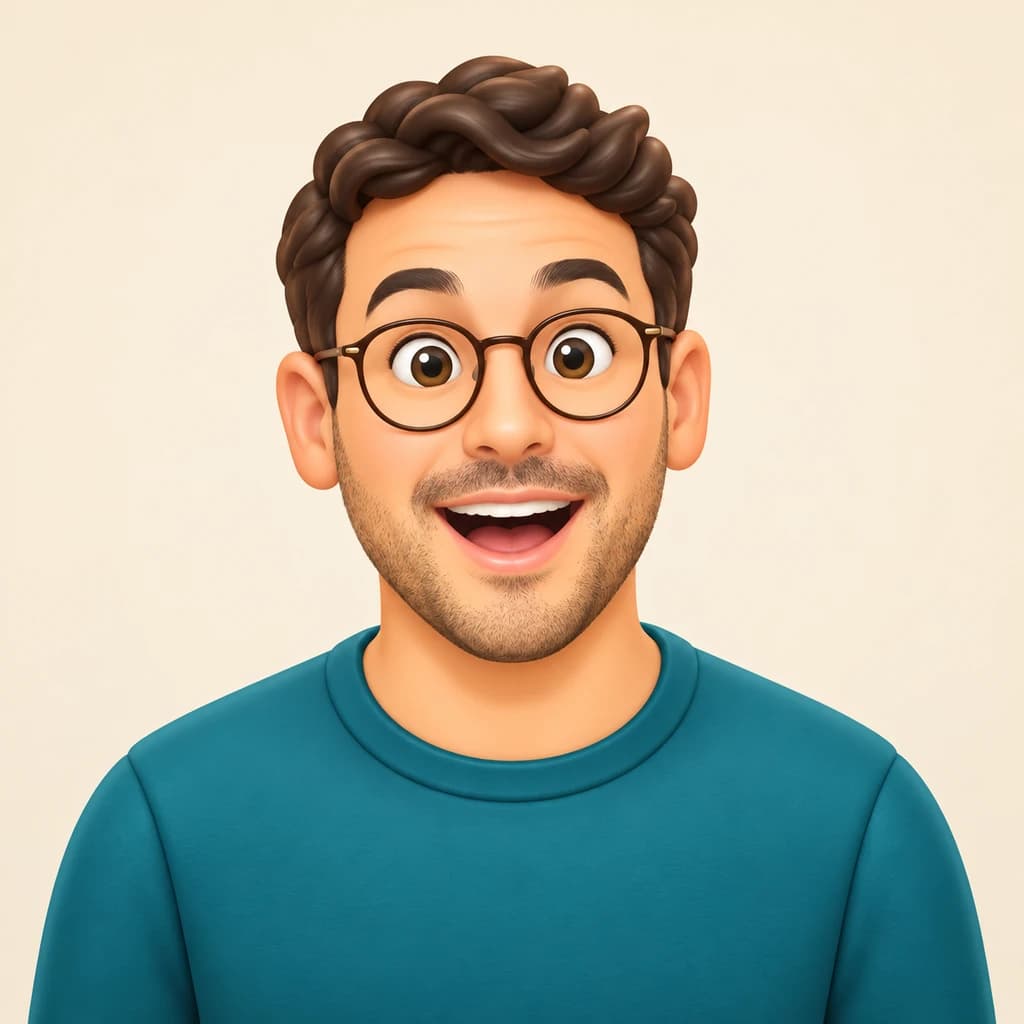
Photo to 3D Avatar redraws you as a polished game character, rendered in 3D with smooth skin, sculpted hair and soft studio light. Upload a sharp selfie or portrait of one person facing the camera. Your face shape, skin tone, smile, glasses and beard stay recognizable, while the head grows a touch and the colors brighten. Sample portraits are free to explore; your own selfie needs a sign-in and credits.
From 8 creditsJPG, PNG or WebP up to 10 MB
- COST
- From 8 credits
- TIME
- Usually under a minute
- UPLOAD
- JPG, PNG, WebP · 10 MB
- OUTPUT
- PNG up to 4096 px
Styles
57 stylesAnime & Cartoon
11Artistic
133D & Avatars
8Fun & Creative
9Retro & Vintage
3Digital & Modern
8Sculptures & Crafts
5Illustrative style preview · Your result will vary
Portrait with round glasses
Sample photo
PRESET · /tools/photo-to-3d-avatar · Seedream 4 · 2K · 1:1
Open full studio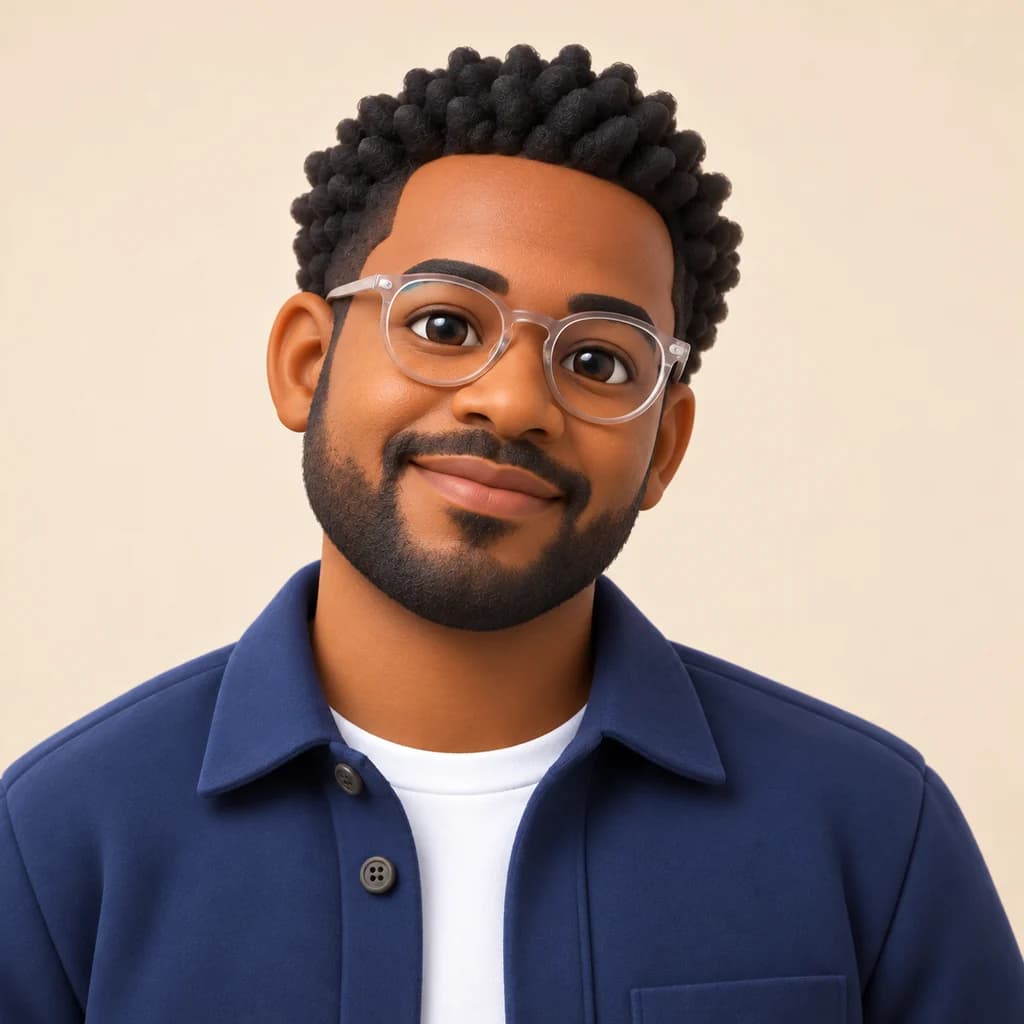 3D AvatarSeedream 4 · 2K · 1:1
Illustrative style preview · Your result will vary
11 credits / image · From $9.99 a month
/tools/photo-to-3d-avatar
Open full studioPhoto to 3D Avatar examples
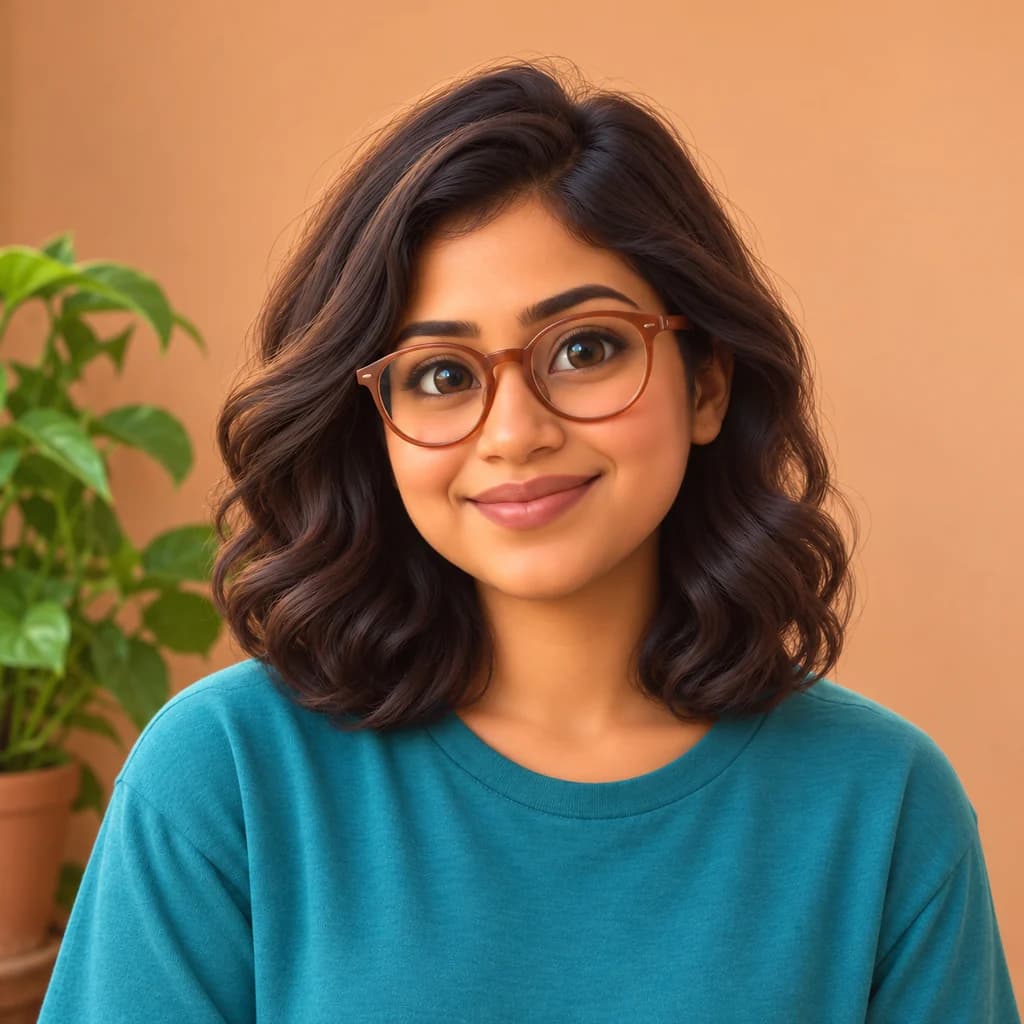
In the portrait with round glasses, tight curls turn into rounded, sculpted clumps while the clear frames and beard stay. The portrait with terracotta glasses keeps her wavy hair, warm wall and potted plant. The silver-haired portrait shows that smile lines and a gray bob survive the smoothing. Each result keeps the head-and-shoulders crop of its original photo.
 ORIGINAL3D AVATAR
Portrait with round glasses01  ORIGINAL
 3D AVATAR
Portrait with terracotta glasses02  ORIGINAL
 3D AVATAR
Silver-haired portrait03
Illustrative style preview · Your result will vary
What is 3D avatar style?
A 3D avatar is a rendered character that represents you on a screen, most often seen from the shoulders up. Consoles and phones made the idea familiar: Nintendo's Miis arrived with the Wii in 2006, and Apple added Memoji to iOS in 2018. This style sits closer to a modern game render than those cartoon builders, with soft studio light, smooth skin and hair modeled in solid locks.
Start with a clear portrait of one person looking at the lens. The generator keeps your face shape, skin tone and hairstyle, plus glasses or a beard, then enlarges the head slightly and brightens the colors. What you download is a flat PNG for gamer tags, chat apps and forums, not a rigged model for a game engine. For a sleeker, full-length look aimed at social VR profiles, see Metaverse Avatar.
How to turn a photo into a 3D avatar
From selfie to game-style character portrait in three steps.
Portrait with terracotta glasses STEP 01
Choose a front-facing selfie
Upload a JPG, PNG or WebP up to 10 MB, or try one of our sample portraits first. Look straight at the lens with your face evenly lit; a turned head gives the render less of your face to rebuild.
- Original3D Avatar
STEP 02
Build your avatar
Your face is rebuilt as a 3D character. Eyes can get a little larger, skin turns smooth and hair becomes sculpted locks. Glasses, beards and your outfit usually carry over, so friends still know it's you.
STEP 03
Render and save
Sign in and generate; the studio shows the price first, from 8 credits depending on the model. Your avatar downloads as a PNG and is also saved to your history, ready for the next profile you need to update.
Ways to use it
Places where a 3D version of you fits right in.
- Gaming profilesShow up as a 3D character of yourself on your gamer profile or stream.
- Chat and community appsA recognizable avatar for group chats, forums and community servers.
- Team pagesMatching avatars for a whole team. Batch processing handles up to 50 photos at once.
- Channel and podcast iconsA friendly face for your video channel, podcast cover or newsletter.
- Clean cutoutsRemove the background (4 credits) for an avatar that sits on any color.
- Gifts for friendsSurprise a friend with a 3D avatar of themselves, printed and framed.
Photo to 3D Avatar: what to expect
What a game-style 3D portrait keeps from your selfie, what to prepare, and where it falls short.
| FEATURE | What you get | Before you start | Limits |
|---|---|---|---|
| Faces | Your face shape, skin tone and smile, with smoother skin and a slightly larger head | Look straight at the lens, eyes open and nothing covering them | Freckles, scars and fine wrinkles may be softened by the smooth render |
| Hair and beards | Curls, waves and stubble become solid, sculpted shapes, like modeled game hair | Leave your hairline visible; a cap or hood hides the shape the render copies | Flyaway strands and very fine textures merge into larger clumps |
| Glasses and accessories | Frames usually keep their shape and color, like the clear round and terracotta pairs in our samples | Wear the glasses, earrings or cap your friends recognize you by | Glare on lenses can hide your eyes, and tinted lenses may change shade |
| Framing and file | Your photo's crop, redrawn as a PNG for profile circles and gamer tags | Crop to one person if the photo includes friends | A flat image only: no 3D mesh, rig or file a game can load |
Tips for better 3D avatar results
Avatars live in tiny circles, so clarity matters.
- 01
Shoulders up, facing forward
Avatars are seen at small sizes. A head-and-shoulders photo facing the camera gives the clearest eyes, smile and hairline.
- 02
Keep your signature details
Wear the glasses, earrings or cap people know you for. Details like these usually carry over and make the avatar feel like you.
- 03
Use even, soft light
Strong shadows across your face can turn into odd shapes on smooth 3D skin. Face a window or step into open shade.
- 04
Make a matching set
Run the same style on friends or teammates for a set that belongs together. Each run varies a little, so keep the best of each.
Photo to 3D Avatar FAQ
Answers about likeness, framing and game use for 3D avatars; general account, credit and privacy questions are covered in the main FAQ.
Will the avatar still look like me?
How is 3D Avatar different from Metaverse Avatar?
Can I load the avatar into a game or VR app?
Which photo gives the best avatar?
What happens to curly or textured hair?
Will it work on my kids or my dog?
How large is the download?
Why does each run give a slightly different avatar?
Can my business use these avatars?
Get a 3D avatar that looks like you
See how the render treats faces, glasses and hair on our sample portraits before you spend anything. When you're ready to use your own selfie, sign in and pay in credits per result; the cheapest monthly plan is $9.99.