Photo to
Linocut
Photo to linocut redraws a photo to look like a relief print cut from a linoleum block and inked by hand. Upload a portrait, a pet or a house and garden with clear light and dark areas. Shadows turn into solid black ink, highlights stay cream paper, and hair, fur and leaves are described with pale gouged lines, while the pose and expression carry over. Exploring the samples costs nothing; turning your own photo into a print takes a sign-in and credits.
From 8 creditsJPG, PNG or WebP up to 10 MB
- COST
- From 8 credits
- TIME
- Usually under a minute
- UPLOAD
- JPG, PNG, WebP · 10 MB
- OUTPUT
- PNG up to 4096 px
Styles
57 stylesAnime & Cartoon
11Artistic
133D & Avatars
8Fun & Creative
9Retro & Vintage
3Digital & Modern
8Sculptures & Crafts
5Illustrative style preview · Your result will vary
Portrait with terracotta glasses
Sample photo
PRESET · /tools/photo-to-linocut · Seedream 4 · 2K · 1:1
Open full studio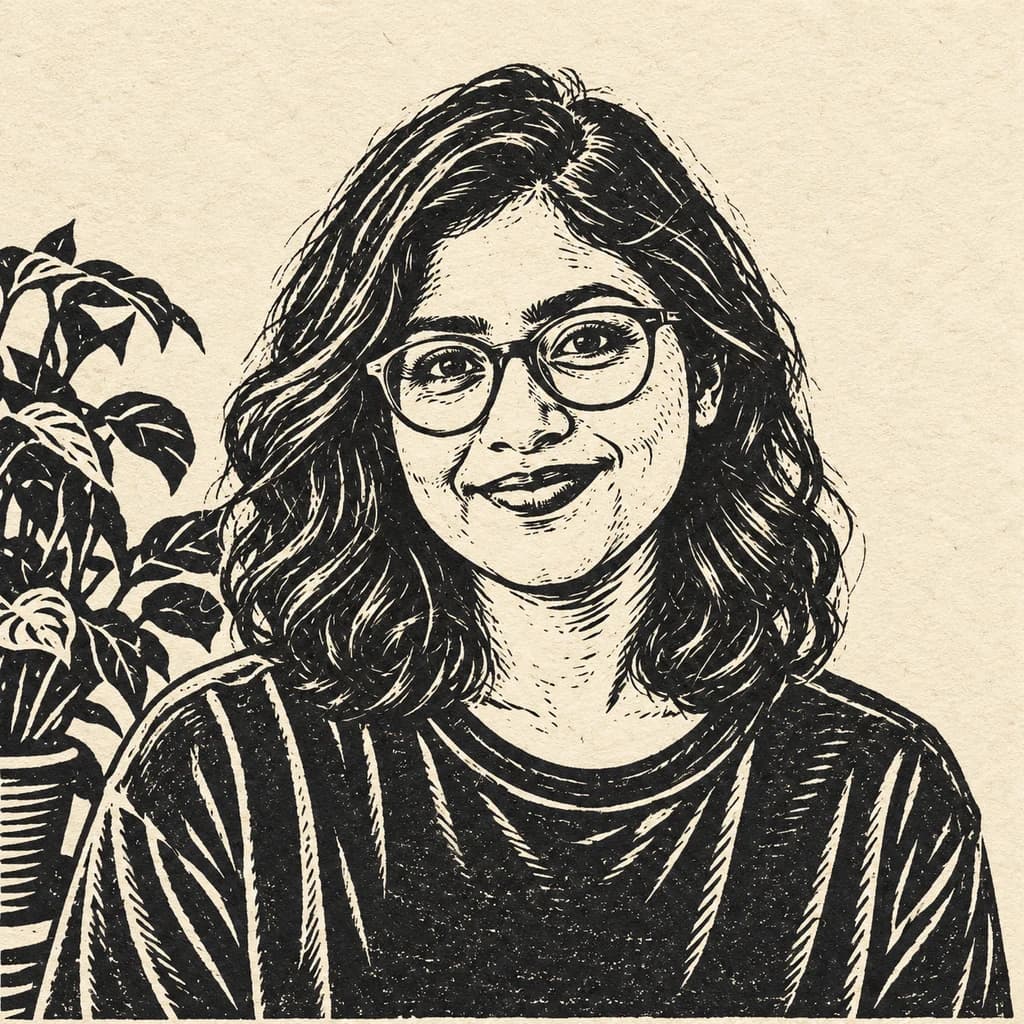 LinocutSeedream 4 · 2K · 1:1
Illustrative style preview · Your result will vary
11 credits / image · From $9.99 a month
/tools/photo-to-linocut
Open full studioWhat changes in a linocut picture?
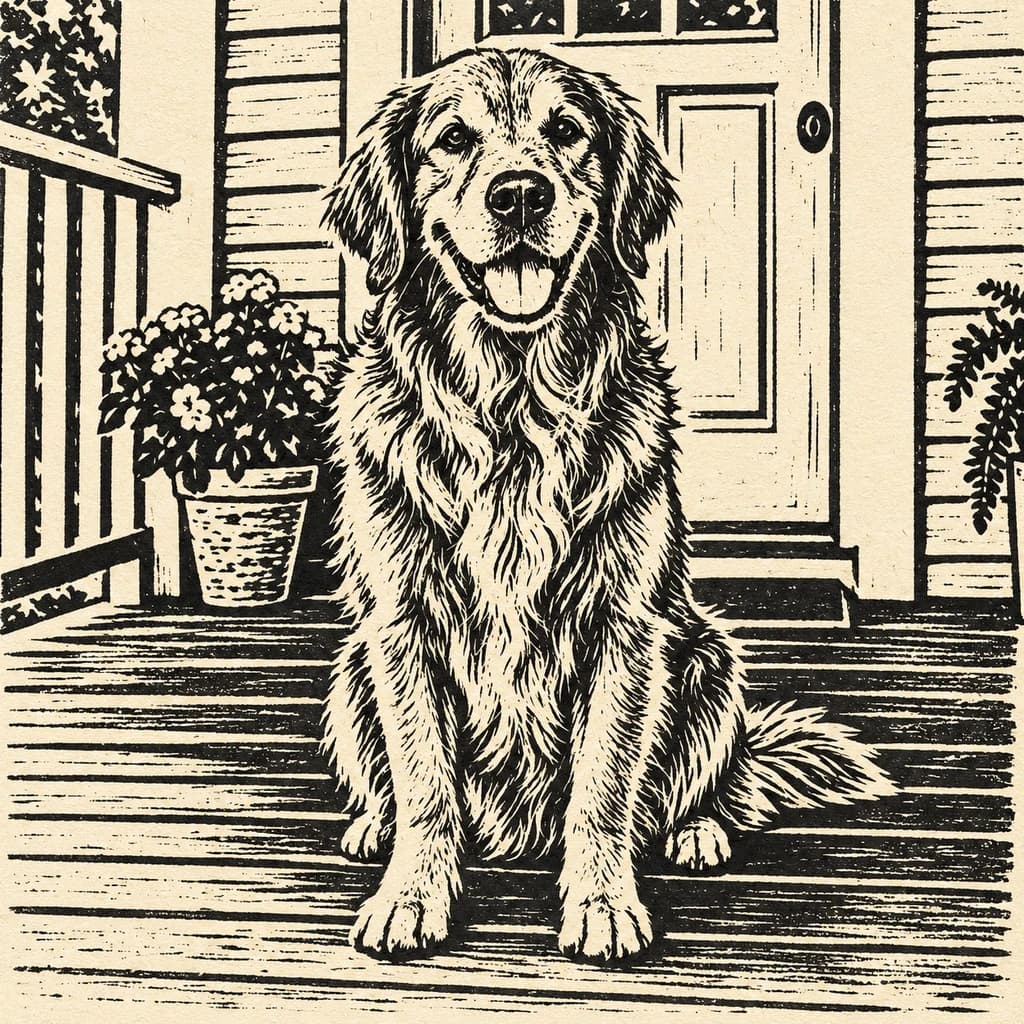
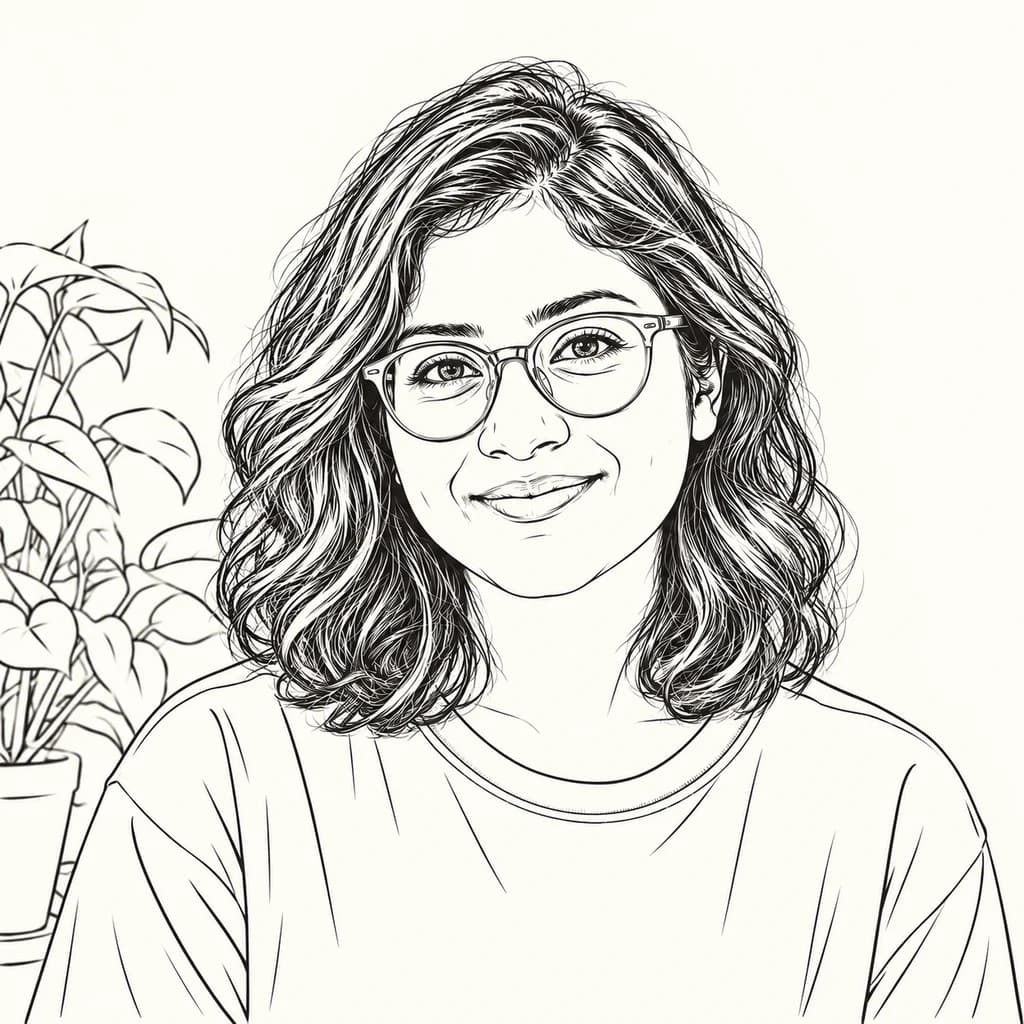
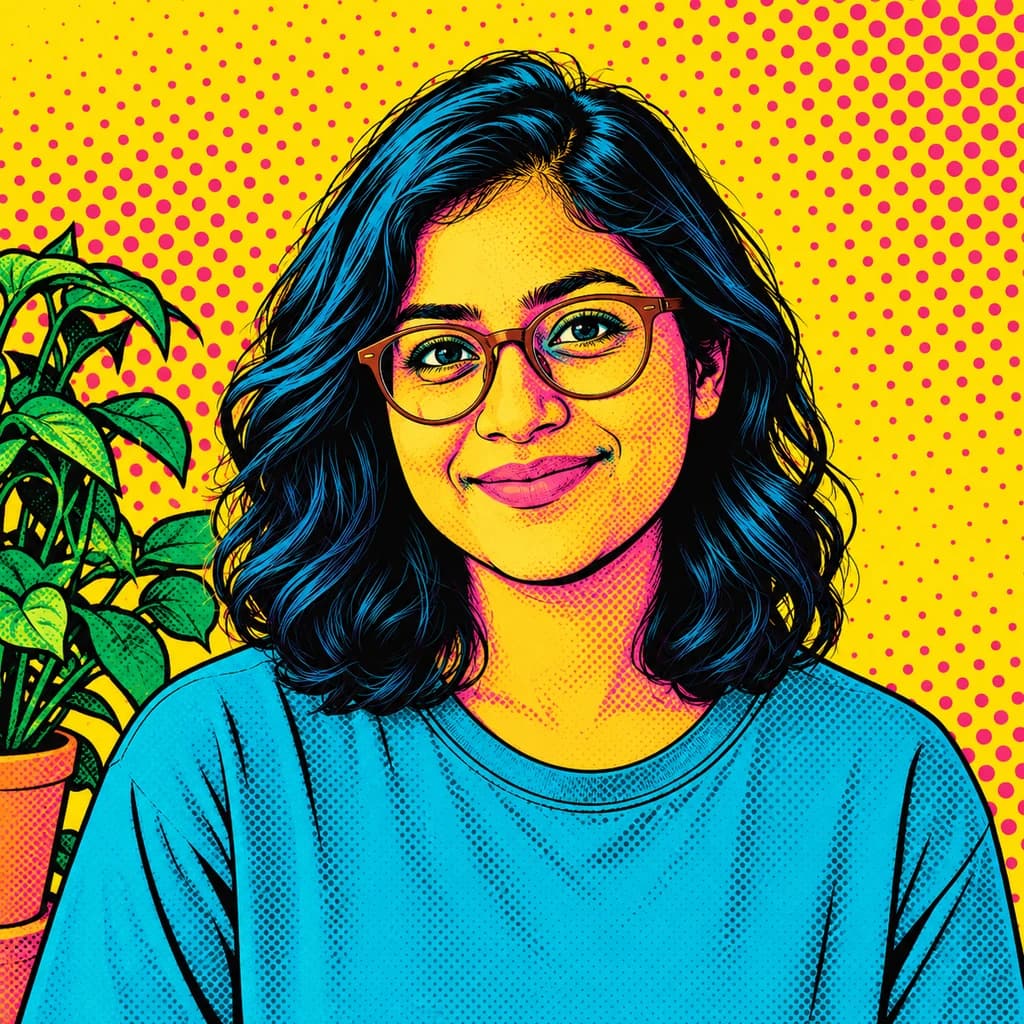
In the portrait with terracotta glasses, the frames turn solid black and the T-shirt becomes dark ink cut with pale curved lines. The golden retriever’s coat is built from short gouges, while the porch boards get long, straight cuts. The cottage and flower garden shows leaves, roof tiles and a stone path turned into a busy but readable print.
 ORIGINALLINOCUT
Portrait with terracotta glasses01 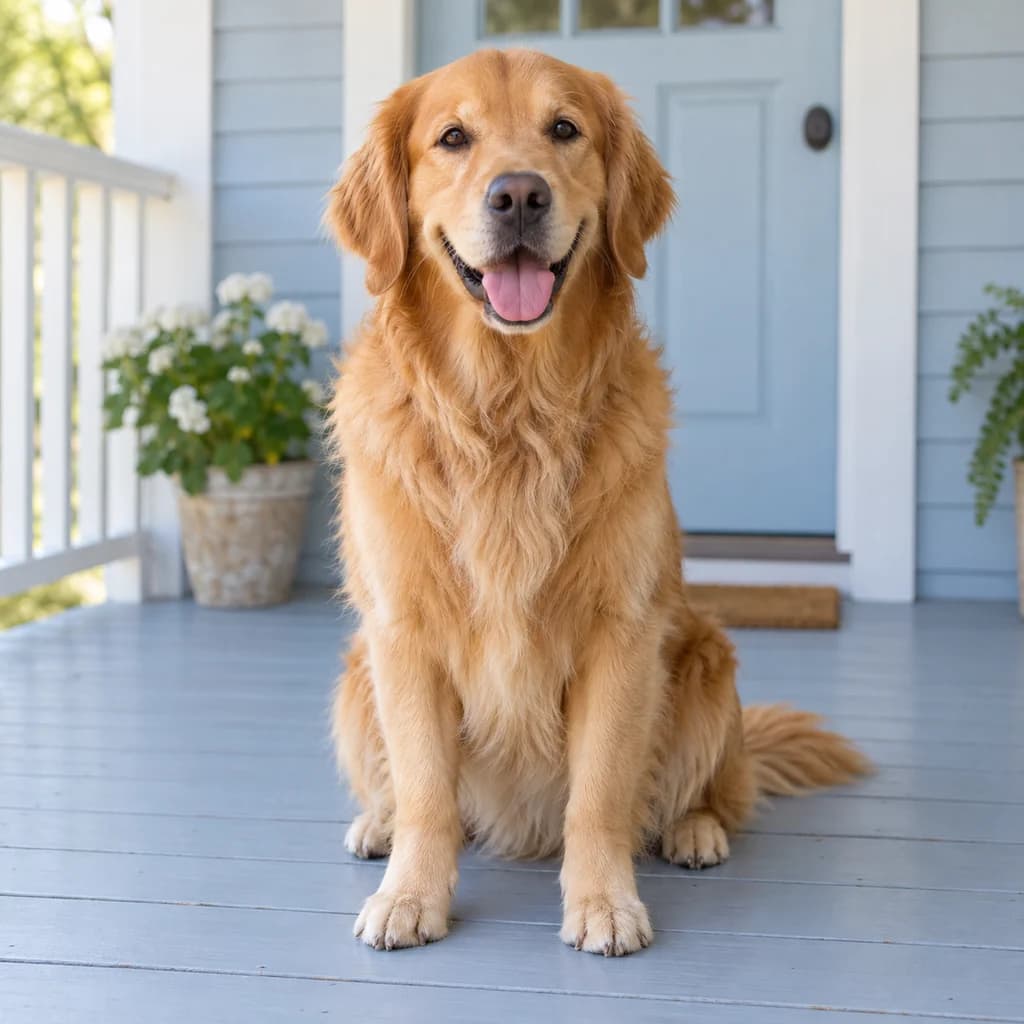 ORIGINAL
 LINOCUT
Golden retriever on the porch02 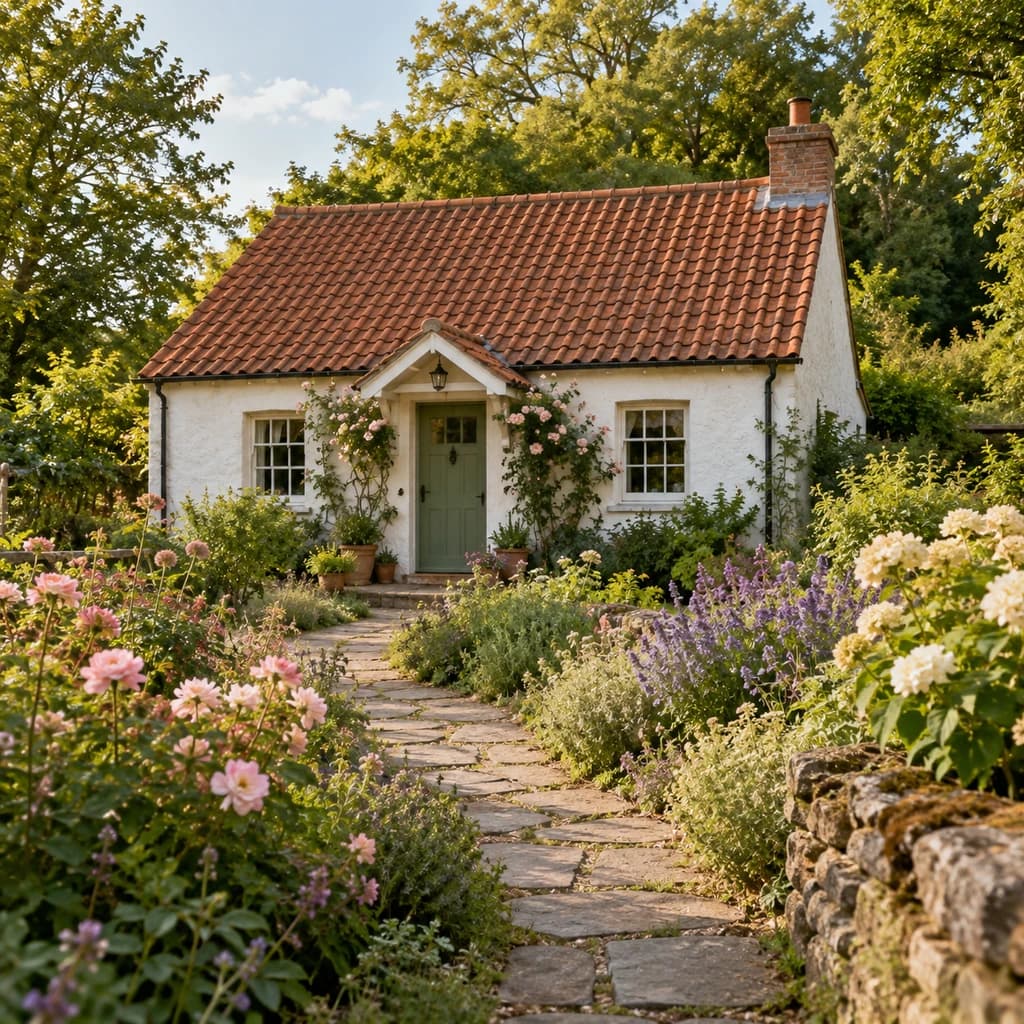 ORIGINAL
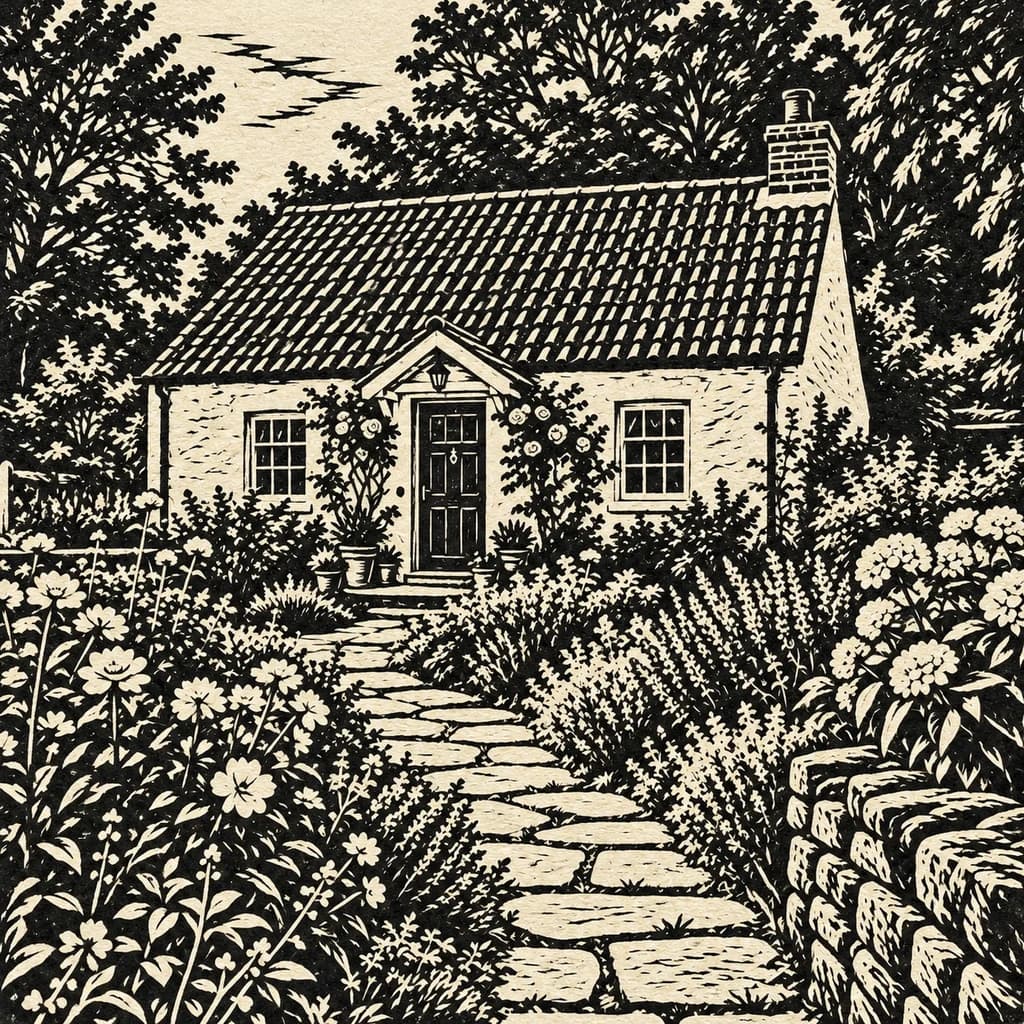 LINOCUT
Cottage and flower garden03
Illustrative style preview · Your result will vary
What is a linocut-style picture?
Linocut is a relief print: an artist cuts away parts of a linoleum block, rolls ink onto the raised surface and presses it onto paper. Uncut areas carry the ink; the cuts leave pale marks. Linoleum was invented in the 1860s as a floor covering, and artists including Henri Matisse and Pablo Picasso later made linocuts. The method gives bold light and dark shapes, rough edges and distinct lines.
This tool makes a digital picture with that appearance. It redraws your photo using ink-like shapes, cut marks and paper texture. Hair, clothing and fur are described with repeated strokes, and in our samples the backgrounds are cut in as much detail as the subject. The download is a PNG image, not a carved block, an editable vector or a cutting template.
How to turn a photo into linocut art
Choose a photo with clear darks and lights, since those become ink and bare paper.
Cottage and flower garden STEP 01
Upload your photo
Bring a JPG, PNG or WebP up to 10 MB, or pick one of the sample photos. Look for real contrast, such as a face lit from one side or a pet against a pale wall, because the middle tones get pushed toward either ink or paper.
- OriginalLinocut
STEP 02
Select Linocut
Choose Linocut in the studio. Dark areas become black ink, light areas become cream paper, and textures such as hair, fur and leaves are cut through with pale lines.
STEP 03
Generate and download
Sign in and generate, from 8 credits per print-style image. Download it as a PNG; it is also kept in your account history, so you can return to it when you lay out a card or poster.
Where the print look works well
Use the bold marks in layouts that give them room.
- Portrait printsA bold ink portrait sits well in a simple frame with a wide pale border.
- Pet keepsakesCarved-looking marks can describe fur and familiar coat patterns.
- Cards and invitationsPair the picture with your own wording for a personal printed card.
- Personal giftsMake a print-style version of a photo with a story behind it.
- Printmaking ideasExplore light and dark shapes before planning a separate handmade print.
- Posters and coversBuild a layout around the strong portrait, then add typography in your design editor.
Before you make a linocut picture
How ink, paper and carved lines treat each part of your photo.
| FEATURE | What you get | Before you start | Limits |
|---|---|---|---|
| Faces | Features drawn in black ink with a few pale cuts; expression and glasses carry over | Pick a photo where the face has a clear shadow side | Skin tone, eye color and soft wrinkles are lost, and small features can shift |
| Hair and fur | Rows of pale gouges through dark masses, following curls and the direction of a coat | Keep hair and fur in focus so the cuts have a direction to follow | Single strands are replaced by carved marks, so it is not a detailed fur study |
| Colors | Black ink on cream paper in all three samples | Imagine your photo in just two tones before choosing it | Bright clothing and flowers all become ink or paper; do not expect the photo’s colors back |
| Backgrounds | Gardens, porches and plants cut as bold patterns of their own | Decide whether you want a calm portrait or a busy, decorative print | No printed border, title or signature; add lettering in a layout app afterward |
Tips for a stronger linocut result
Choose a photo that can say more with fewer tones.
- 01
Look for a clear shadow
Light from a window or from one side gives the face shapes that can become dark ink and pale paper.
- 02
Keep detail around the eyes
A sharp face gives the picture a better chance of keeping its expression. A blurred face leaves less for the carved lines to describe.
- 03
Use a quiet background
A plain wall or open sky leaves space around the subject. Busy branches and patterns can turn into distracting marks.
- 04
Add lettering afterward
Tiny text and logos in a photo may change or disappear. If you need a title or date, add it to the finished picture in your layout editor.
Questions about photo to linocut
What the linocut look keeps, cuts away and leaves to you; account, credit and privacy questions are answered once, in the main FAQ.
Is the result a real linocut print?
Will it be black and white?
Will it still look like the person in my photo?
How is linocut different from a pencil sketch or line art?
Can I use it as a carving template?
What happens to a busy scene like a garden?
Can I turn a pet or a group photo into a linocut?
What can I download and print?
Why does each print come out different?
Can I use a linocut picture commercially?


See what a few bold lines can do
Look at the three linocut samples, then pick a photo with a clear face and real shadows. Viewing is free; making your own takes a sign-in and credits, with plans from $9.99 a month. The studio shows the price before you press generate.