Photo to
Hologram
Photo to hologram turns the person or pet in your picture into a projection of icy blue light that you can partly see through. Upload a portrait, a full-length shot or a pet with a clear outline. Fine scan lines run across the figure, the edges glow, and light can pool on the floor at the feet. The wall, porch or room behind stays real. Look at the samples first for free, then sign in and spend credits on yours.
From 8 creditsJPG, PNG or WebP up to 10 MB
- COST
- From 8 credits
- TIME
- Usually under a minute
- UPLOAD
- JPG, PNG, WebP · 10 MB
- OUTPUT
- PNG up to 4096 px
Styles
57 stylesAnime & Cartoon
11Artistic
133D & Avatars
8Fun & Creative
9Retro & Vintage
3Digital & Modern
8Sculptures & Crafts
5Illustrative style preview · Your result will vary
Portrait with terracotta glasses
Sample photo
PRESET · /tools/photo-to-hologram · Seedream 4 · 2K · 1:1
Open full studio HologramSeedream 4 · 2K · 1:1
Illustrative style preview · Your result will vary
11 credits / image · From $9.99 a month
/tools/photo-to-hologram
Open full studioPhoto to Hologram examples
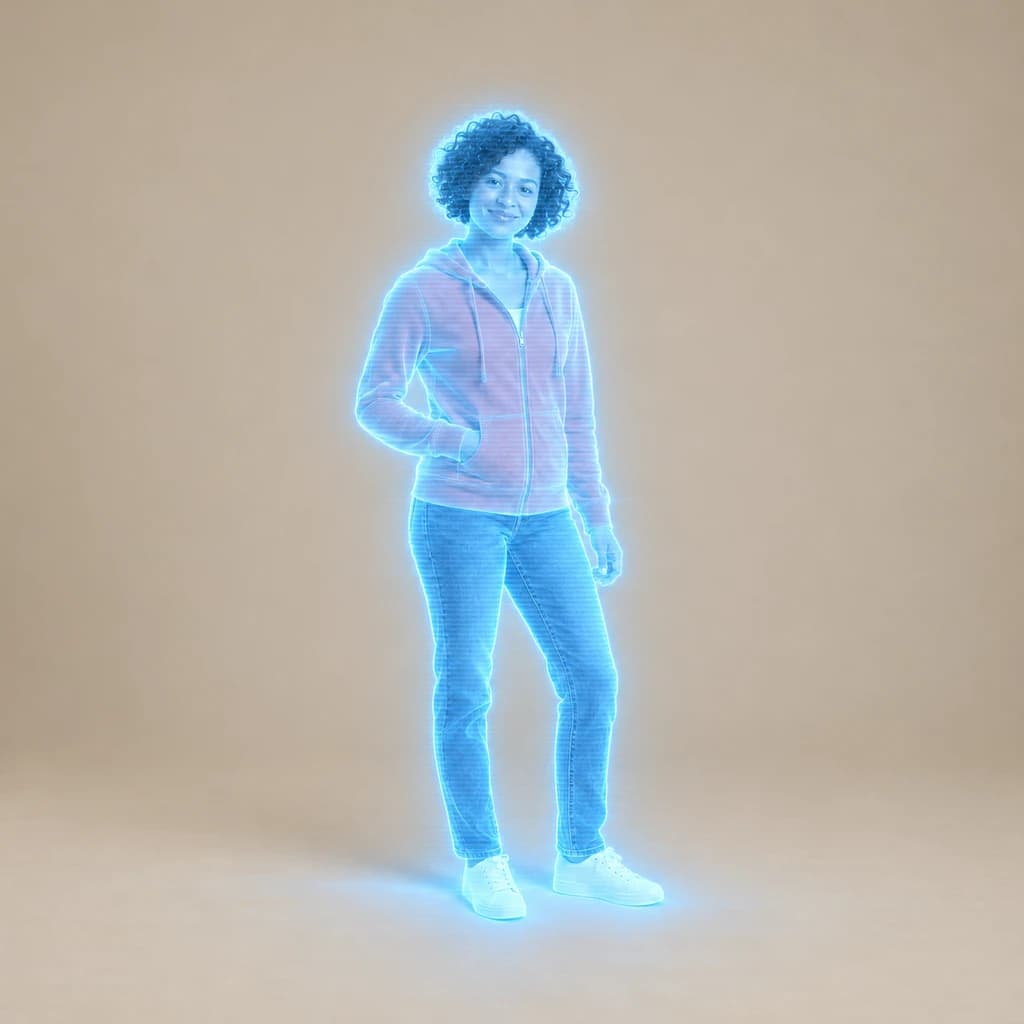
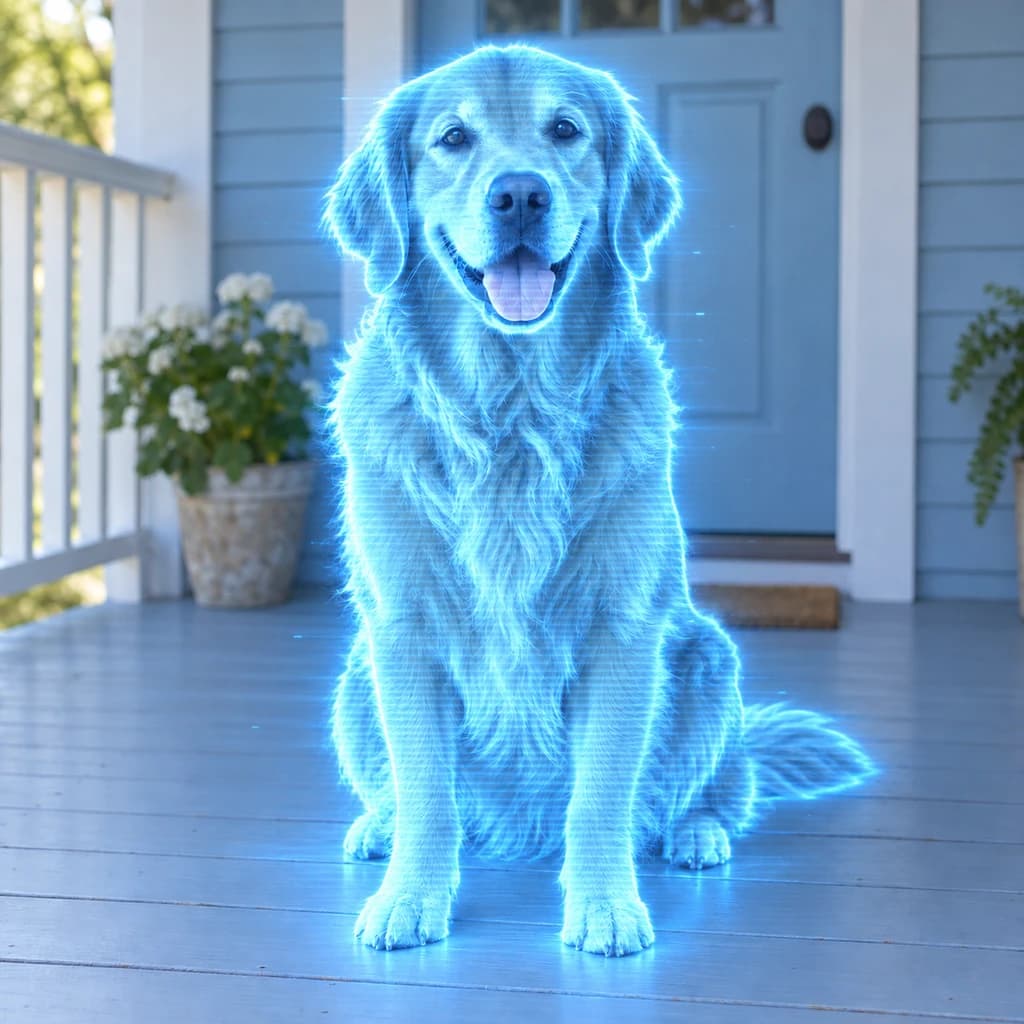
Compare how much light replaces each subject. The portrait with terracotta glasses turns blue from hair to shirt, with fine lines across her face, while the orange wall and plant keep their color. In the full-body portrait in coral, the backdrop shows through her legs and light pools at her feet. The golden retriever on the porch glows blue beside a real door.
 ORIGINALHOLOGRAM
Portrait with terracotta glasses01 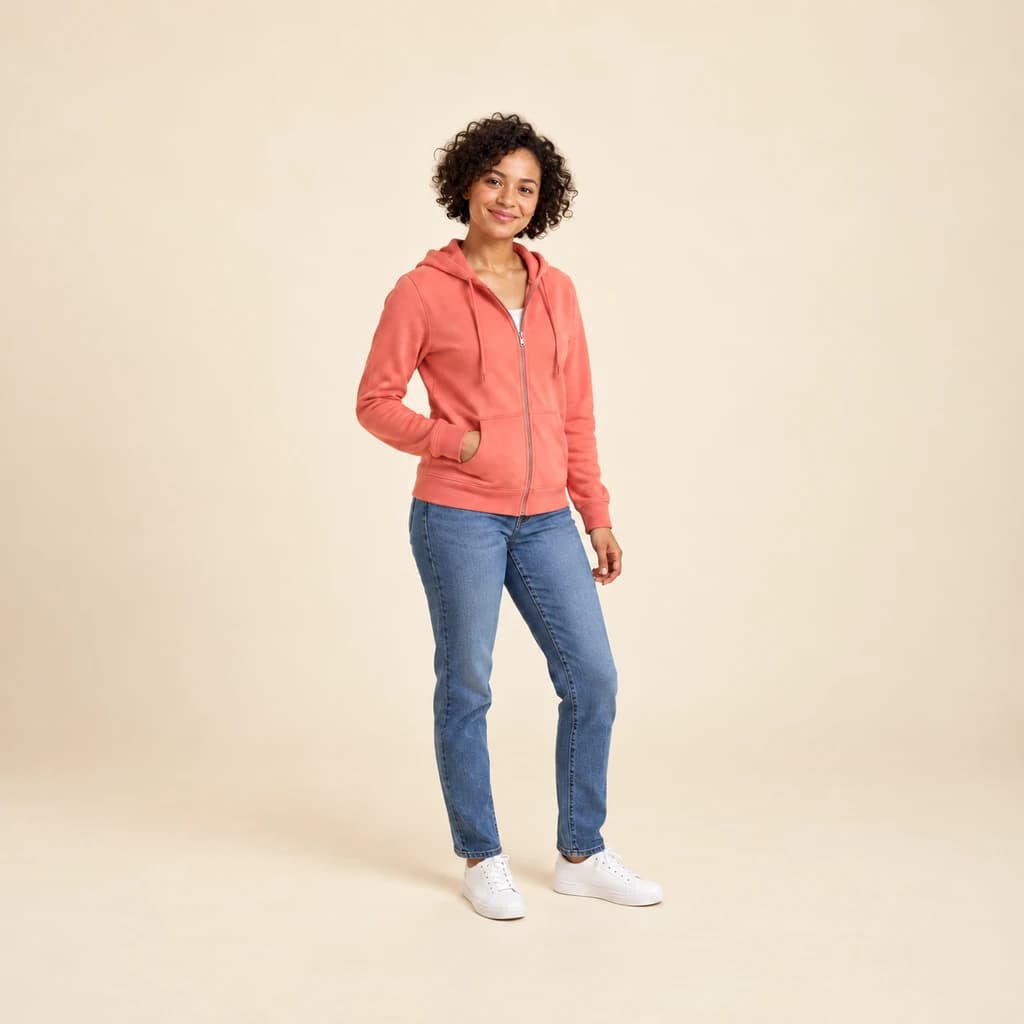 ORIGINAL
 HOLOGRAM
Full-body portrait in coral02  ORIGINAL
 HOLOGRAM
Golden retriever on the porch03
Illustrative style preview · Your result will vary
What is hologram style?
A hologram is a recording of light that rebuilds a three-dimensional image when it is lit. Dennis Gabor invented holography in 1947 and received the 1971 Nobel Prize in Physics for it. The look most people picture, though, comes from science fiction such as Star Wars (1977): a flickering, see-through figure in pale blue light, lined like a screen, standing in a real room.
This style makes that screen version, not a real hologram. Your subject turns into glowing blue light with fine horizontal lines and a bright rim, and thin or pale parts such as legs, fur edges and white sneakers turn see-through or extra bright. Everything around the figure keeps its normal color and light, which is what makes the projection believable.
How to turn a photo into a hologram
Only the subject turns to light, so the photo needs one figure with an outline you could trace with a finger.
Full-body portrait in coral STEP 01
Upload one clear figure
Upload a JPG, PNG or WebP under the 10 MB limit, or try one of the samples. One person or pet with space around the body projects best, and a full-length shot lets light pool on the floor at the feet.
- OriginalHologram
STEP 02
Beam it in as light
Your subject turns partly see-through and glows icy blue, with fine light lines across the body. The background stays real, and some results add a pool of light underfoot, a projector ring or floating screens.
STEP 03
Generate and download the projection
Sign in to generate with credits, from 8 per image depending on model and quality. Save the PNG, and return to your history when you want to compare a more see-through version with a more solid one.
Ways to use it
Places where a beamed-in version of you belongs.
- Sci-fi profile picturesA glowing, see-through you for gaming and chat profiles.
- Game and story charactersPicture yourself as a projected guide or messenger in your own sci-fi story.
- Video intros and thumbnailsA hologram of you makes a striking opener for a channel or talk.
- Tech event speaker cardsA glowing portrait for a speaker card, team page or launch slide.
- Sci-fi pet portraitsYour dog or cat as a glowing blue projection, still clearly them.
- Space-themed partiesInvites for a sci-fi or space birthday, with the birthday kid beamed in.
Photo to Hologram: what to expect
How the projection changes your subject, what stays solid around it and where results can surprise you.
| FEATURE | What you get | Before you start | Limits |
|---|---|---|---|
| Faces | Your features, glasses and expression drawn in blue light, with fine lines across the skin. | A sharp, evenly lit face keeps eyes and mouth readable once the color is gone. | Skin tone and eye color become blue, so likeness rests on shape and expression. |
| Clothes | Clothing shape and folds carry over; strong colors can leave a faint tint, like the coral hoodie. | If an outfit color matters to you, expect it to turn mostly blue. | Full color on the figure is not possible in this style; losing it is the effect. |
| See-through areas | Thin or pale parts, such as legs, fur edges and white sneakers, glow or let the backdrop show through. | A plain backdrop makes the see-through areas easy to read. | How transparent the figure becomes changes per run and cannot be set. |
| Backgrounds | The real room, porch or wall in its original color and daylight. | Keep the subject apart from furniture and plants so the glowing rim stays clean. | The room is not turned into a sci-fi set; for a whole new setting, try cyberpunk. |
Tips for better hologram results
Small choices that make the projection more convincing.
- 01
Full-body shots invite a projector
When your feet are in the frame, some results add a glowing projector ring underneath. It looks like you're being beamed in.
- 02
Darker surroundings make it glow
The blue light stands out most against a darker or simpler background. A bright, busy scene can wash the glow out a little.
- 03
Pets turn to light beautifully
Fur picks up the glowing lines well. In our golden retriever example, almost the whole dog becomes glowing blue light.
- 04
Bring the projection to life
Turn your hologram into a short moving clip with our image to video tool. It costs 8 credits per second at 480p.
Photo to Hologram FAQ
How see-through the projection gets, what stays real and how hologram compares with neon glow; the main FAQ covers accounts, credits and privacy, including how your photos are handled.
Will people know it's me in blue?
Why is one version more see-through than another?
Does the background change too?
Why is there a glow on the floor?
Can I get a hologram in another color?
How is hologram different from neon glow?
Does it work on pets and groups?
Can I print a hologram portrait?
Can I use a hologram image for a business or product launch?




Beam yourself in as a hologram
Open the three samples to see a head-and-shoulders portrait, a full-length figure and a dog turned to light, with no account needed. To project your own photo, sign in and use credits. Plans run from $9.99 a month.