Photo to
Vintage
Photo to vintage gives a recent photo the warm, faded color of 1970s film without redrawing it as art. Upload a portrait, a couple or an outdoor scene taken in natural light. Colors warm and fade, skies drift toward amber, focus softens and a glow like a light leak can appear, while faces, clothes, cars and backgrounds stay where they were. The samples are free to compare, and aging your own photo uses credits once you sign in.
From 8 creditsJPG, PNG or WebP up to 10 MB
- COST
- From 8 credits
- TIME
- Usually under a minute
- UPLOAD
- JPG, PNG, WebP · 10 MB
- OUTPUT
- PNG up to 4096 px
Styles
57 stylesAnime & Cartoon
11Artistic
133D & Avatars
8Fun & Creative
9Retro & Vintage
3Digital & Modern
8Sculptures & Crafts
5Illustrative style preview · Your result will vary
Portrait at the garden gate
Sample photo
PRESET · /tools/photo-to-vintage · Seedream 4 · 2K · 1:1
Open full studio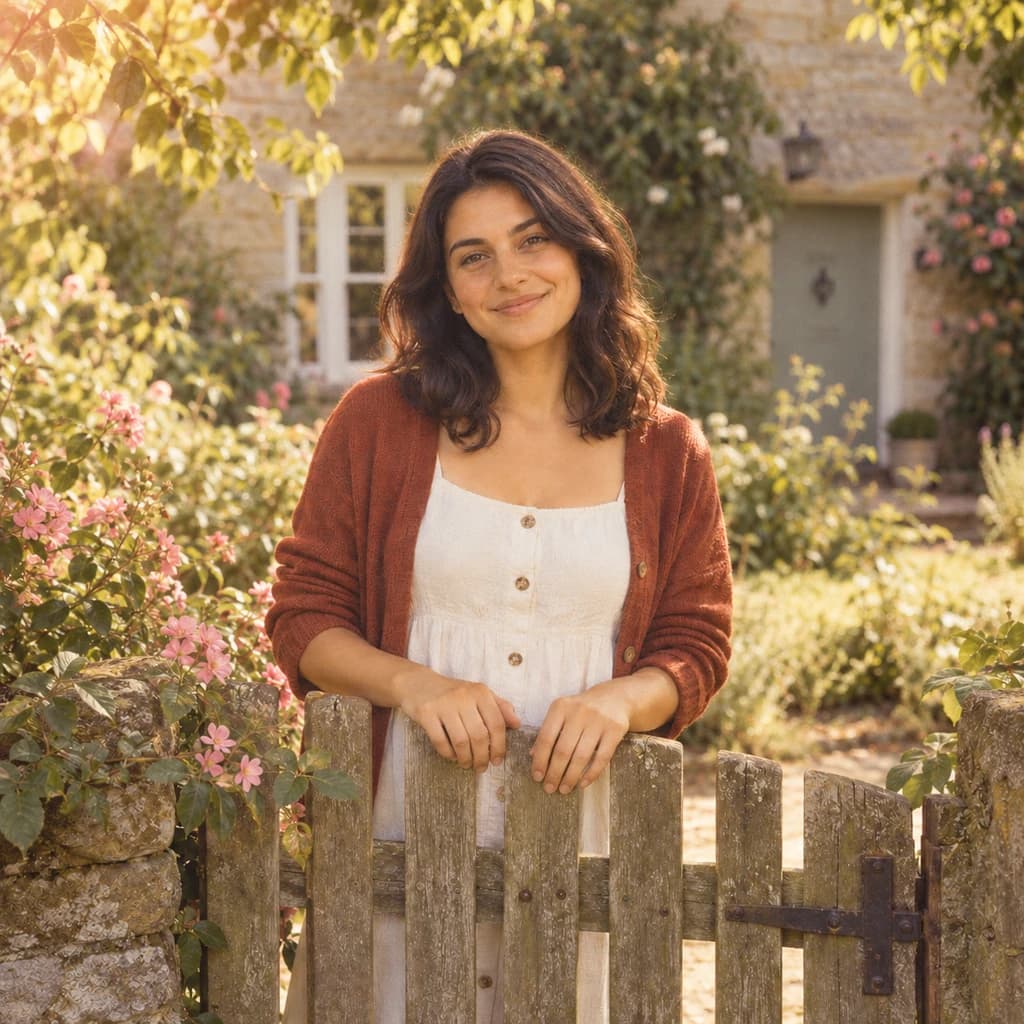 Vintage FilmSeedream 4 · 2K · 1:1
Illustrative style preview · Your result will vary
11 credits / image · From $9.99 a month
/tools/photo-to-vintage
Open full studioPhoto to Vintage examples
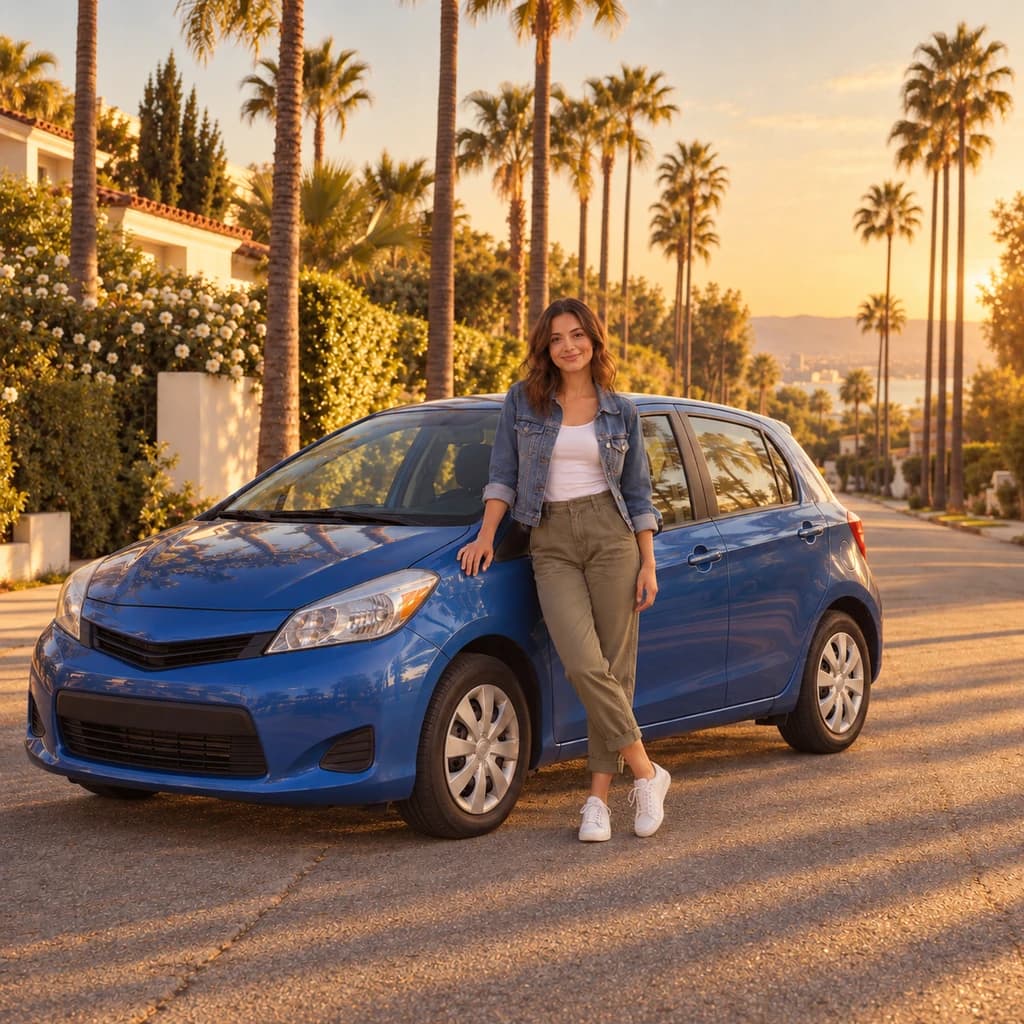
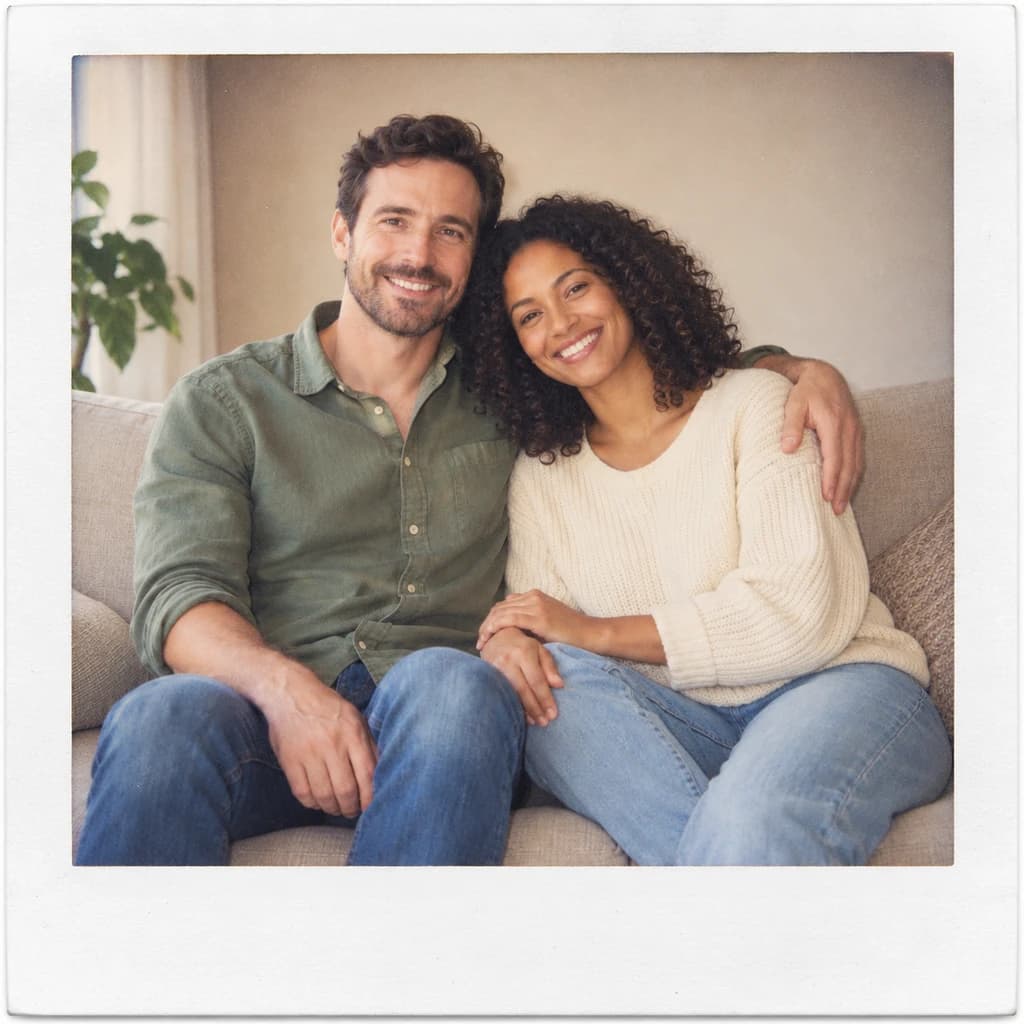
Compare each pair closely: nothing moves, but the light does. The portrait at the garden gate picks up a low, golden glow from the upper left. In the couple on the sofa, the beige room turns honey-colored and slightly hazy. The portrait beside a blue car shows the biggest change: a clear blue sky becomes an amber sunset, while the car stays blue.
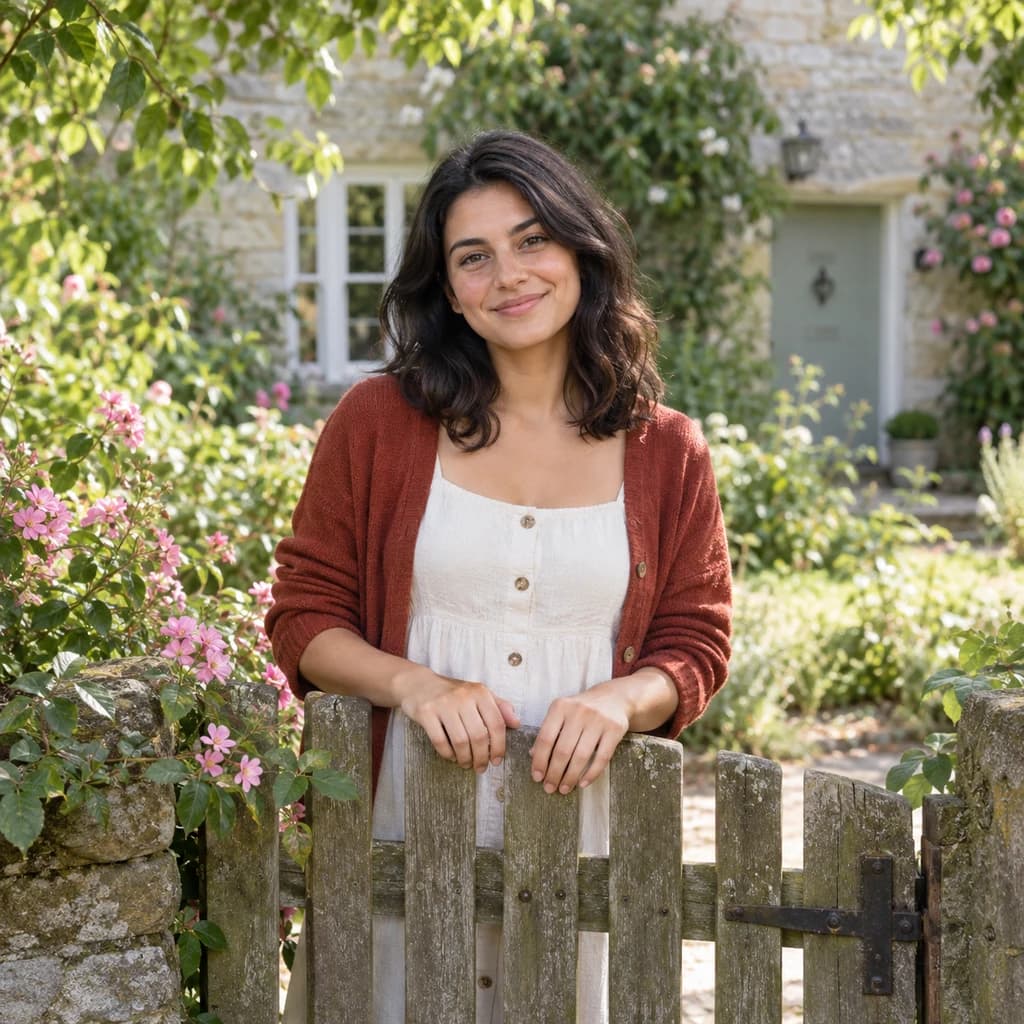 ORIGINALVINTAGE FILM
Portrait at the garden gate01 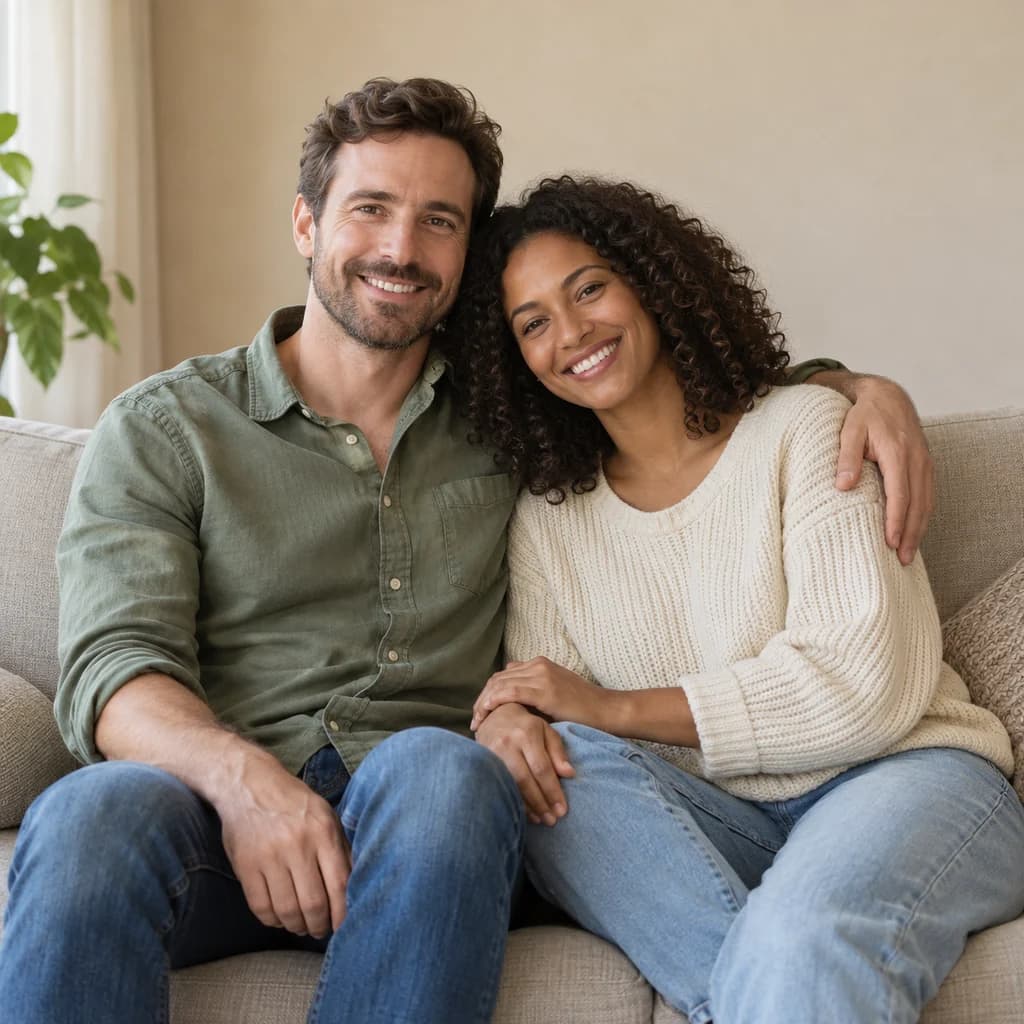 ORIGINAL
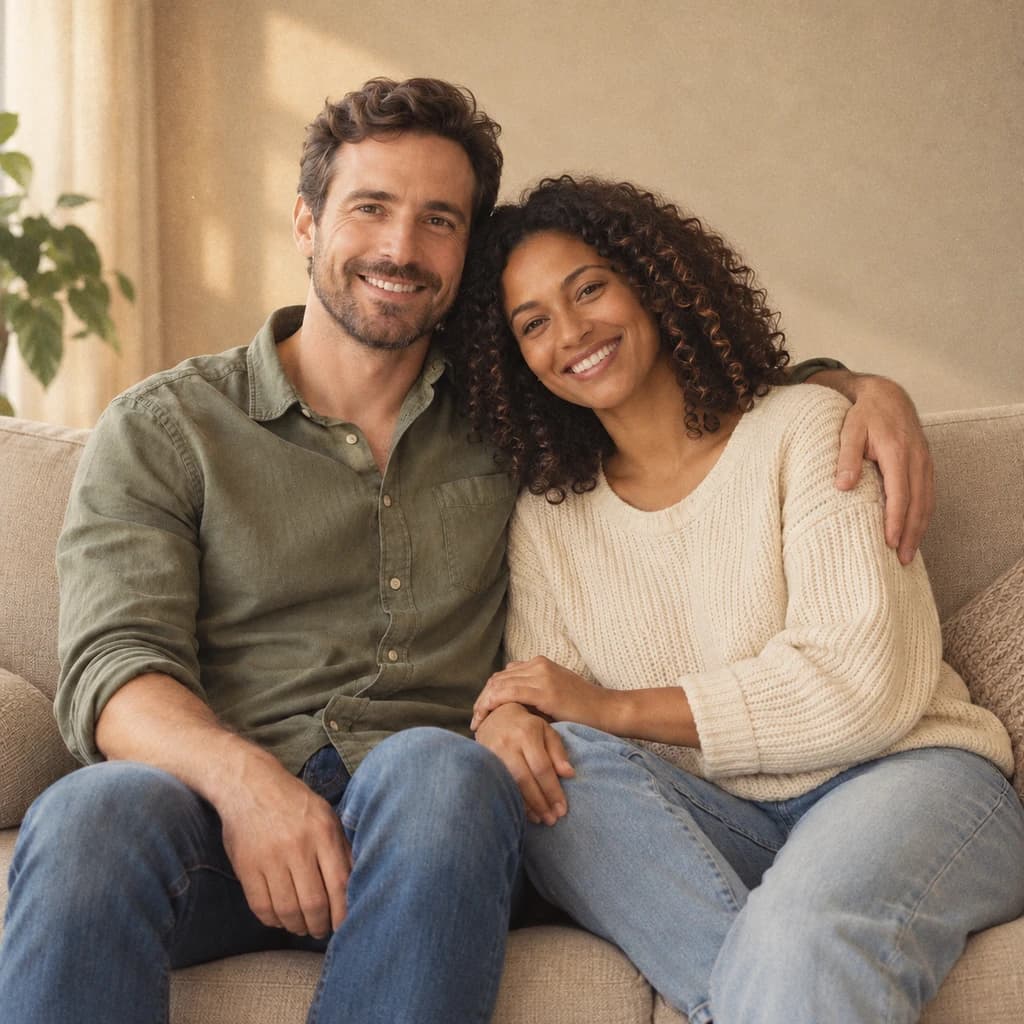 VINTAGE FILM
Couple on the sofa02 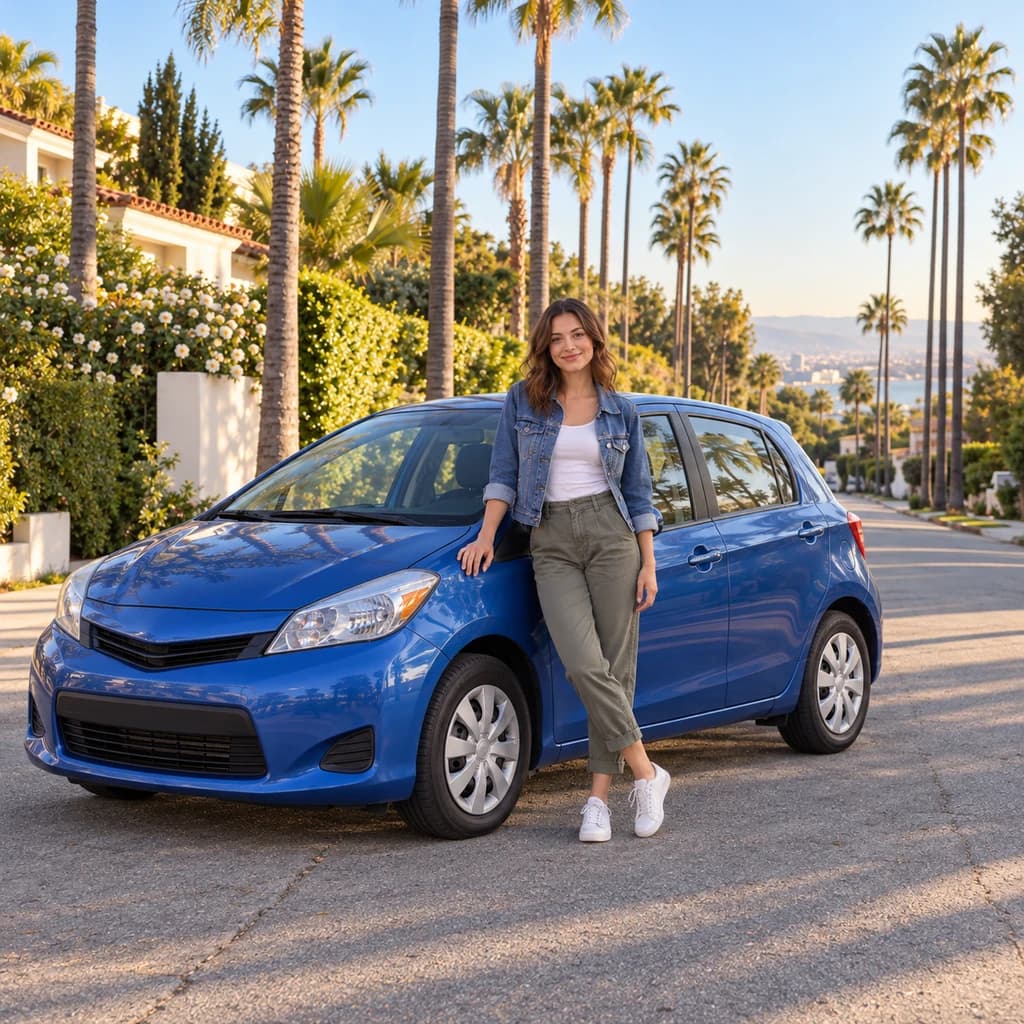 ORIGINAL
 VINTAGE FILM
Portrait beside a blue car03
Illustrative style preview · Your result will vary
What is vintage style?
Vintage film style is a color treatment that makes a new photo look like a print from the 1970s. Color prints from that era rarely stayed true: dyes faded, whites drifted toward cream and contrast flattened. Inexpensive cameras added quirks of their own, such as soft focus, visible grain and light leaks, where stray light fogged part of the film with an orange or red glow.
Unlike the drawing styles, this one keeps your picture a photograph. Faces, poses, clothing and the setting stay as they were; what changes is the color and the light. The samples on this page lean golden, as if shot an hour before sunset, and none of them has a border. For a framed instant print, Polaroid is the closer match.
How to turn a photo into a vintage print
Bring a natural-light photo; only its color and light are reworked.
Couple on the sofa STEP 01
Upload a photo
Drop in a JPG, PNG or WebP up to 10 MB, or begin with one of the samples. Outdoor shots and rooms lit by a window age most convincingly, since the style works on light and color rather than on shapes.
- OriginalVintage Film
STEP 02
Age the color and light
The whole picture gets a warm, faded cast. Whites turn creamy, contrast and focus soften, and a glow like a light leak may appear, while faces, poses and background stay as they were.
STEP 03
Generate and download
Sign in and generate, from 8 credits per photo depending on the model. Download the aged picture as a PNG; it also lands in your history, so you can age a few more from the same day and keep them together.
Ways to use it
Good uses for a new photo with an old-print look.
- Framed prints at homeA recent family photo that looks like it has hung in the hallway for decades.
- Wedding and anniversary albumsGive a few favorite shots a classic, old-print feel next to the modern ones.
- Gifts for grandparentsPrint the grandkids in old-photo color, ready for a frame on the mantel.
- Milestone birthday slideshowsAge a few recent photos so they sit well beside real ones from decades ago.
- Throwback postsShare a new picture with old-photo charm on a throwback day.
- Family calendarsTwelve months of family photos, all in one warm, faded look.
Photo to Vintage: what to expect
What a 1970s film treatment changes in your photo, and what it leaves alone.
| FEATURE | What you get | Before you start | Limits |
|---|---|---|---|
| Faces and people | Your real faces, poses and clothes, with warmer skin tones and softer focus | Start from a shot you already like; framing and expressions are not improved | The image is regenerated, so tiny details like jewelry or printed text can shift slightly |
| Color and light | Golden, faded color, softer contrast and sometimes a warm light-leak glow | Daylight works best; neon or colored LED light can turn odd once warmed | Strong colors like a blue car stay fairly vivid; it does not turn the photo sepia or gray |
| Sky | Blue skies often shift toward an amber, late-afternoon tone | Expect a different time-of-day feel if your photo has a lot of sky | How far the sky shifts varies from run to run |
| Edges and border | A full-bleed photo with no frame, as in all three samples | If you want a white frame, use the Polaroid style instead | Worn, torn or stained edges are not a reliable part of the result |
Tips for better vintage results
Small choices that help a new photo pass for an old one.
- 01
Hide the modern giveaways
Phones, big logos and LED lights still show up in the result. A photo without them passes for an old print much more easily.
- 02
Skip the harsh flash
Window light or an overcast sky gives gentle shadows. Hard flash looks out of place on a print that is meant to look decades old.
- 03
Choose a classic pose
Posed portraits, family groups and people with a car or a pet feel right for an old album. Busy action shots feel less believable.
- 04
Make a few, keep one
Each run fades the color and warms the light a little differently. Make two or three versions and keep the one that feels most real.
Photo to Vintage FAQ
How the 1970s film look treats faces, color and skies, plus printing, while accounts, credits and privacy have their own section in the main FAQ.
Will the aged photo still look like me?
Why did my blue sky turn orange?
Will it add scratches, stains or a border?
Is it the same as a sepia or black-and-white filter?
What's the difference between Vintage and Polaroid?
Does it work for couples, families and pets?
Can I print it for an album or frame?
Why do some versions look warmer than others?
Can I use vintage-style photos commercially?

Turn your photo into an old family print
Compare the three vintage samples first, free and without an account. Then sign in, choose a photo taken in natural light and spend credits to give it 1970s film color. Plans start at $9.99 a month, and no credits leave your balance until a result exists.