Photo to
Vaporwave
Photo to vaporwave recolors a picture in soft pink, lilac and teal and adds the dreamy retro scenery of early-2010s internet art. Upload a portrait, a couple on a couch, or a house or garden shot. Expect a striped sunset, palm silhouettes and faint screen lines; some runs also turn the picture into a soft painting. Faces, poses and buildings stay recognizable. You can look through the samples without paying, and sign in when you're ready to spend credits on your own.
From 8 creditsJPG, PNG or WebP up to 10 MB
- COST
- From 8 credits
- TIME
- Usually under a minute
- UPLOAD
- JPG, PNG, WebP · 10 MB
- OUTPUT
- PNG up to 4096 px
Styles
57 stylesAnime & Cartoon
11Artistic
133D & Avatars
8Fun & Creative
9Retro & Vintage
3Digital & Modern
8Sculptures & Crafts
5Illustrative style preview · Your result will vary
Portrait with terracotta glasses
Sample photo
PRESET · /tools/photo-to-vaporwave · Seedream 4 · 2K · 1:1
Open full studio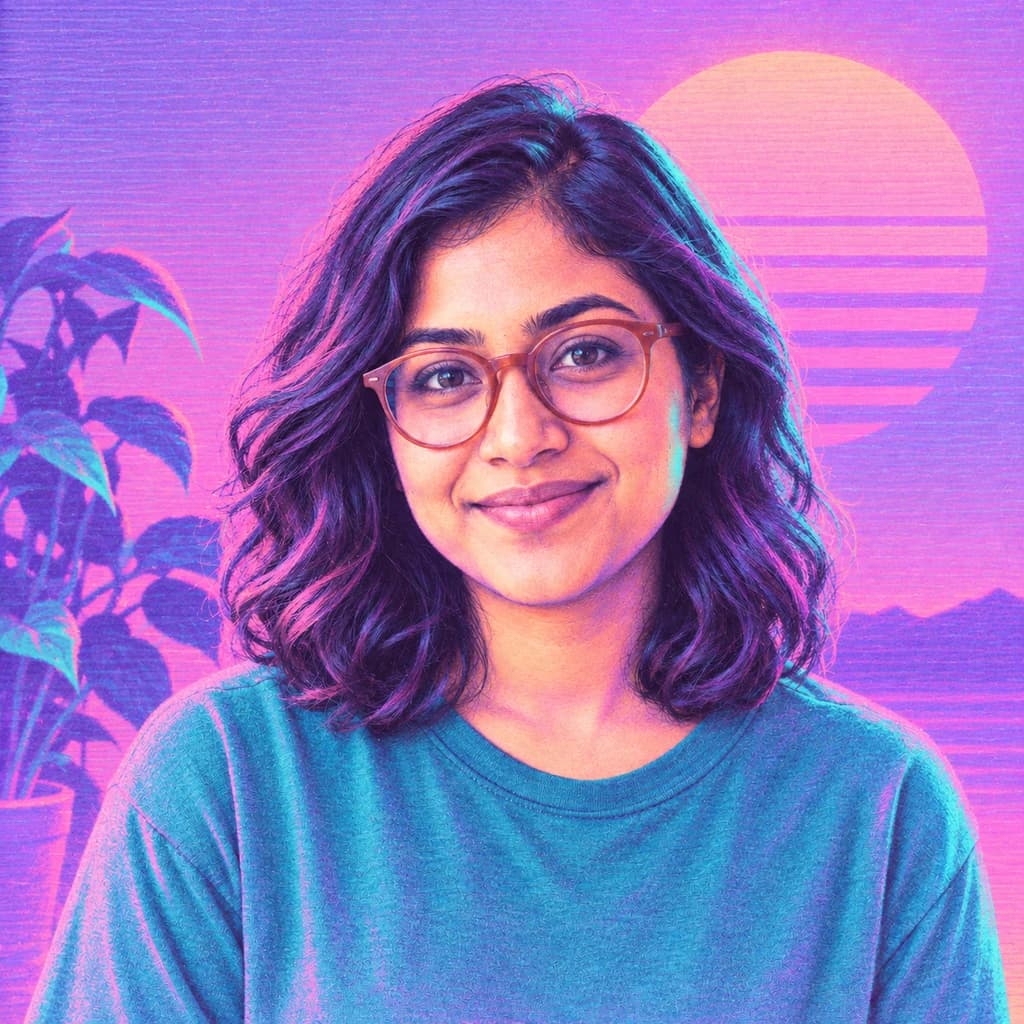 VaporwaveSeedream 4 · 2K · 1:1
Illustrative style preview · Your result will vary
11 credits / image · From $9.99 a month
/tools/photo-to-vaporwave
Open full studioPhoto to Vaporwave examples
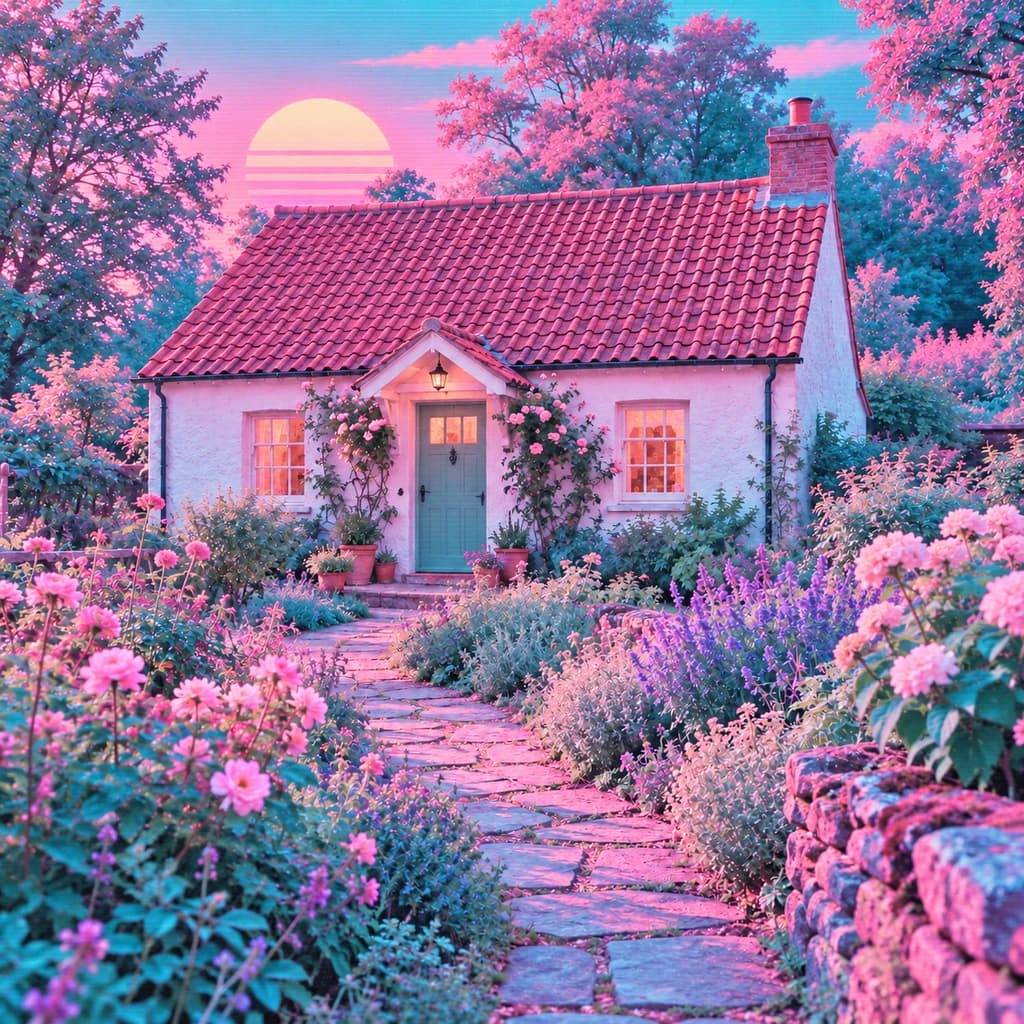
Look for the striped sun. It rises behind the portrait with terracotta glasses, outside the window behind the couple on the sofa, and above the cottage and flower garden. The portrait turns into a soft painting with violet hair and a flat blue plant, while the couple and the cottage stay photographic under a pink and teal wash.
 ORIGINALVAPORWAVE
Portrait with terracotta glasses01  ORIGINAL
 VAPORWAVE
Couple on the sofa02 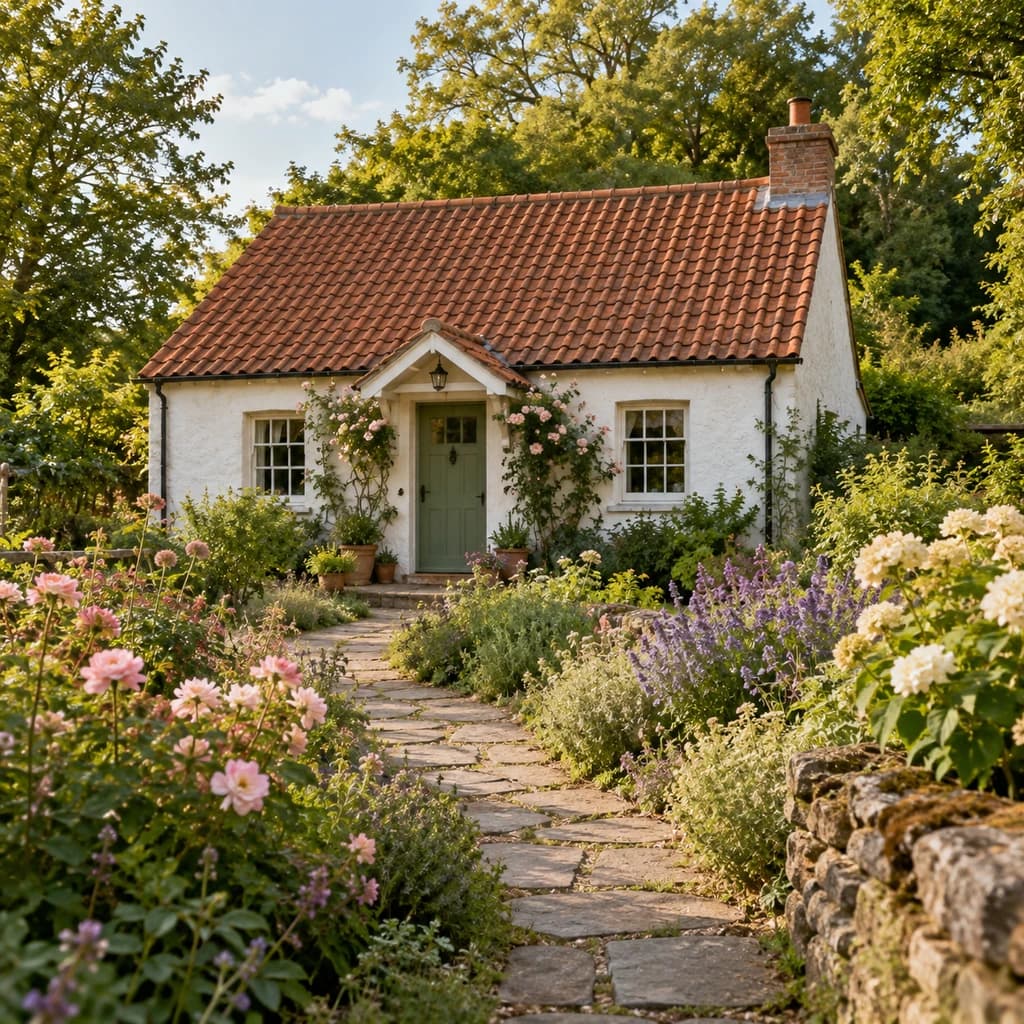 ORIGINAL
 VAPORWAVE
Cottage and flower garden03
Illustrative style preview · Your result will vary
What is vaporwave art?
Vaporwave is an internet art and music style that took shape between about 2010 and 2012. Early releases such as Chuck Person's Eccojams Vol. 1 (2010) and Macintosh Plus's Floral Shoppe (2011) slowed down and looped 1980s and 90s pop. The artwork around them mixed old computer graphics, classical busts, palm trees and pastel pink and teal into a half-nostalgic, half-ironic mood.
Here the style works as a color grade plus scenery. Skies, walls and furniture shift toward pink, lilac and teal. A sun sliced by horizontal stripes rises behind the subject, often with palms or a skyline, and faint scan lines run across the frame like an old monitor. People may stay photographic or soften into a painting.
How to turn a photo into vaporwave art
Vaporwave recolors the whole frame and slips retro scenery into its open spaces, so keep some sky or window in view.
Couple on the sofa STEP 01
Upload a photo with open sky
A JPG, PNG or WebP up to 10 MB works, or start from a sample. A window, a stretch of sky or a bare wall gives the striped sun and palm silhouettes a place to appear without covering anyone.
- OriginalVaporwave
STEP 02
Wash it in pink and teal
Colors shift to pink, lilac and turquoise. Retro extras appear in the open spaces, such as a striped sunset, palm trees, a skyline, a computer-window frame or cassettes, along with faint horizontal screen lines. Some runs stay lifelike; others turn into a pastel painting.
STEP 03
Generate a few and pick one
Sign in and generate with credits, from 8 an image depending on model and quality. Download the PNG; every version is also saved to your history, which helps when you're building a matching set.
Ways to use it
Where a pink-and-teal daydream fits best.
- Album and playlist coversPink and teal art that suits lo-fi, synth and late-night playlists.
- Dreamy profile picturesA soft, retro avatar that stands out among plain selfies.
- A matching look for your postsGive a run of posts the same pink-and-teal look.
- Pastel pet portraitsYour dog or cat in pink and mint, like an old screensaver.
- Posters for your roomA retro pink-and-teal print for a bedroom, desk or studio wall.
- 80s and 90s theme partiesInvites and decorations that set a retro party mood.
Photo to Vaporwave: what to expect
What the pastel wash and retro scenery do to the people, places and colors in your photo.
| FEATURE | What you get | Before you start | Limits |
|---|---|---|---|
| Colors | The whole frame shifts toward pink, lilac and teal, including skin, hair, furniture and plants. | If one item must keep its true color, like a team jersey, this is the wrong style for it. | Original colors aren't kept: the cottage's green trees came out pink and teal. |
| People | Recognizable faces and poses, either photographic or softened into a pastel painting. | Sharp faces turned toward the camera hold their likeness through the color shift. | You can't choose photo or painting ahead of time; each run decides. |
| Scenery | A striped retro sun, palm silhouettes, mountains or a skyline added to skies and windows. | Check that some sky, window or bare wall is visible, since that is where the scenery goes. | Added scenery can replace what was really outside, such as the view from your window. |
| Houses and gardens | Buildings keep their shape, doors and windows, while flowers and lawns turn pastel. | A level, sharp shot of the building keeps walls and rooflines straight. | Signs and house numbers can blur or change into made-up characters. |
Tips for better vaporwave results
Small choices that make the dreamy look land.
- 01
Light colors take the wash best
White shirts, pale walls and bright skies pick up the pink and teal most clearly. Dark scenes come out moodier and more purple.
- 02
Photo or drawing, your pick
Some runs keep a photo look, while others turn into a soft pastel drawing. Make a few and keep whichever one suits you.
- 03
Try a pet or a car
Vaporwave isn't only for selfies. A dog, a cat or a favorite car looks great washed in pink and teal.
- 04
Build a matching set
Run several photos from one day or trip. Shared pink-and-teal color ties them together for a feed or a row of playlist covers.
Photo to Vaporwave FAQ
How the pastel wash, striped sun and retro scenery behave, and how vaporwave compares with cyberpunk and glitch art; general questions about accounts, credits and privacy sit in the main FAQ.
Will I still be recognizable in pink and teal?
What is the striped sun, and will I always get one?
Can I use a photo without a person in it?
Why does one run look like a painting and another like a photo?
How is vaporwave different from cyberpunk?
Is vaporwave the same as glitch art?
Does it work for couples, groups and pets?
Can I print it as a poster?
Can I use vaporwave art on merch or a music release?




Turn your photo into a pink-and-teal daydream
The three samples show the wash on a face, a couple and a cottage, and you can open them without an account. For your own photo, sign in and use credits. Plans start from $9.99 a month, and credits are charged only for finished images.