Photo to
8-Bit
Photo to 8-Bit redraws a photo as a retro console sprite: big chunky squares, a small set of flat colors and dark outlines around each shape. Upload a portrait, a full-body shot or your pet. Hair, glasses, outfits and fur stay, but shading drops to a few tones and faces get simpler. It's blockier and more limited than our pixel art style. Try the samples free; sign in and use credits to make your own.
From 8 creditsJPG, PNG or WebP up to 10 MB
- COST
- From 8 credits
- TIME
- Usually under a minute
- UPLOAD
- JPG, PNG, WebP · 10 MB
- OUTPUT
- PNG up to 4096 px
Styles
57 stylesAnime & Cartoon
11Artistic
133D & Avatars
8Fun & Creative
9Retro & Vintage
3Digital & Modern
8Sculptures & Crafts
5Illustrative style preview · Your result will vary
Portrait with terracotta glasses
Sample photo
PRESET · /tools/photo-to-8bit-image · Seedream 4 · 2K · 1:1
Open full studio 8-BitSeedream 4 · 2K · 1:1
Illustrative style preview · Your result will vary
11 credits / image · From $9.99 a month
/tools/photo-to-8bit-image
Open full studioPhoto to 8-Bit examples
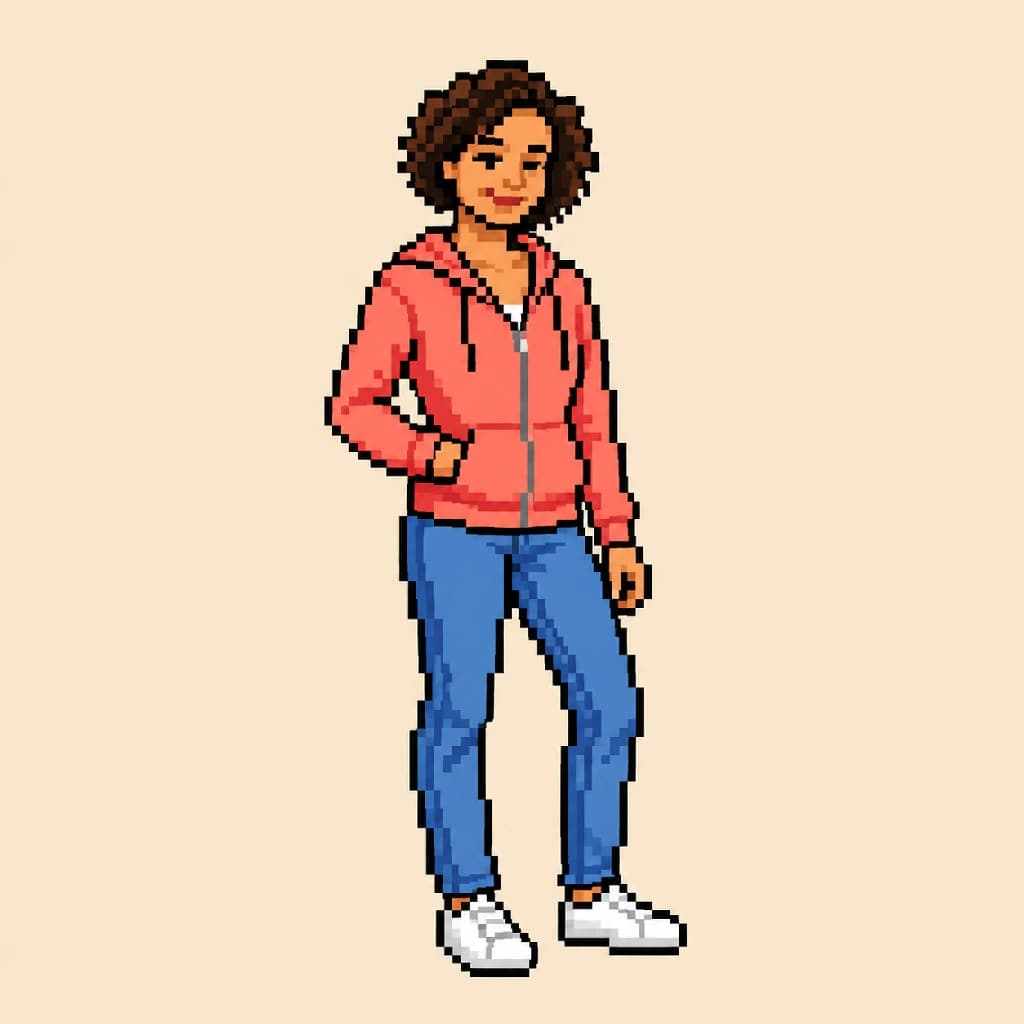
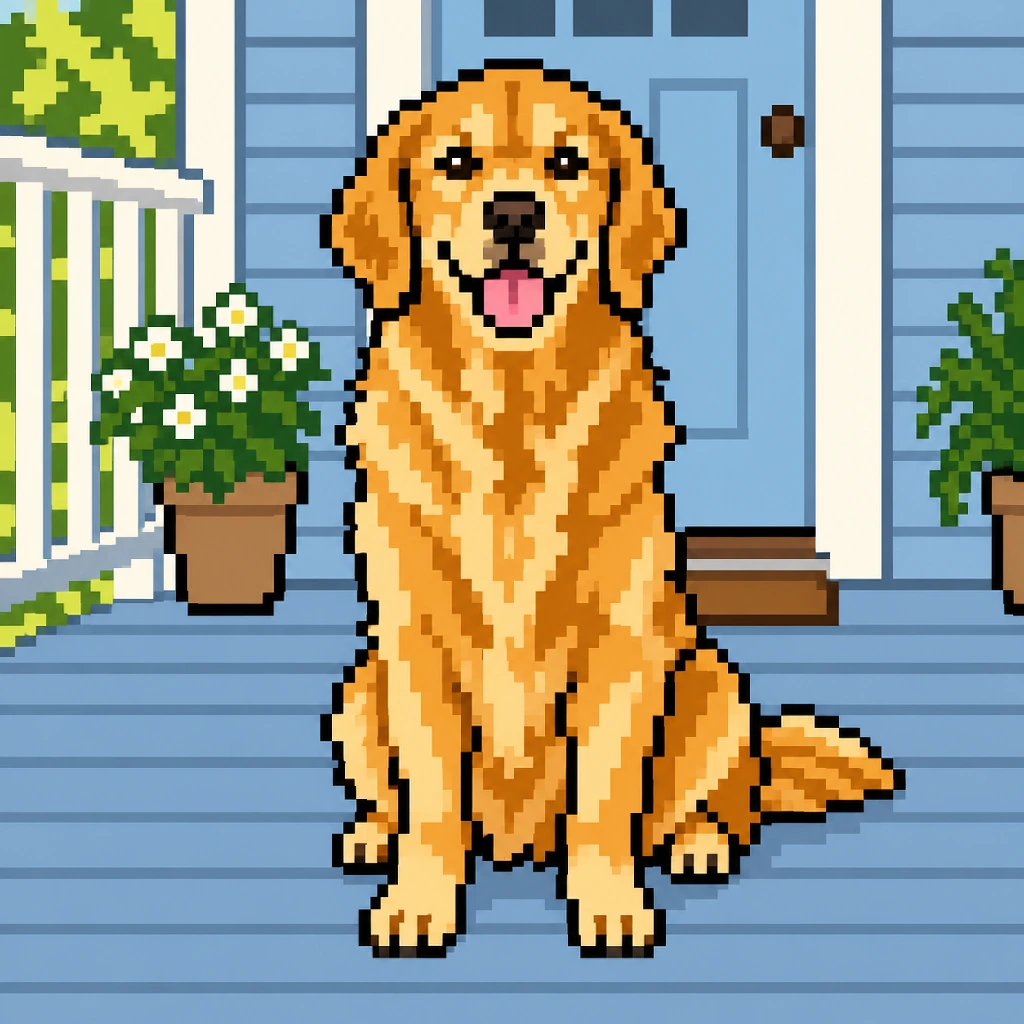
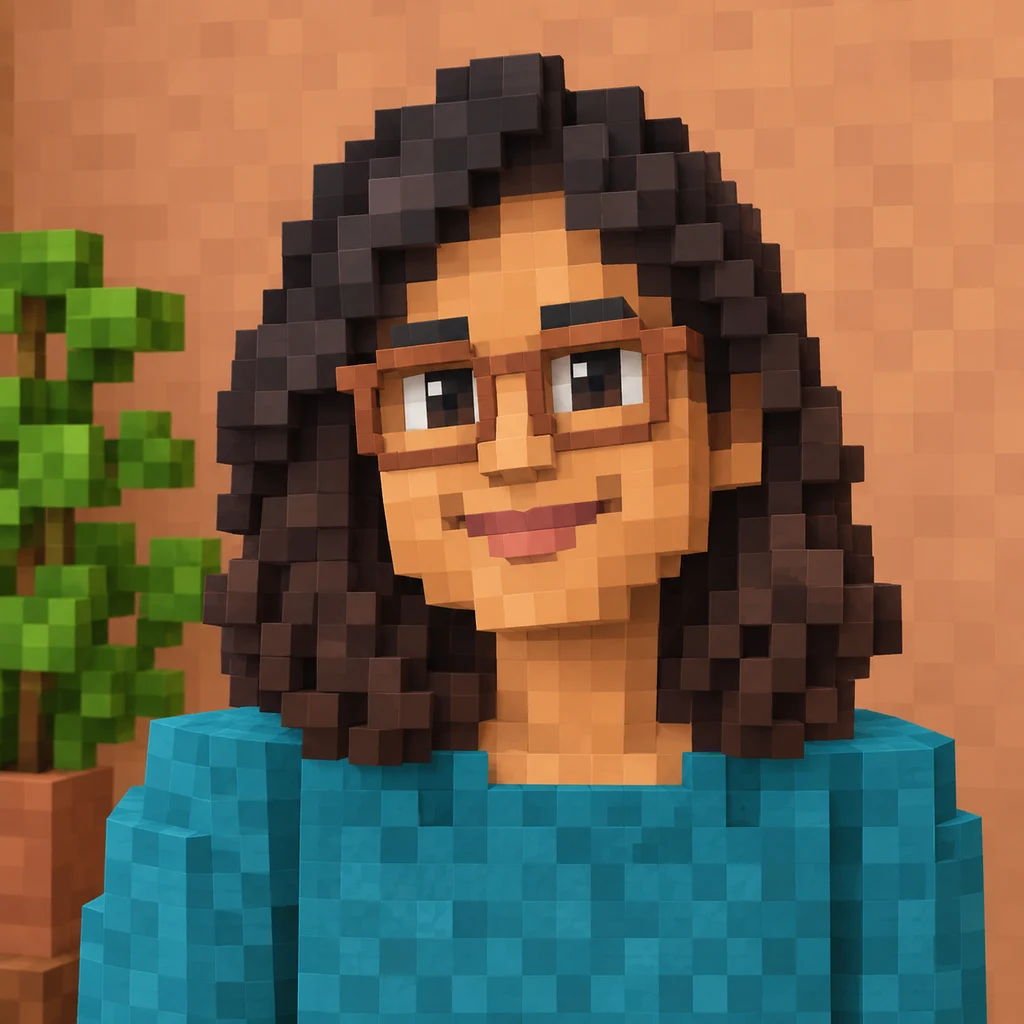
Put the portrait with terracotta glasses next to the pixel art version: bigger squares, a flat orange wall and hair reduced to near-black bands. The full-body portrait in coral reads like a playable character, outlined in black. The golden retriever on the porch keeps its tongue and fur in a few gold tones, with the flowerpots outlined too.
 ORIGINAL8-BIT
Portrait with terracotta glasses01 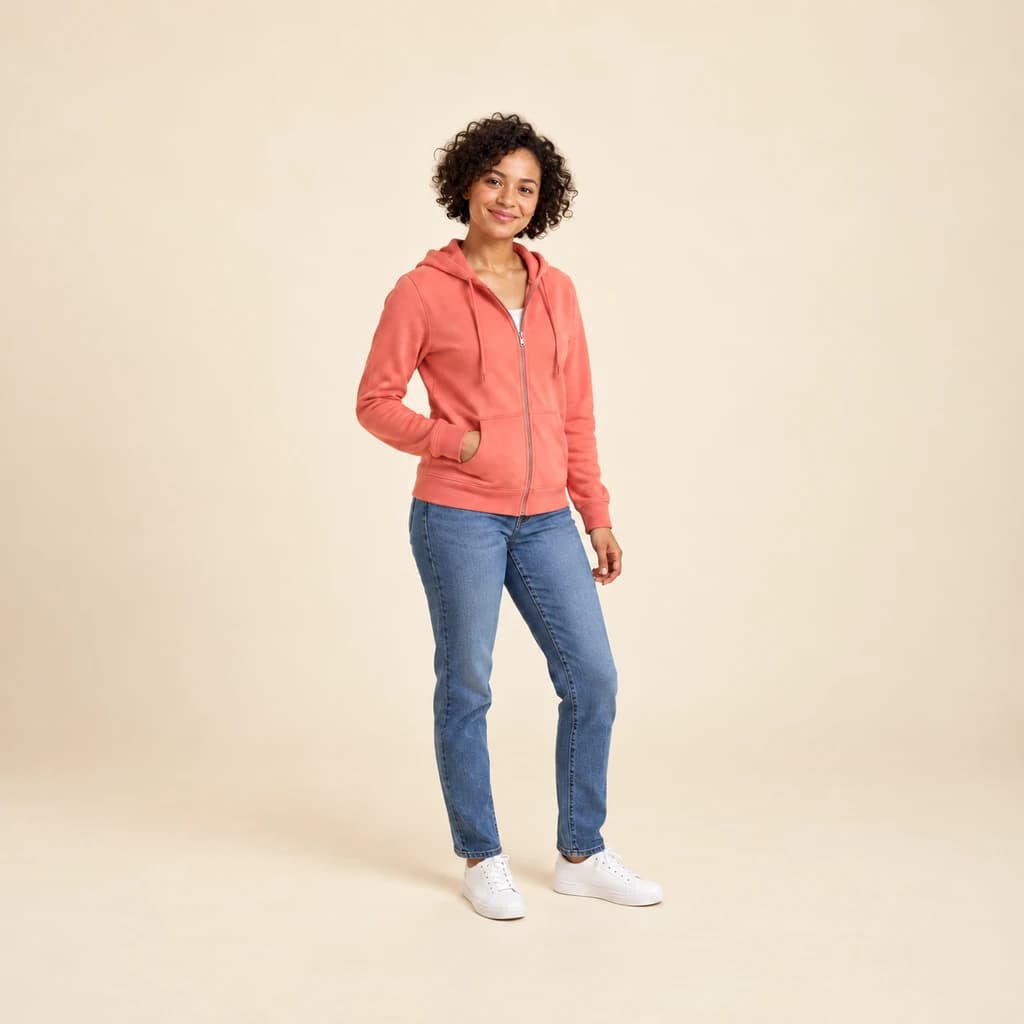 ORIGINAL
 8-BIT
Full-body portrait in coral02 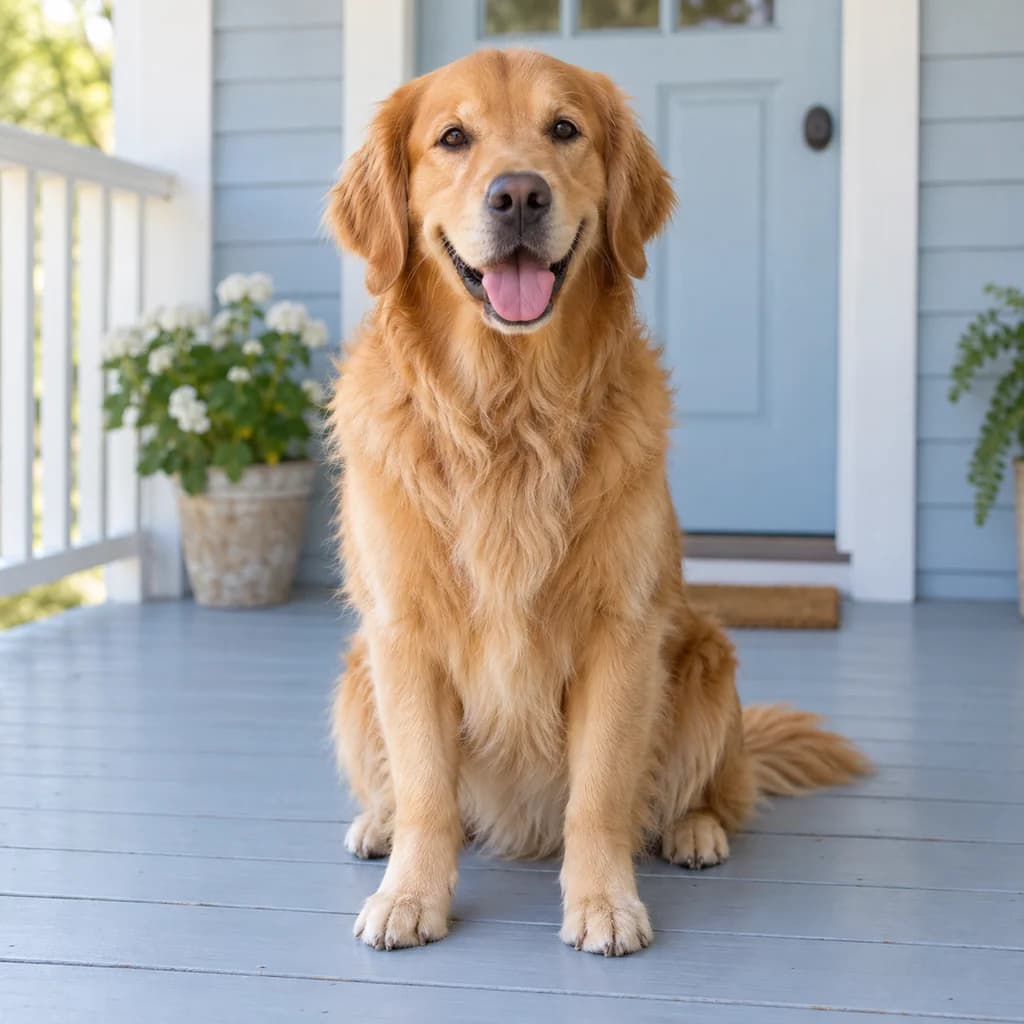 ORIGINAL
 8-BIT
Golden retriever on the porch03
Illustrative style preview · Your result will vary
What is 8-bit art?
8-bit is the look of video games from the late 1970s and 1980s, named for the 8-bit processors inside the consoles, home computers and arcade machines of the time. Those machines showed low-resolution pictures with few colors. The Nintendo Entertainment System, launched in Japan as the Famicom in 1983, could display only a few dozen colors, and each sprite used just three plus transparency.
Those limits shaped a whole visual language: big blocks, flat fills, bold outlines and faces made from a handful of squares. This style imitates that look rather than any one console's exact rules. Your photo is rebuilt with chunky squares and a small set of colors, so you look like a character ready to walk across a level.
How to turn a photo into 8-bit art
Choose a photo with one clear subject, and the studio squeezes it into chunky retro squares.
Full-body portrait in coral STEP 01
Upload a photo
Upload a JPG, PNG or WebP (10 MB at most), or try the retro look on the sample photos. With only a few colors per area, strong outfit colors and a simple backdrop keep the sprite readable.
- Original8-Bit
STEP 02
Rebuild it in chunky pixels
Your photo is redrawn from big squares with only a few flat colors. Faces get simpler, with bold outlines and blocky eyes. You look like a playable character from an old console game.
STEP 03
Generate and download
Sign in and generate your sprite from 8 credits. Save the PNG to your device; it also lands in your history so you can come back to it.
Ways to use it
Places where a retro game version of you fits.
- Retro game charactersPut yourself, a friend or your pet into a homemade game or mockup.
- Gaming profile picturesChunky pixels stay readable as tiny avatars on game and chat profiles.
- Arcade-theme partiesInvites and banners with the birthday kid as an 8-bit hero.
- Shirts, stickers and pinsBig blocks and flat colors print crisply on small items.
- Gifts for gamersAn 8-bit portrait of a couple or family, ready to frame.
- Stream and channel artAn 8-bit you for overlays, banners and video intros.
Photo to 8-Bit: what to expect
What the 8-bit look keeps and flattens, and how it differs from detailed pixel art.
| FEATURE | What you get | Before you start | Limits |
|---|---|---|---|
| Faces | Simplified faces with blocky eyes, a few skin tones and dark outlines. | Face the camera so the few face squares land in the right places. | Lashes and freckles disappear; glasses usually survive as a simple frame. |
| Colors | A small set of flat colors per area, with dark hair often pushed to one near-black tone. | Strong, distinct colors in your outfit keep the sprite readable. | Not locked to a real console palette; it imitates the look, not the hardware. |
| Outlines | Dark outlines around people, pets and objects, like a sprite on a game level. | Leave space between the subject and other objects so outlines stay clean. | Thin things like straps or jewelry can merge into the outline. |
| Size and grid | A full-size PNG made of big, chunky squares, each many pixels wide. | Decide if you need a picture to share or a true low-resolution sprite. | Block edges are drawn by AI and won't always snap to a perfect grid. |
Tips for better 8-bit results
How to get a clear, playable-looking character.
- 01
Stand out from the background
Bright clothes against a plain background give the clearest character. Busy scenes break into lots of small blocks.
- 02
Go full-body for a game look
Head-to-toe photos look most like a character ready to walk across a level. Close-ups make a chunky retro portrait instead.
- 03
Bold colors survive best
With only a few tones to work with, strong reds, blues and yellows come through clearly. Soft pastel shades can merge together.
- 04
Want more detail? Try pixel art
8-bit keeps things simple. For smaller squares, softer shading and a closer likeness, run the same photo through our pixel art style.
Photo to 8-Bit FAQ
Questions about the chunky 8-bit look; for accounts, credits and privacy, the main FAQ is linked below.
Will I still be recognizable?
How large is the image, and will it print?
Can I make sprites of my pet, my kids or a group?
8-bit or pixel art?
Why does my sprite change every time?
Can I use 8-bit art commercially?
Is it a real NES or Game Boy palette?
Why did my hair turn black?
Which photos make the best 8-bit sprite?

Turn yourself into a retro game character
Compare the three samples with the pixel art page to see what chunky squares and fewer colors do, free of charge. Sign in to turn your own photo into an 8-bit sprite using credits, which come with plans from $9.99 a month.