Photo to
Family Guy
Photo to Family Guy turns a photo into a sitcom cartoon in the look of Family Guy: big white eyes, rounded chins, thin outlines and flat color. Upload a front-facing portrait, a couple on the couch or a family outing. Faces are rebuilt the show's way, while skin tone, hair, glasses and outfits stay close to the photo. Browse the sample results for free, and sign in when you're ready to spend credits on your own picture.
A fan-made, Family Guy-inspired style: PhotoToCartoon has no affiliation with, or endorsement from, 20th Television or Disney.
From 8 creditsJPG, PNG or WebP up to 10 MB
- COST
- From 8 credits
- TIME
- Usually under a minute
- UPLOAD
- JPG, PNG, WebP · 10 MB
- OUTPUT
- PNG up to 4096 px
Styles
57 stylesAnime & Cartoon
11Artistic
133D & Avatars
8Fun & Creative
9Retro & Vintage
3Digital & Modern
8Sculptures & Crafts
5Illustrative style preview · Your result will vary
Portrait with round glasses
Sample photo
PRESET · /tools/photo-to-family-guy · Seedream 4 · 2K · 1:1
Open full studio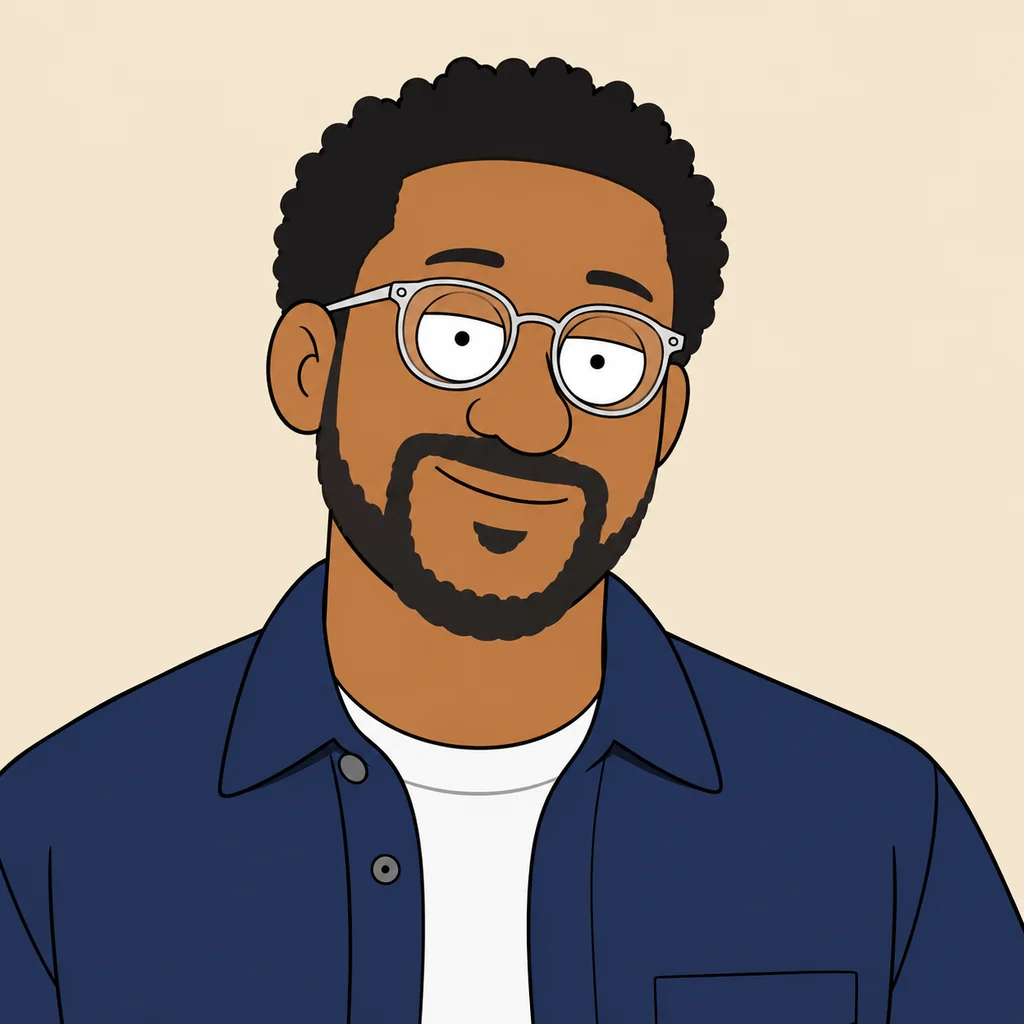 Family GuySeedream 4 · 2K · 1:1
Illustrative style preview · Your result will vary
11 credits / image · From $9.99 a month
/tools/photo-to-family-guy
Open full studioPhoto to Family Guy examples
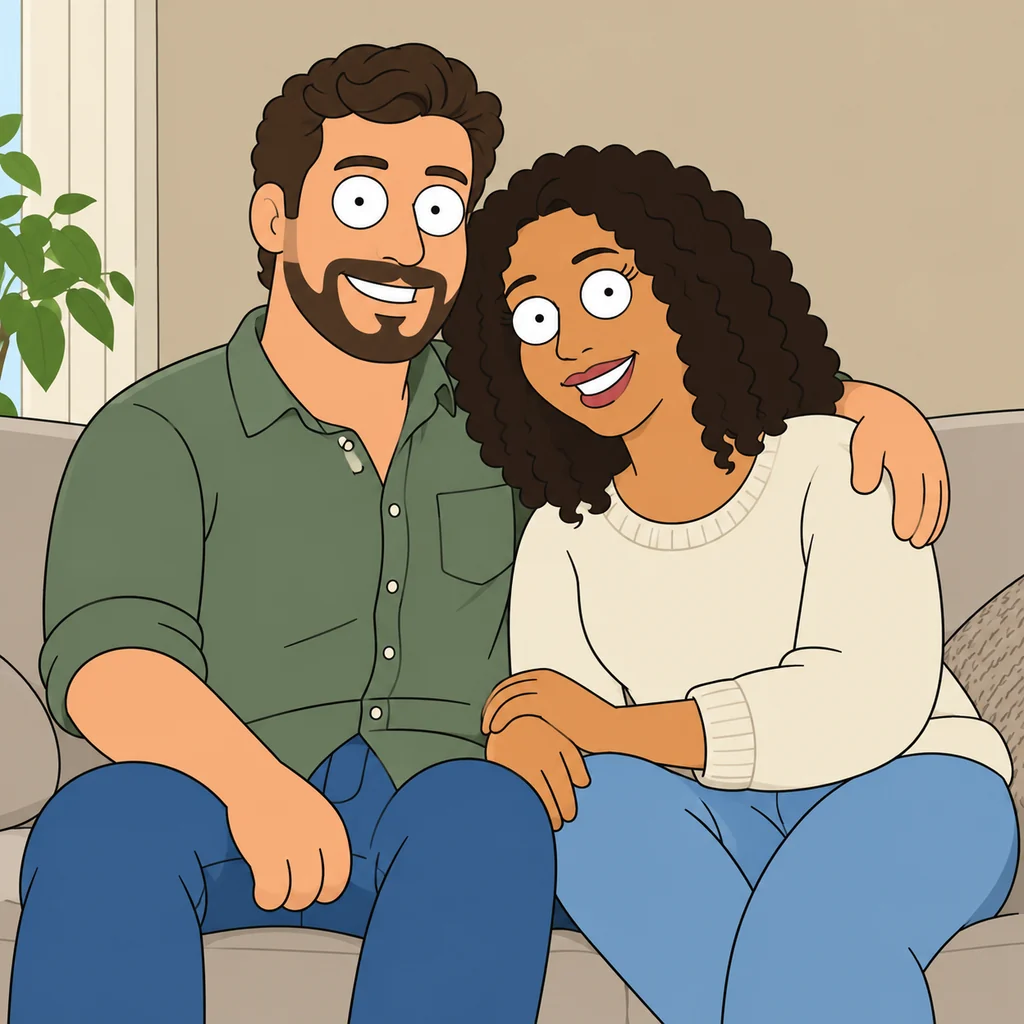
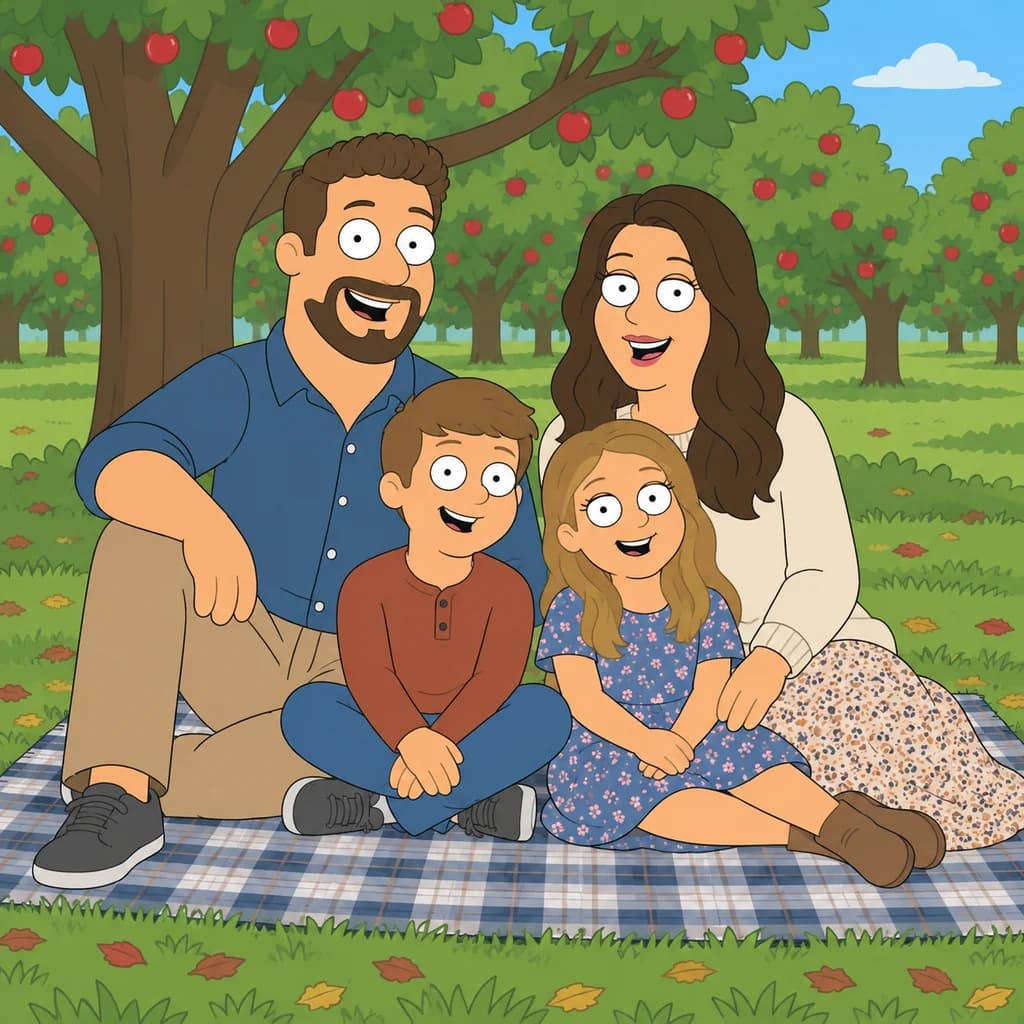
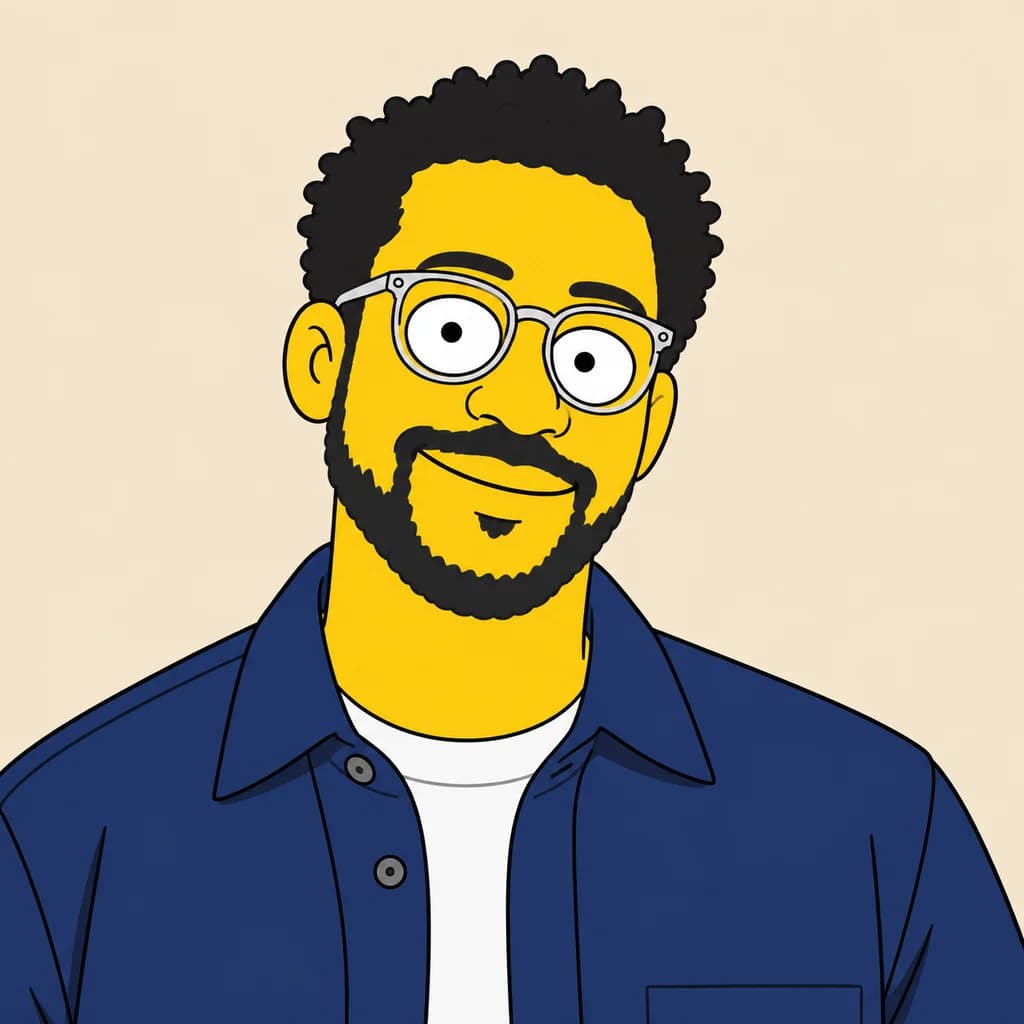
The portrait with round glasses keeps his brown skin, curly hair, beard and clear frames, with heavy lids half covering big white eyes. On the couple on the sofa, watch the man's rounded chin and the woman's curls. The family picnic puts two adults and two kids under apple trees, each with the same wide, dot-pupil stare.
 ORIGINALFAMILY GUY
Portrait with round glasses01  ORIGINAL
 FAMILY GUY
Couple on the sofa02 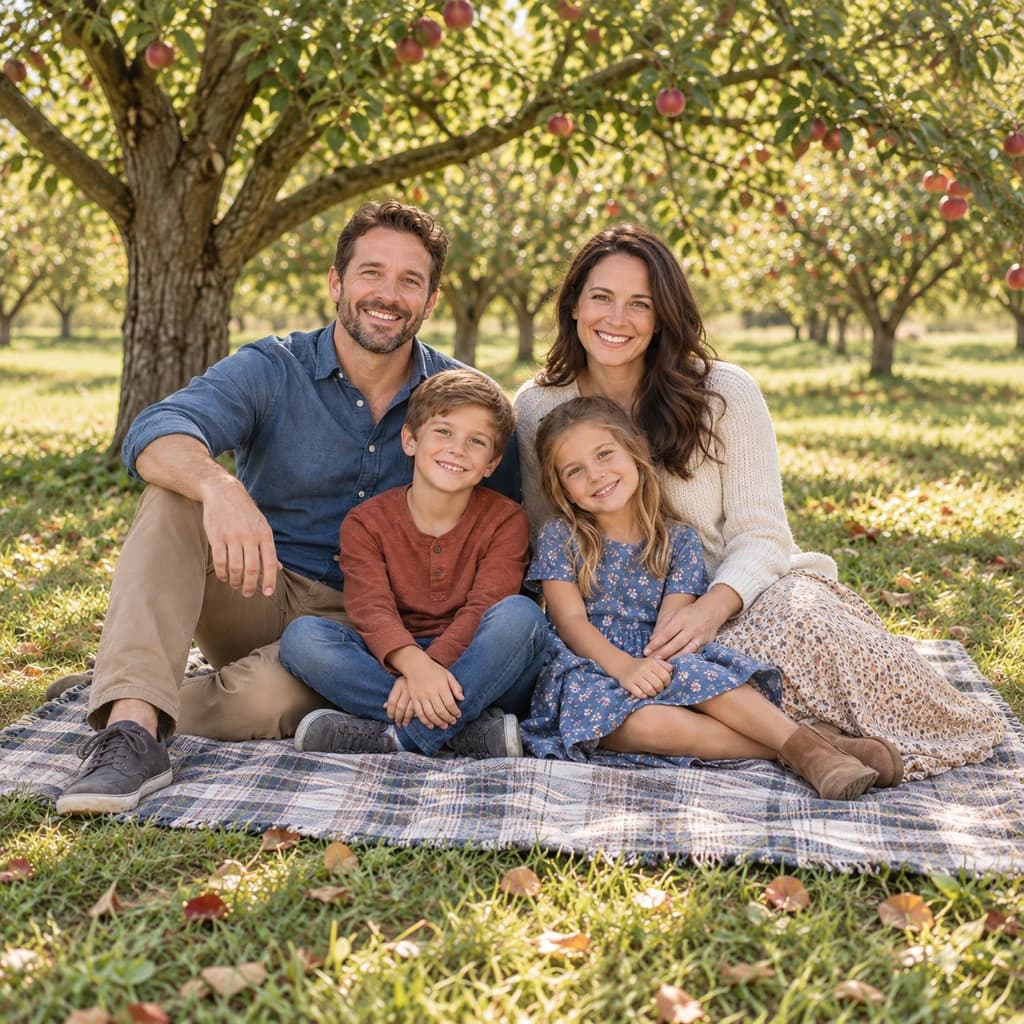 ORIGINAL
 FAMILY GUY
Family picnic03
Illustrative style preview · Your result will vary
What is Family Guy style?
Family Guy style is the look of Family Guy, the animated sitcom Seth MacFarlane created for Fox, which premiered in January 1999. Characters are built from rounded shapes: large oval eyes, often under heavy lids, simple noses and big, forward chins. Lines are thin and even, colors are flat, and there is very little shading, which keeps every frame clean and easy to read.
Unlike the yellow world of The Simpsons, people here keep everyday skin colors, so your skin tone is part of the likeness. What changes most is the structure of the face: eyes, nose and chin are redrawn to match the show. Hair, facial hair, glasses and clothing carry the rest. Front-facing photos give the clearest result.
How to turn a photo into a Family Guy character
Choose a front-facing photo, and the studio rebuilds each face with the show's eyes and chin.
Couple on the sofa STEP 01
Upload a photo
Any JPG, PNG or WebP up to 10 MB works, or start with one of the sitcom samples. Face the camera if you can: the eyes, nose and chin are all redrawn, so a straight-on view helps.
- OriginalFamily Guy
STEP 02
Redraw it Family Guy-style
Your face is rebuilt from rounded shapes, with large oval eyes, a simpler nose and a stronger chin. Clothes keep their colors and patterns. Outlines turn thin and even, and shading drops to almost nothing.
STEP 03
Generate and download
Sign in and generate your sitcom version from 8 credits. Download the PNG when it's done; a copy stays in your history so you can grab it again.
Ways to use it
Good uses for a sitcom cartoon of you.
- Reaction images and memesA deadpan cartoon of you is made for reaction posts in the group chat.
- Gag giftsPrint a friend as a sitcom character on a mug or a card.
- Office farewell cardsDraw the whole team as cartoon coworkers for a leaving card.
- Pets with personalityDogs and cats get big cartoon eyes and a sitcom-sidekick look.
- Birthday surprisesOpen a party slideshow or card with the guest of honor as a cartoon.
- Sitcom-style avatarsA flat, bold cartoon of you reads clearly at small sizes.
Photo to Family Guy: what to expect
How Family Guy style treats faces, skin, clothes and scenery, and what to check first.
| FEATURE | What you get | Before you start | Limits |
|---|---|---|---|
| Faces | Big white eyes with dot pupils, often heavy-lidded, plus a simpler nose and a rounder, stronger chin. | Use a photo where you face the camera with both eyes open. | Your real eye shape and jawline are replaced, so expect a reshaped face. |
| Skin tone | Everyday skin colors close to your photo, as in the round-glasses portrait. | Skip strong color filters and orange indoor light that could tint skin. | Skin can still lighten or shift between runs; regenerate if it looks off. |
| Hair and clothes | Curls, beards, glasses, button-downs and sweaters kept with their colors in flat fills. | Let your hair and outfit show clearly; they carry much of the likeness. | Fabric texture turns into a few lines, and small prints may simplify. |
| Scenes | Sofas, houseplants, apple trees and picnic blankets redrawn as clean sitcom backgrounds. | A tidy room or open outdoor space gives the cleanest set. | Objects in the background can shift, appear or disappear from one run to the next. |
Tips for better Family Guy results
A few small choices help your sitcom self look like you.
- 01
Go straight-on
The style rebuilds your whole face from rounded shapes. A straight-on photo gives it the clearest view of your features to work from.
- 02
Let your outfit help
Flat color keeps clothes bold and readable. A favorite shirt, hat or jacket is often what makes the cartoon feel like you.
- 03
Try a deadpan face
Those heavy eyelids suit a straight face or a half-smile. A deadpan look often reads funnier than a huge grin.
- 04
Check the skin tone
The style can lighten or shift skin tones. If your result doesn't look right, generate again; each run comes out a little different.
Photo to Family Guy FAQ
Answers about the Family Guy look specifically; for account, credit and privacy questions, see the main FAQ linked below.
Will my Family Guy version look like me?
What resolution do I get for printing?
Does it handle kids, groups and pets?
Family Guy or Simpsons style?
Why does every Family Guy version differ?
Is PhotoToCartoon affiliated with Family Guy, 20th Television or Disney?
Why do the eyes look half-closed?
Will my skin tone change?
What makes a good Family Guy photo?


Turn your photo into a sitcom cartoon
See the sample family, couple and portrait in Family Guy style before you spend anything. To redraw your own photo, sign in and use credits; the studio lists each price first. The cheapest plan is $9.99 a month.