Photo to
Acrylic Painting
Photo to acrylic painting repaints a picture in bright, saturated color with short, crisp brushstrokes, the look of fast-drying acrylic on canvas. Upload a sunny portrait, a pet or a street scene as a JPG, PNG or WebP. Faces and composition hold steady; colors get louder, shadows turn blue or violet instead of gray, and backgrounds break into clean, flat strokes. Sample photos are open to everyone, and a signed-in account with credits paints your own.
From 8 creditsJPG, PNG or WebP up to 10 MB
- COST
- From 8 credits
- TIME
- Usually under a minute
- UPLOAD
- JPG, PNG, WebP · 10 MB
- OUTPUT
- PNG up to 4096 px
Styles
57 stylesAnime & Cartoon
11Artistic
133D & Avatars
8Fun & Creative
9Retro & Vintage
3Digital & Modern
8Sculptures & Crafts
5Illustrative style preview · Your result will vary
Portrait with terracotta glasses
Sample photo
PRESET · /tools/photo-to-acrylic-painting · Seedream 4 · 2K · 1:1
Open full studio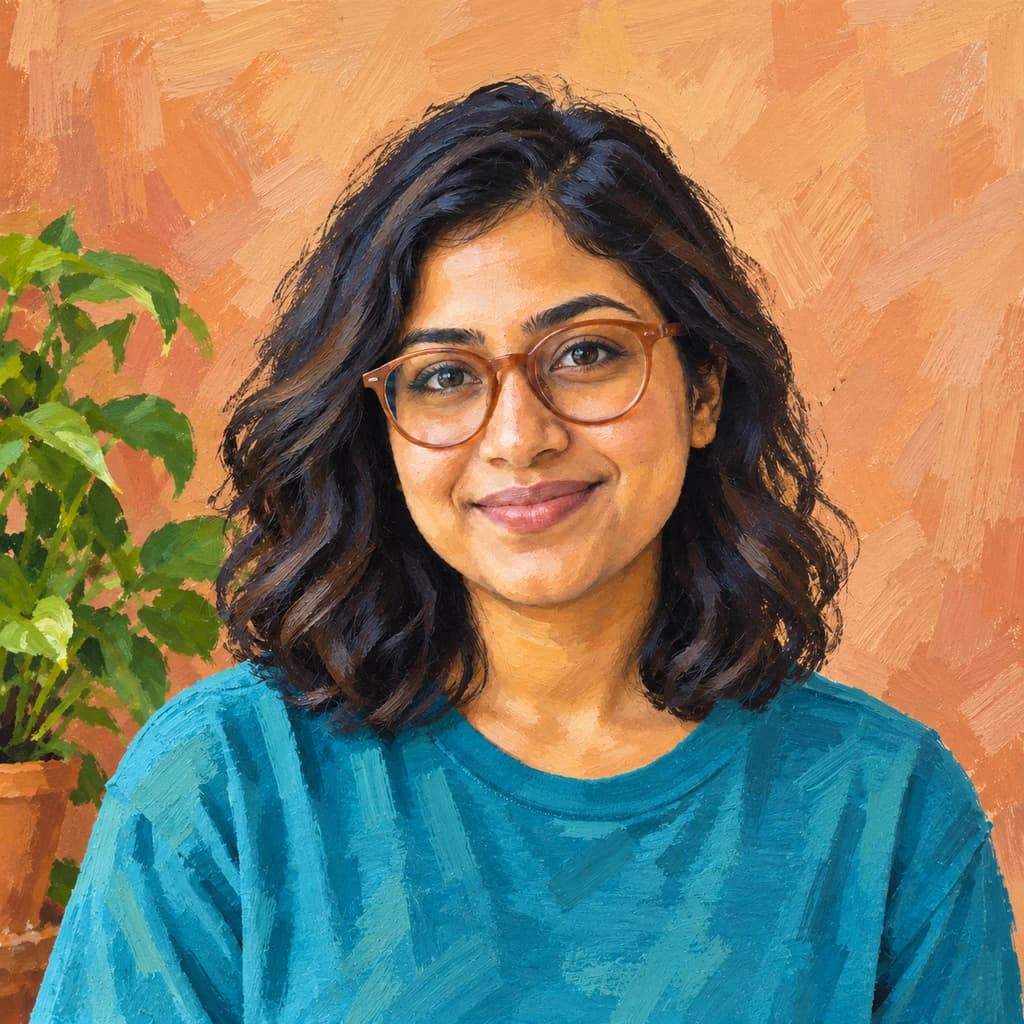 AcrylicSeedream 4 · 2K · 1:1
Illustrative style preview · Your result will vary
11 credits / image · From $9.99 a month
/tools/photo-to-acrylic-painting
Open full studioPhoto to Acrylic Painting examples
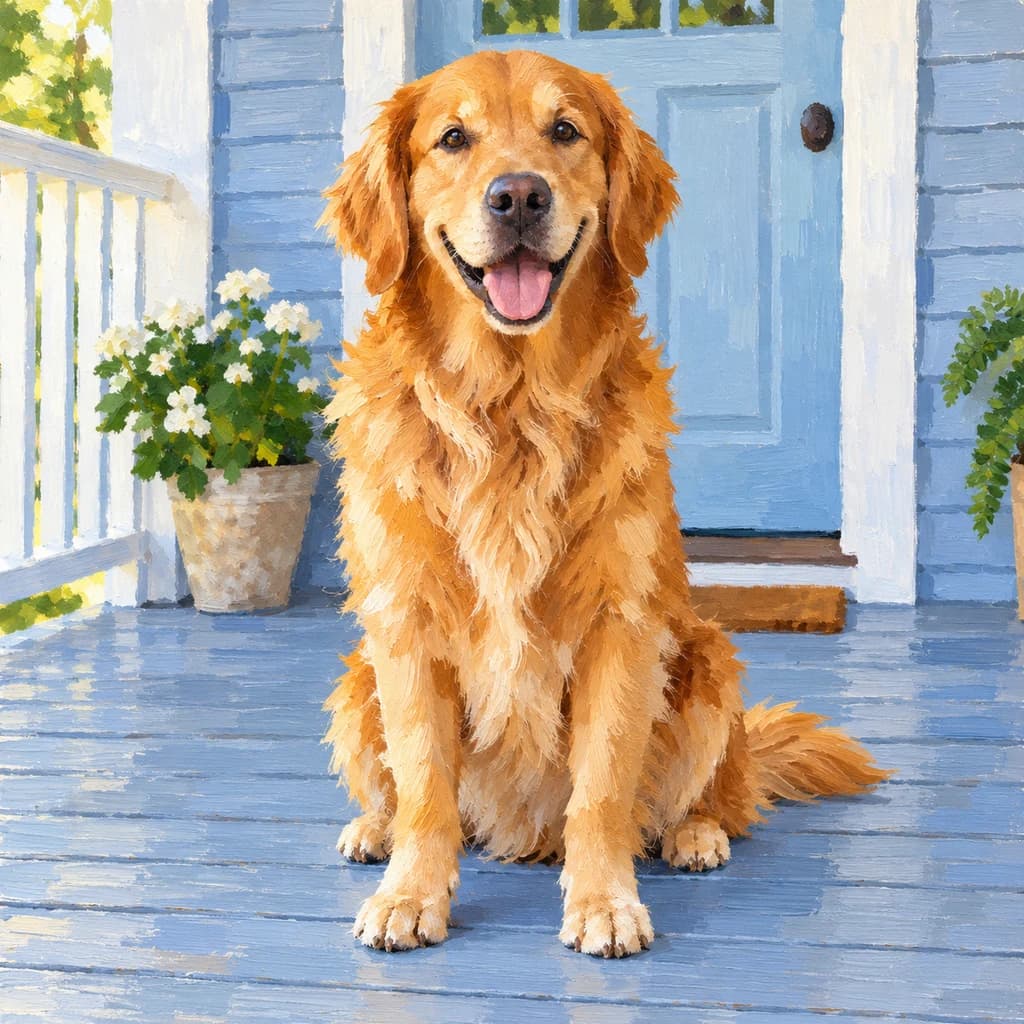
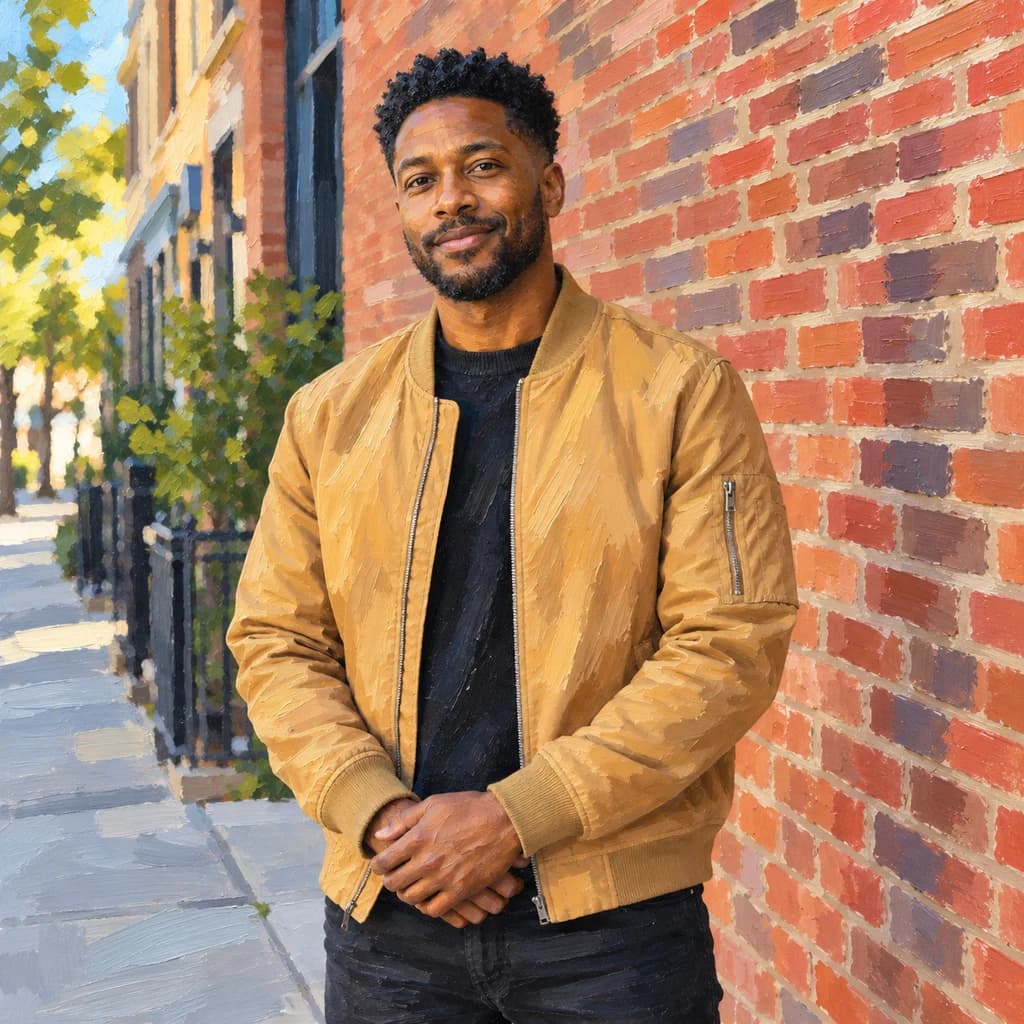
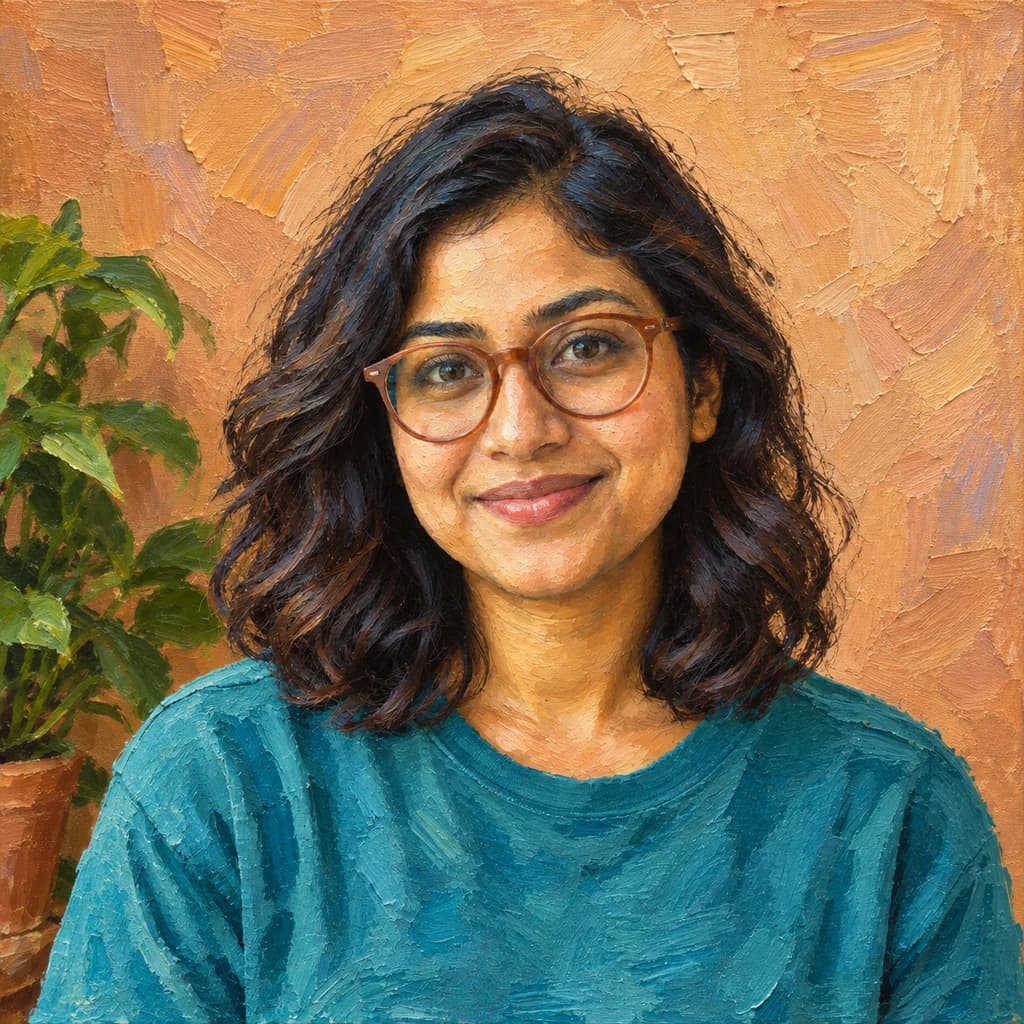
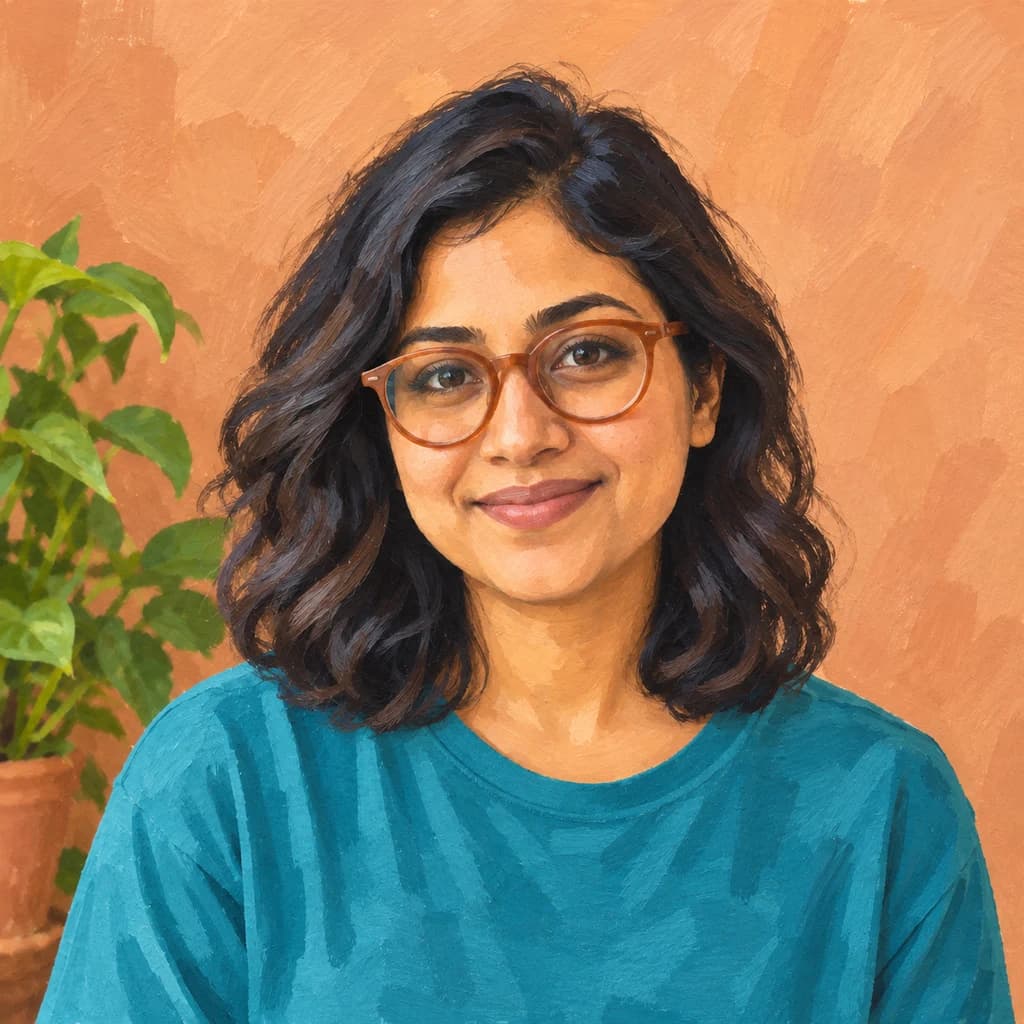
In the portrait in a tan jacket, the brick wall turns into crisp blocks of red, orange and plum, and the sidewalk shadows go lavender. The golden retriever on the porch gets clean, bright fur against flat blue boards. The portrait with terracotta glasses shows the brushwork up close: short, dry strokes on the orange wall and broad teal strokes across the shirt.
 ORIGINALACRYLIC
Portrait with terracotta glasses01 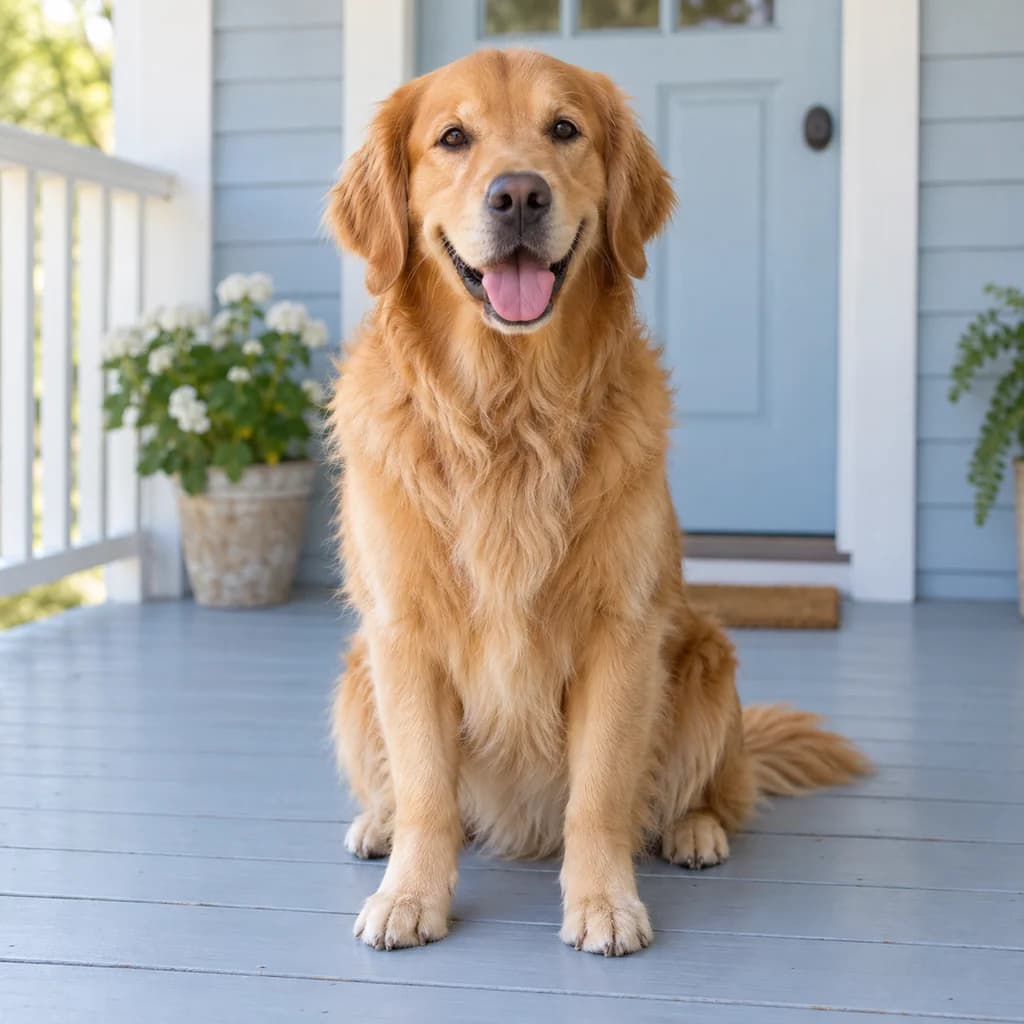 ORIGINAL
 ACRYLIC
Golden retriever on the porch02  ORIGINAL
 ACRYLIC
Portrait in a tan jacket03
Illustrative style preview · Your result will vary
What is acrylic painting style?
Acrylic is a fast-drying paint: color suspended in a plastic polymer that thins with water and sets in minutes. Artists' acrylics arrived in the mid-20th century, and painters took to their speed and clean, bright color; David Hockney's A Bigger Splash (1967) is a well-known example. Because each stroke sets quickly, acrylic tends to show crisp edges and flat, layered strokes instead of soft blends.
In this style, that means louder color and clean edges. Sunlit photos gain the most: brick, painted doors, golden fur and blue skies all intensify, and shadows pick up cool blues and violets. Faces stay sharp and well defined. If oil feels too old-fashioned for a photo, acrylic is the more contemporary painted option.
How to turn a photo into an acrylic painting
Three steps from a sunny photo to a bright, crisp painting.
Portrait in a tan jacket STEP 01
Upload a photo
Upload a JPG, PNG or WebP up to 10 MB, or try a sample. Hard sun and saturated surfaces, like brick, painted wood or a yellow jacket, give acrylic the most color to push.
- OriginalAcrylic
STEP 02
Repaint it in bold acrylics
The generator repaints your photo with strong color and short, confident strokes. Colors get brighter and shadows pick up color instead of turning gray. Edges stay crisp, so the result looks fresh and graphic.
STEP 03
Generate and download
Sign in and generate; prices start at 8 credits and the studio shows the exact cost for your model. The finished PNG downloads right away and is saved to your history for later.
Ways to use it
Acrylic suits spaces and projects that want some energy.
- Modern wall artBold color fits bright, modern rooms. Print a city trip or a portrait for a feature wall.
- Colorful pet portraitsAcrylic makes fur glow in warm golds and oranges, a good fit for a playful pet portrait.
- Profile picturesA bright painted portrait stands out in a feed or as a profile photo.
- Kids' room artPaint your child's photo in cheerful, strong colors that suit a playroom or bedroom.
- Birthday giftsA painted portrait of a friend in bold color makes a fun, personal present.
- Cafe and studio decorBold acrylic prints suit shops and studios. The Creator plan includes a commercial license.
Photo to Acrylic Painting: what to expect
How acrylic handles color, shadows, faces and backgrounds, so you can judge whether your photo suits a louder palette.
| FEATURE | What you get | Before you start | Limits |
|---|---|---|---|
| Color | Saturation goes up: brick reads redder, fur more golden, skies bluer. | Start from a photo whose colors you already like; the style amplifies rather than corrects. | Photos that are already vivid can tip into garish, and skin may warm toward orange. |
| Shadows | Cool blue and violet shadows instead of gray, as on the sidewalk in the tan-jacket sample. | Hard sunlight with clear shadow shapes gives this effect the most to work with. | Overcast and indoor photos have soft shadows, so the colored-shadow effect is weaker. |
| Faces | Defined features with crisp edges around eyes, beard and hairline. | Face the light, or turn slightly toward it, so your eyes are not in shade. | Short strokes can square off soft features and simplify fine wrinkles. |
| Backgrounds | Flat, visible strokes in a few clear colors; walls and streets stay recognizable. | A textured backdrop like brick, wood or foliage makes the brushwork look deliberate. | Crowds, street signs and shop lettering simplify into patches and are not reliable. |
Tips for better acrylic painting results
Feed it color and light, and it gives back more.
- 01
Choose a colorful photo
Acrylic exaggerates the colors you give it. Bright clothes, flowers, blue skies or painted walls come out especially bold and lively.
- 02
Shoot in sunshine
Strong daylight makes clear shapes of light and shadow. The generator turns those into crisp blocks of color, the heart of the acrylic look.
- 03
Keep faces large
Quick, confident strokes simplify small details. If the face fills a good part of the frame, eyes and smile stay sharp.
- 04
Compare with oil painting
Not sure which painted look you want? Run the same photo in Oil Painting too. Oil is softer and warmer, acrylic brighter and crisper.
Photo to Acrylic Painting FAQ
Answers about acrylic's bright color, crisp strokes and printing; for accounts, credits and privacy, check the main FAQ.
Will acrylic keep my likeness?
What size can I print it?
Can I paint pets, kids or a group in acrylic?
Acrylic or oil painting: which fits my photo?
How is acrylic different from gouache?
Why are my shadows blue or purple?
Which photos work best for acrylic?
Does it add canvas texture?
Why do the colors change between versions?
Can I use acrylic-style art in my shop or on products?

Turn your photo into a bold acrylic painting
See what acrylic does to a sample photo before you spend anything. To repaint your own portrait, pet or street scene, sign in and use credits; the price is listed before you press generate. Paid plans begin at $9.99 per month.