Photo to
Pixel Art
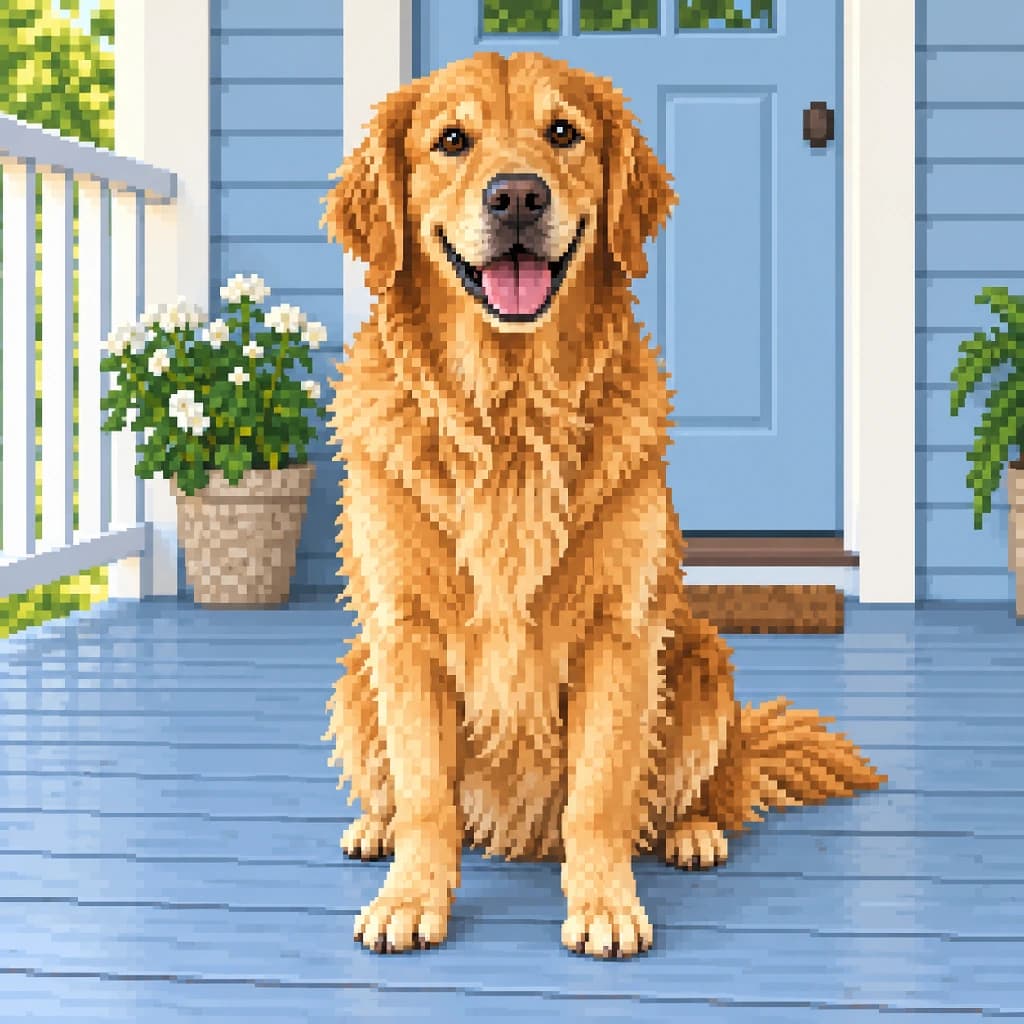
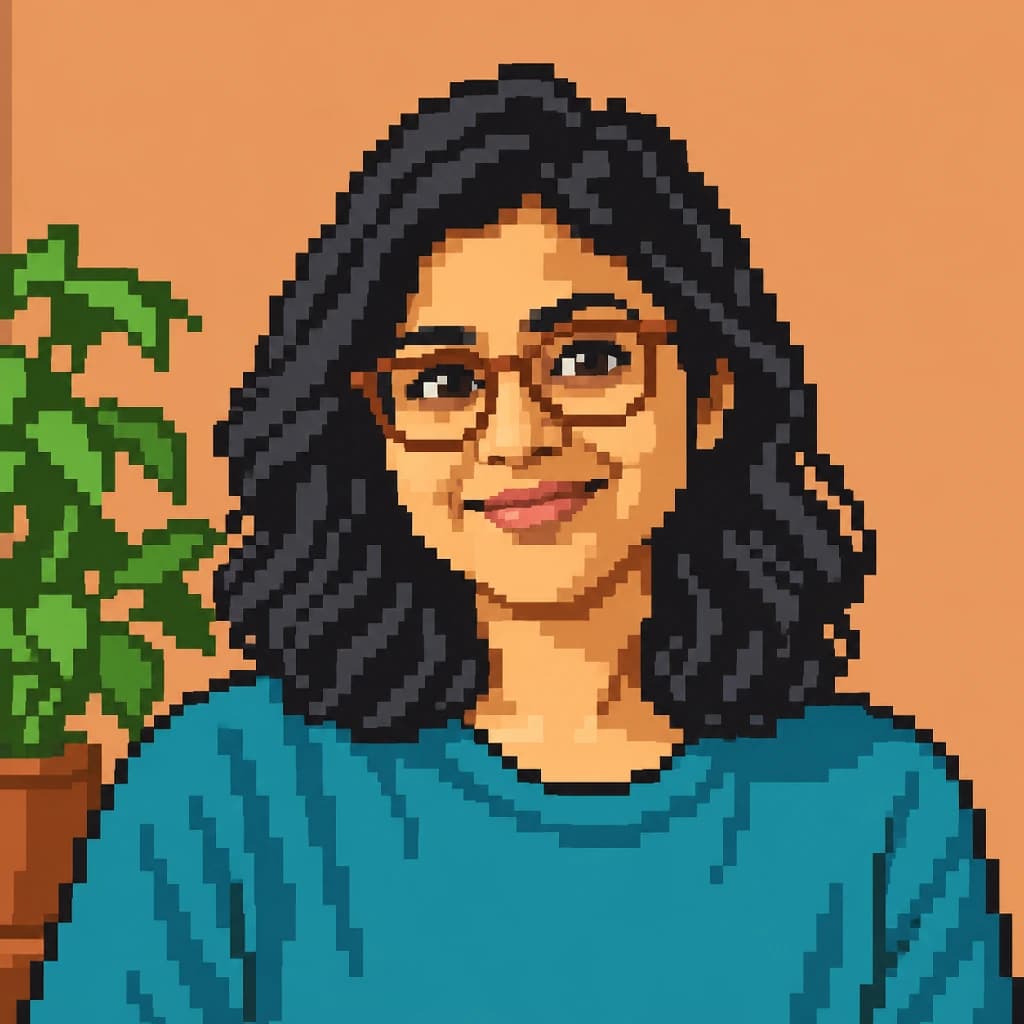
Photo to Pixel Art rebuilds a photo from small, visible squares, using as many shades as the picture needs. Upload a close portrait, a full-length shot or a pet. Faces, glasses, curls and fur stay detailed, with stair-step edges and checkered shading taking the place of smooth blends. It's freer and finer than our 8-bit style. Exploring the sample portraits is free; sign in and use credits when you want your own.
From 8 creditsJPG, PNG or WebP up to 10 MB
- COST
- From 8 credits
- TIME
- Usually under a minute
- UPLOAD
- JPG, PNG, WebP · 10 MB
- OUTPUT
- PNG up to 4096 px
Styles
57 stylesAnime & Cartoon
11Artistic
133D & Avatars
8Fun & Creative
9Retro & Vintage
3Digital & Modern
8Sculptures & Crafts
5Illustrative style preview · Your result will vary
Portrait with terracotta glasses
Sample photo
PRESET · /tools/photo-to-pixel-art · Seedream 4 · 2K · 1:1
Open full studio Pixel ArtSeedream 4 · 2K · 1:1
Illustrative style preview · Your result will vary
11 credits / image · From $9.99 a month
/tools/photo-to-pixel-art
Open full studioPhoto to Pixel Art examples
In the portrait with terracotta glasses, look at the frames, the wavy hair and the checkered texture on the wall behind her. The full-body portrait in coral keeps her curls, zip hoodie and white sneakers in fine squares. The golden retriever on the porch shows how much fur detail small pixels can hold.
 ORIGINALPIXEL ART
Portrait with terracotta glasses01 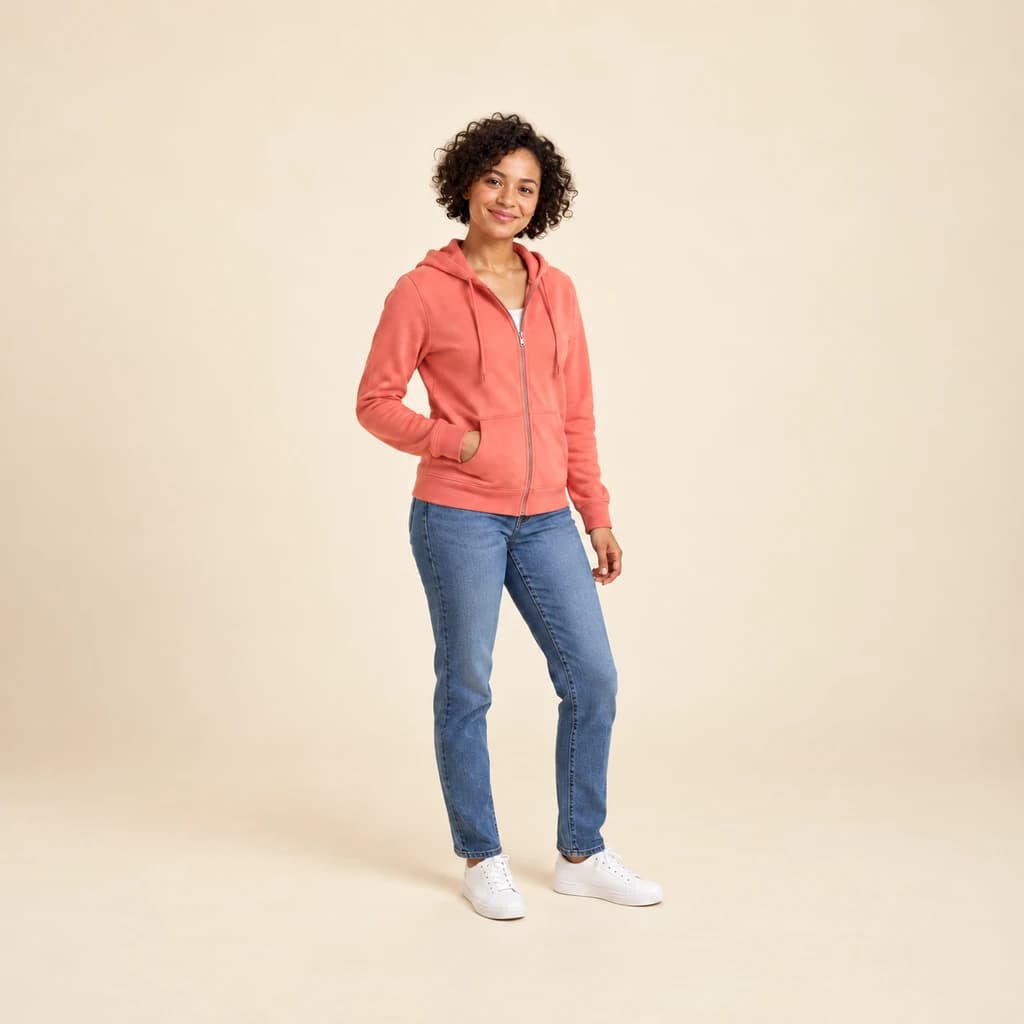 ORIGINAL
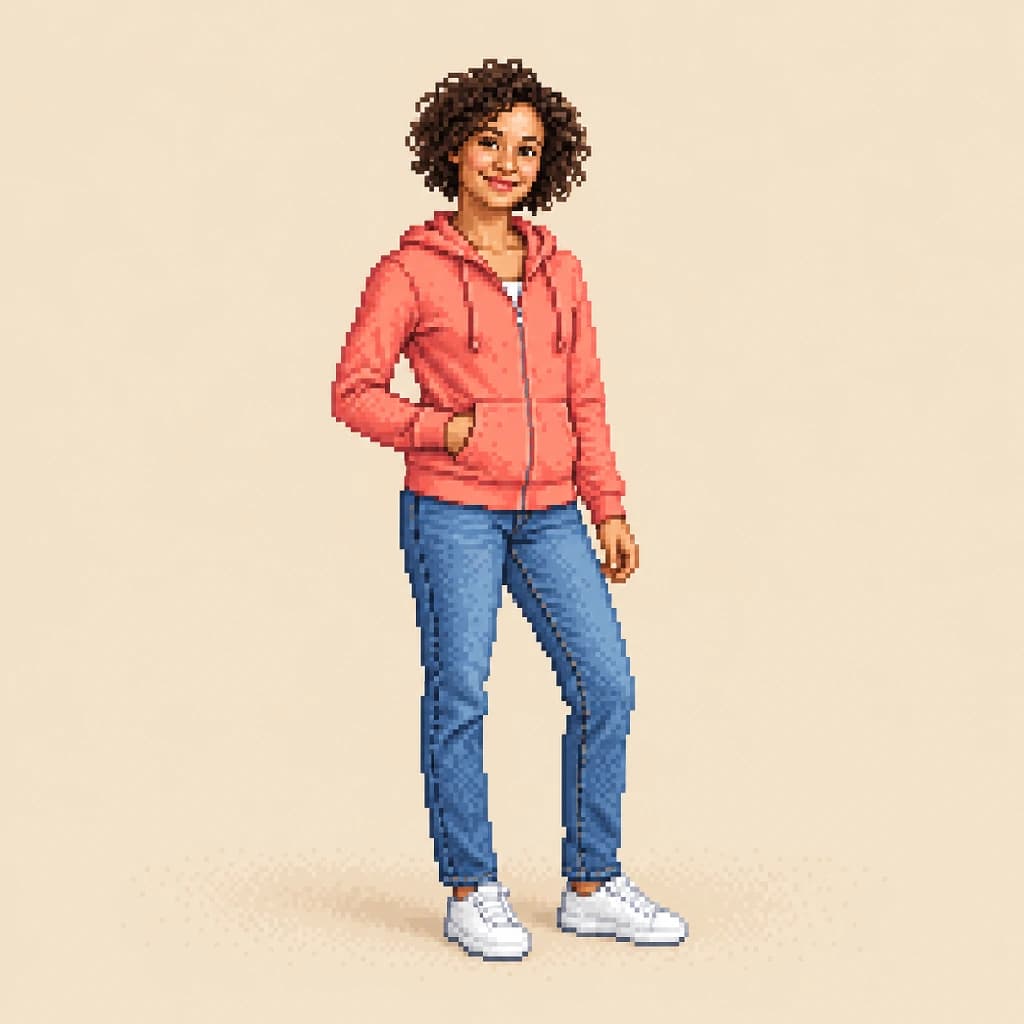 PIXEL ART
Full-body portrait in coral02 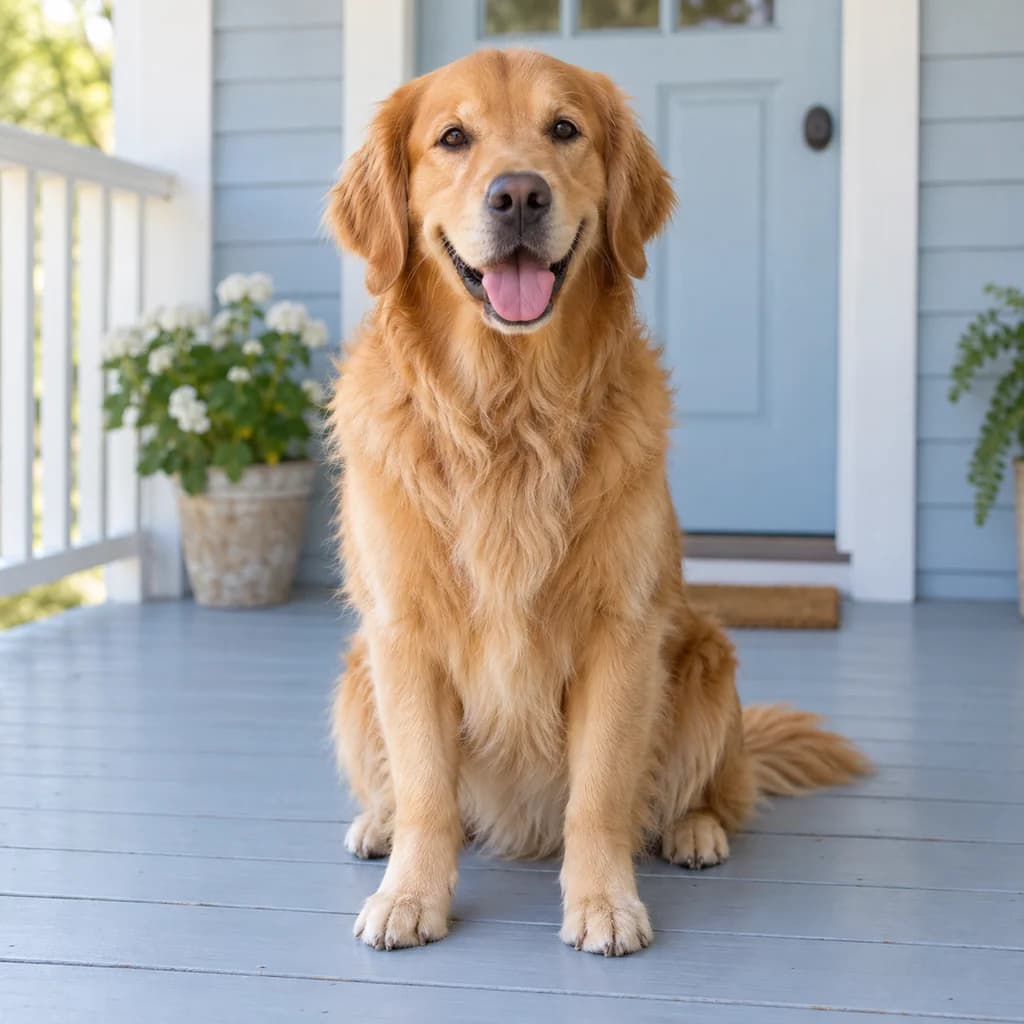 ORIGINAL
 PIXEL ART
Golden retriever on the porch03
Illustrative style preview · Your result will vary
What is pixel art?
Pixel art is a picture built square by square, with every pixel treated as a deliberate mark. Adele Goldberg and Robert Flegal of Xerox PARC put the term into print in 1982, but the craft grew from early computers and game consoles whose screens had few pixels and limited color. Artists learned to suggest a face with a handful of squares.
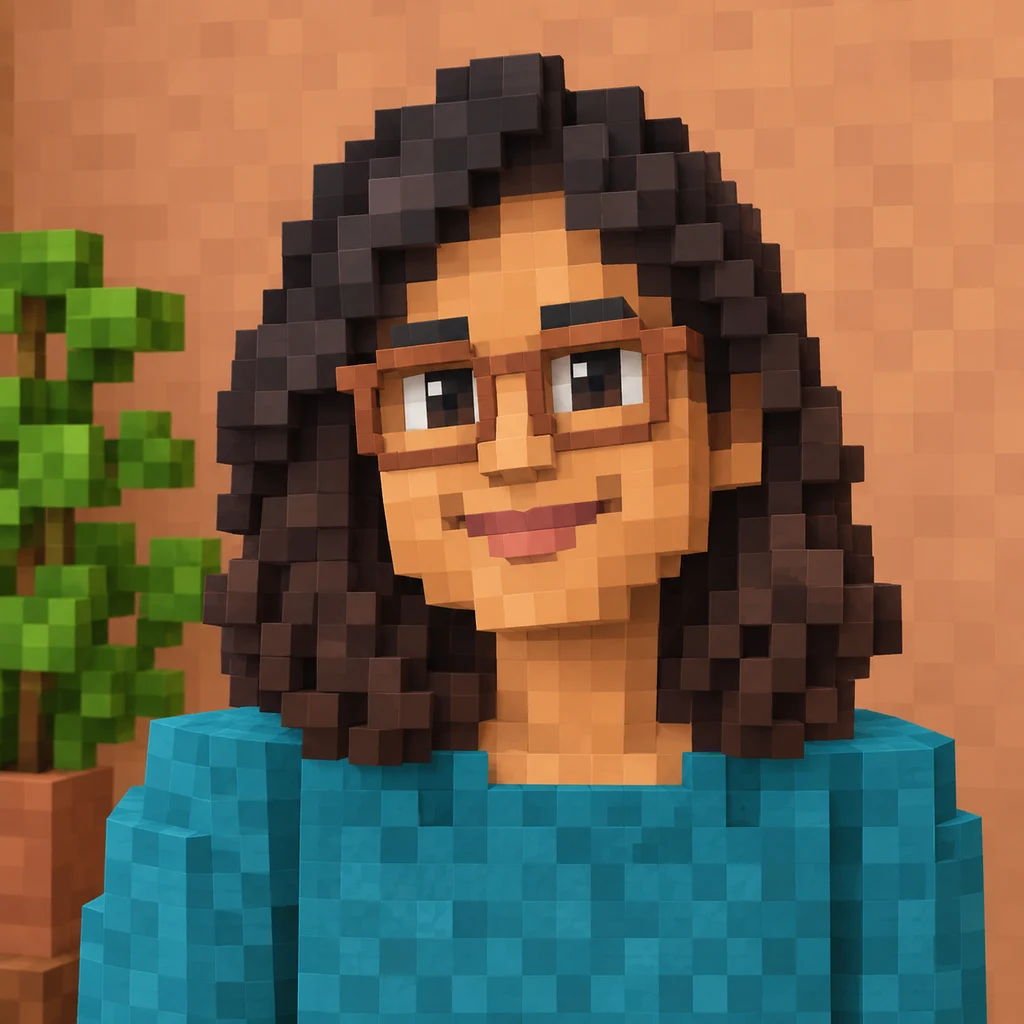
Today the style is free of those hardware limits. Modern pixel artists choose their own palette and resolution, and this tool does the same: small squares, many tones and patterned shading, so likeness holds up well. That freedom separates it from 8-bit, which imitates the tight color limits of 1980s consoles, and from Minecraft style, which builds in 3D cubes.
How to turn a photo into pixel art
Give the studio a sharp photo, and it redraws every part in small, deliberate squares.
Full-body portrait in coral STEP 01
Upload a photo
Pick a JPG, PNG or WebP up to 10 MB, or start with one of the sample portraits. Fill the frame with the face or pet you care about; a larger subject gets more squares for details like glasses and fur.
- OriginalPixel Art
STEP 02
Rebuild it square by square
Your photo is redrawn from small square pixels. Edges become crisp steps, and shading moves through many close tones, with checkered patterns in flat areas. Faces, hair and fur keep their detail.
STEP 03
Generate and download
Sign in and generate your pixel portrait from 8 credits. Grab the PNG download, which is saved to your history as well, ready to reuse.
Ways to use it
Where a pixel version of you or your pet shines.
- Gaming and chat avatarsA pixel version of you stays readable even at tiny sizes.
- Indie game charactersUse your own face or pet as a starting point for a game character.
- Stickers and pinsCrisp square edges look sharp on small stickers, pins and patches.
- Pixel pet portraitsYour dog or cat as a little game character, fur details and all.
- Gifts for gamersA framed pixel portrait of a friend or couple who love games.
- Matching team avatarsGive a whole team the same pixel look. Batch processing handles up to 50 photos at once.
Photo to Pixel Art: what to expect
What the detailed pixel art look keeps and simplifies, and when a different pixel style fits better.
| FEATURE | What you get | Before you start | Limits |
|---|---|---|---|
| Faces | Detailed faces with eyes, lips and glasses drawn in small squares and many skin tones. | Use a close, well-lit portrait for the most facial detail. | Tiny faces in wide shots get only a few squares and lose features. |
| Colors | No fixed palette: the result uses as many shades as your photo needs. | Pick this style for subtle color; choose 8-bit if you want a few flat tones. | It doesn't follow any specific console's color limits. |
| Backgrounds | Walls and porches get patterned, checkered shading, as behind the terracotta-glasses portrait. | Plain or softly lit backgrounds keep the subject clear. | Cluttered scenes can look speckled and pull focus from the subject. |
| Pixel grid | A large PNG where each visible square is a block of many real pixels. | Decide whether you need a picture to share or a sprite to edit. | Squares are AI-drawn, so their size and grid may not be perfectly even. |
Tips for better pixel art results
Small choices that keep your pixels clean and readable.
- 01
Plain backgrounds stay tidy
Busy backgrounds turn into lots of small, noisy squares. A plain wall or open sky keeps attention on you.
- 02
Glasses and hats read well
Bold accessories, like glasses, caps or a bright scarf, become clear pixel shapes that make the character feel like you.
- 03
Cut it out for stickers
Run your result through the background remover for 4 credits. You get a cut-out pixel character for stickers or game mockups.
- 04
Want chunkier blocks? Try 8-bit
Pixel art keeps detail. If you'd rather have bigger squares, flatter color and a simple game-character face, try the 8-bit style instead.
Photo to Pixel Art FAQ
Questions about detailed pixel art from a photo; the main FAQ linked below covers accounts, credits and privacy.
Will my pixel portrait look like me?
Can I print pixel art?
What about pets, kids and group shots?
Pixel art, 8-bit or Minecraft style?
Why do the squares change between runs?
Can I use my pixel art commercially?
Can I use it as a game sprite?
What is the checkered pattern in the background?
Why is it more detailed than I expected?
Turn your photo into detailed pixel art
Zoom in on the terracotta glasses, the coral hoodie and the retriever's fur to see the detail, for free. Sign in to rebuild your own photo in small squares with credits; the smallest plan, Starter, is $9.99 a month.