Photo to
Pop Art
Photo to pop art redraws a picture as a loud 1960s-style print: thick black outlines, flat bright color and big printed dots. Upload a portrait or a pet with a clear face as a JPG, PNG or WebP. Your features, hair and pose stay; skin can turn yellow or orange with magenta shading, and plain backgrounds become a single bright color covered in dots. Sample photos are free to explore, and your own picture runs on credits after you sign in.
From 8 creditsJPG, PNG or WebP up to 10 MB
- COST
- From 8 credits
- TIME
- Usually under a minute
- UPLOAD
- JPG, PNG, WebP · 10 MB
- OUTPUT
- PNG up to 4096 px
Styles
57 stylesAnime & Cartoon
11Artistic
133D & Avatars
8Fun & Creative
9Retro & Vintage
3Digital & Modern
8Sculptures & Crafts
5Illustrative style preview · Your result will vary
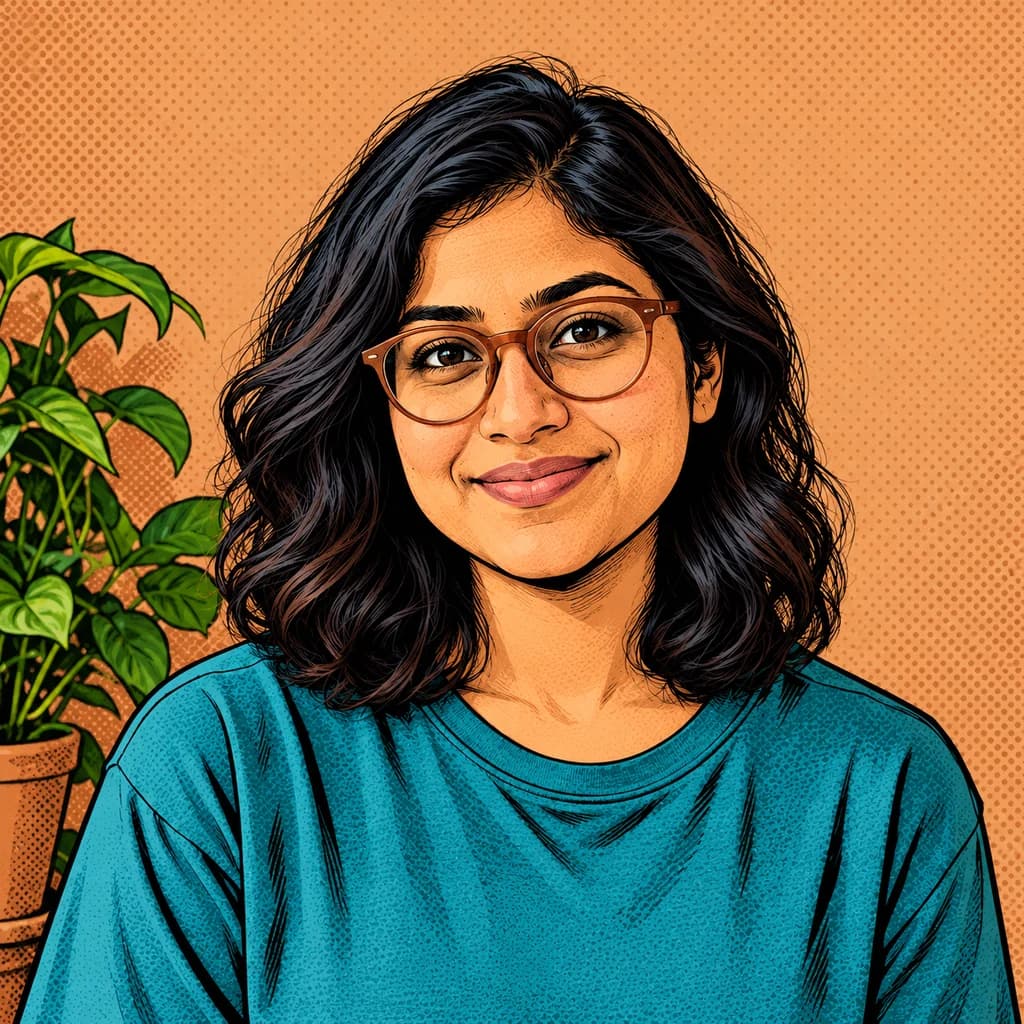
Portrait with terracotta glasses
Sample photo
PRESET · /tools/photo-to-pop-art · Seedream 4 · 2K · 1:1
Open full studio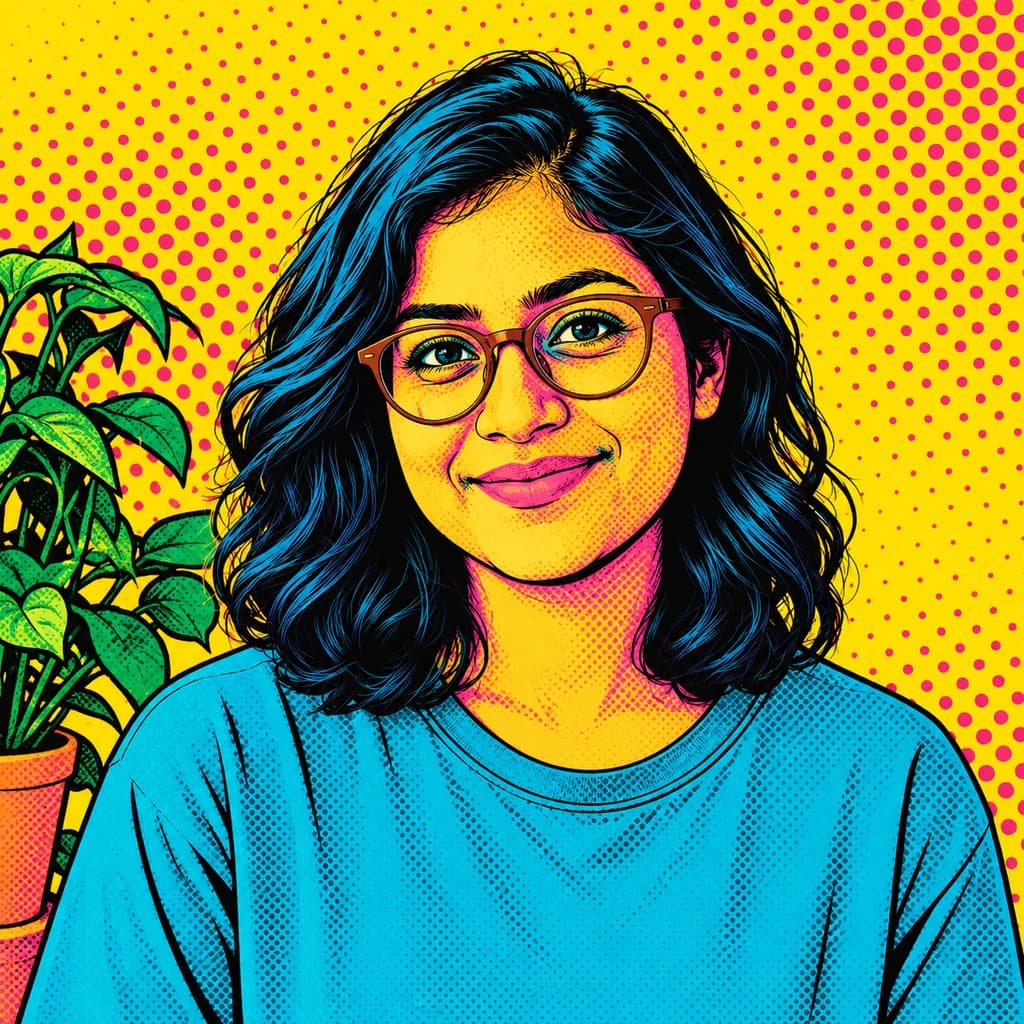 Pop ArtSeedream 4 · 2K · 1:1
Illustrative style preview · Your result will vary
11 credits / image · From $9.99 a month
/tools/photo-to-pop-art
Open full studioPhoto to Pop Art examples
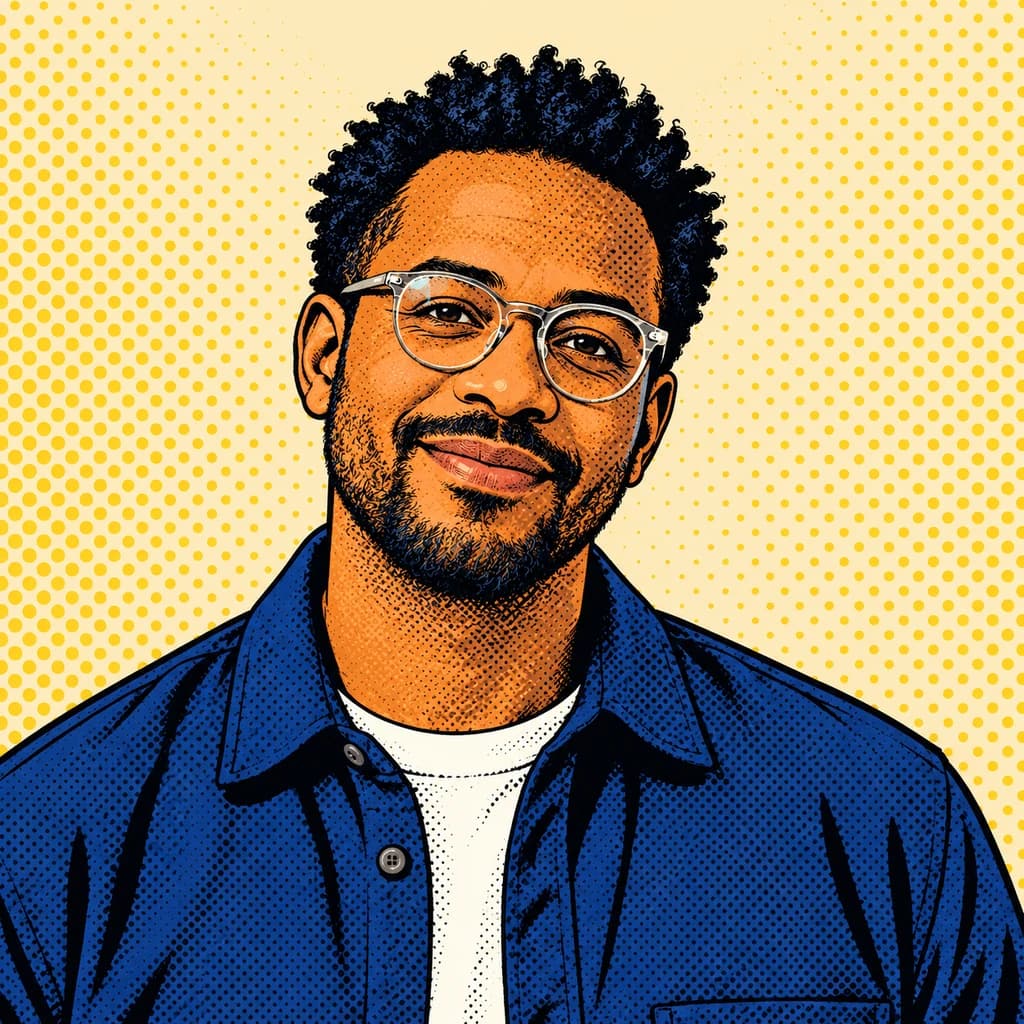
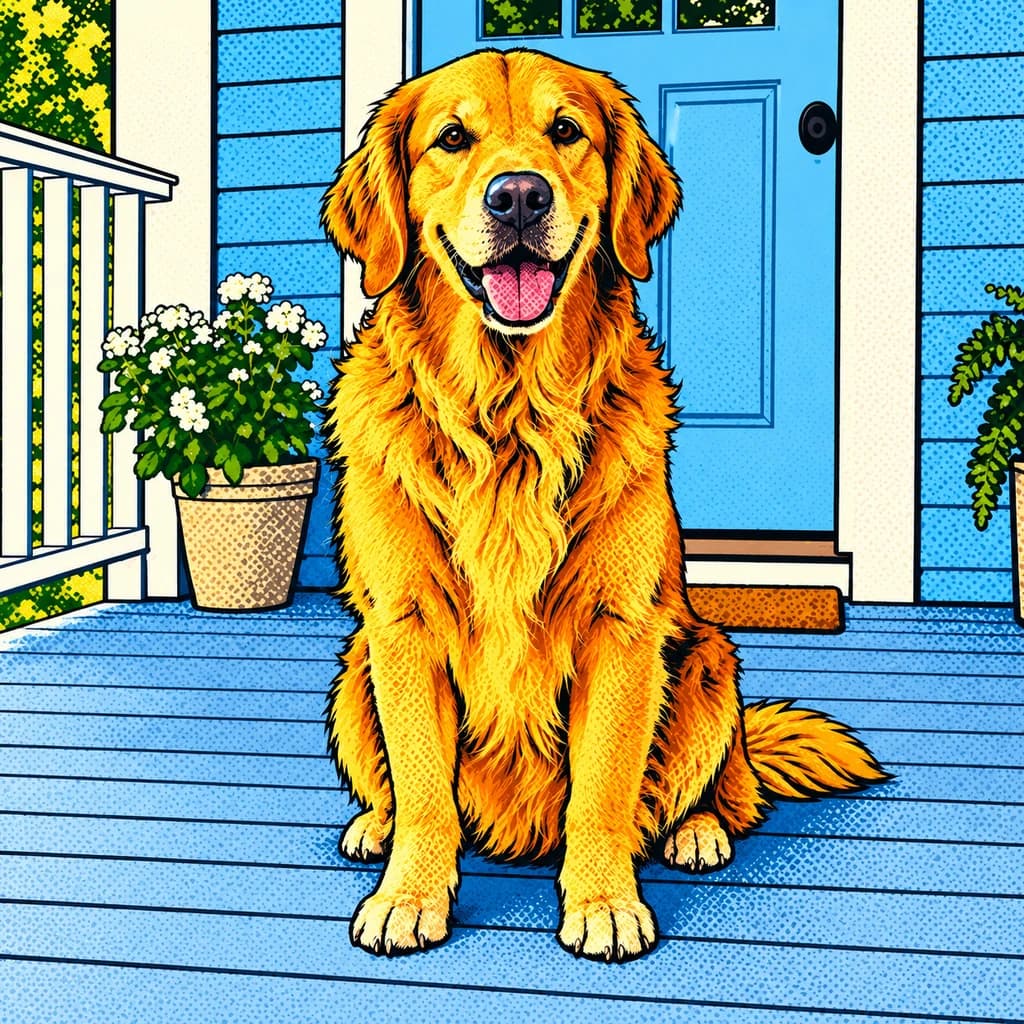
The portrait with terracotta glasses goes furthest: yellow skin with magenta shadows, blue-black hair and a yellow wall covered in pink dots. The portrait with round glasses keeps warmer, more natural skin, shaded with dots, against pale yellow. The golden retriever on the porch keeps its whole scene, but every color is turned up and outlined in black.
 ORIGINALPOP ART
Portrait with terracotta glasses01  ORIGINAL
 POP ART
Portrait with round glasses02 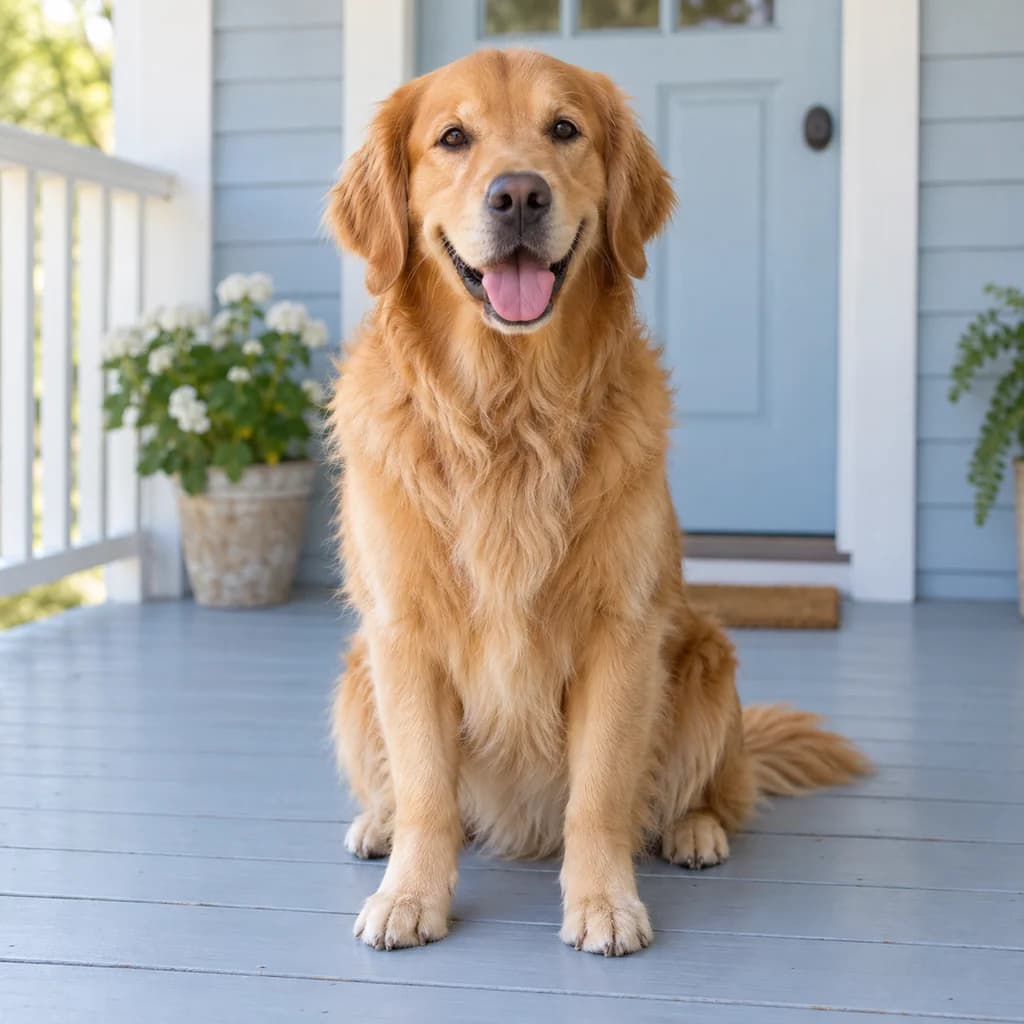 ORIGINAL
 POP ART
Golden retriever on the porch03
Illustrative style preview · Your result will vary
What is pop art?
Pop art is an art movement that took its subjects and its look from mass culture: ads, comic strips, packaging and celebrity photos. It grew up in Britain and the US in the 1950s and 60s. Andy Warhol screen-printed famous faces in loud, flat colors, and Roy Lichtenstein painted giant comic panels, dots and all.
Here, your photo becomes a print in that spirit. Shadows turn into flat patches or fields of dots, outlines go thick and black, and colors jump to yellow, magenta, cyan and cobalt. Skin may stay close to natural or shift to an unreal yellow, depending on the run. A single subject against a plain background gives the cleanest, most poster-like result.
How to turn a photo into pop art
Three steps from a clear portrait to a loud, dotted print.
Portrait with round glasses STEP 01
Upload a photo
Choose a sample, or upload a JPG, PNG or WebP no larger than 10 MB. A single face, roughly shoulders-up, with nothing busy behind it, gives the boldest print.
- OriginalPop Art
STEP 02
Flatten it into bold color
Light and shadow turn into flat shapes of bright color. Outlines become thick and black, and skin can turn yellow or orange with pink or red shadows. A plain background often fills with one loud tone.
STEP 03
Generate and download
Sign in and generate; the cost starts at 8 credits and changes with the model. Download the print as a PNG, and it stays saved in your history if you need another copy.
Ways to use it
Places where a loud, graphic portrait earns its spot.
- Statement wall artA loud portrait of you, your partner or your dog for a bare wall.
- Birthday and anniversary giftsA pop art print of someone you love, framed and ready to hang.
- Pet portraits with attitudeDogs and cats look great in sunny yellow against bright blue or mint.
- Profile pictures that popFlat, bright color stays easy to read even as a tiny round avatar.
- Shirts, mugs and totesBold shapes and thick lines look clean on printed shirts, mugs and bags.
- Party posters and invitesPut the guest of honor on a loud, 1960s-style poster or invitation.
Photo to Pop Art: what to expect
What pop art does to skin color, backgrounds, outlines and pets, so the loud result is no surprise.
| FEATURE | What you get | Before you start | Limits |
|---|---|---|---|
| Skin color | Anything from warm, natural brown to bright yellow with magenta shading; each run decides. | If you want natural skin, plan on a couple of runs and keep the closest. | There's no setting to lock skin color; unreal tones are part of the style. |
| Backgrounds | Plain walls become one bright color filled with large printed dots. | Shoot against something plain; patterned backgrounds compete with the dots. | Detailed scenes, like the porch, keep their objects instead of turning into one color. |
| Lines and detail | Thick black outlines around faces, glasses, hair and clothing; shading becomes dots or flat patches. | Make sure glasses and hair edges are sharp, since they become the strongest lines. | Fine details like eyelashes or jewelry may merge into a single line or vanish. |
| Pets | Fur turns into flat gold or orange shapes with black line detail, as in the retriever sample. | A pet facing the camera with both eyes visible makes the strongest graphic image. | Black or very dark pets can lose detail inside the heavy outlines. |
Tips for better pop art results
How to get the boldest, cleanest color blocks.
- 01
Use light from one side
Side light makes clear shadow shapes, and those become the bold color blocks. Flat, even light gives a flatter result.
- 02
Keep the background simple
A plain wall or open sky becomes one loud color. Busy backgrounds break into lots of small patches that compete with the face.
- 03
Get close to the face
Pop art is about one strong face. Head-and-shoulders photos give the biggest, cleanest color shapes and the most graphic result.
- 04
Make a set in different colors
Each run picks its own colors, from yellow and red to mint and blue-green. Make a few and hang them side by side, gallery style.
Photo to Pop Art FAQ
Answers about loud color, printed dots and likeness in pop art portraits; account, credit and privacy questions are answered in the main FAQ.
Will friends still recognize me?
Will it hold up as a poster?
Does pop art work for pets, kids or groups?
Pop art or comic book style: which should I choose?
What are the dots?
Is it a Warhol filter?
Which photos make the best pop art?
Can I use it for screen printing?
Why do the colors change every time?
Can I sell pop art prints or put them on merch?
Turn your photo into a bold pop art print
Run a sample portrait and see the dots and loud color before spending anything. For your own face or pet, sign in and use credits; the price is shown before each print. Plans start at $9.99 a month, and Creator adds commercial use.